Troubleshooting
OPERATION GUIDE 10-3
10
Precautions When Turning Power OFF
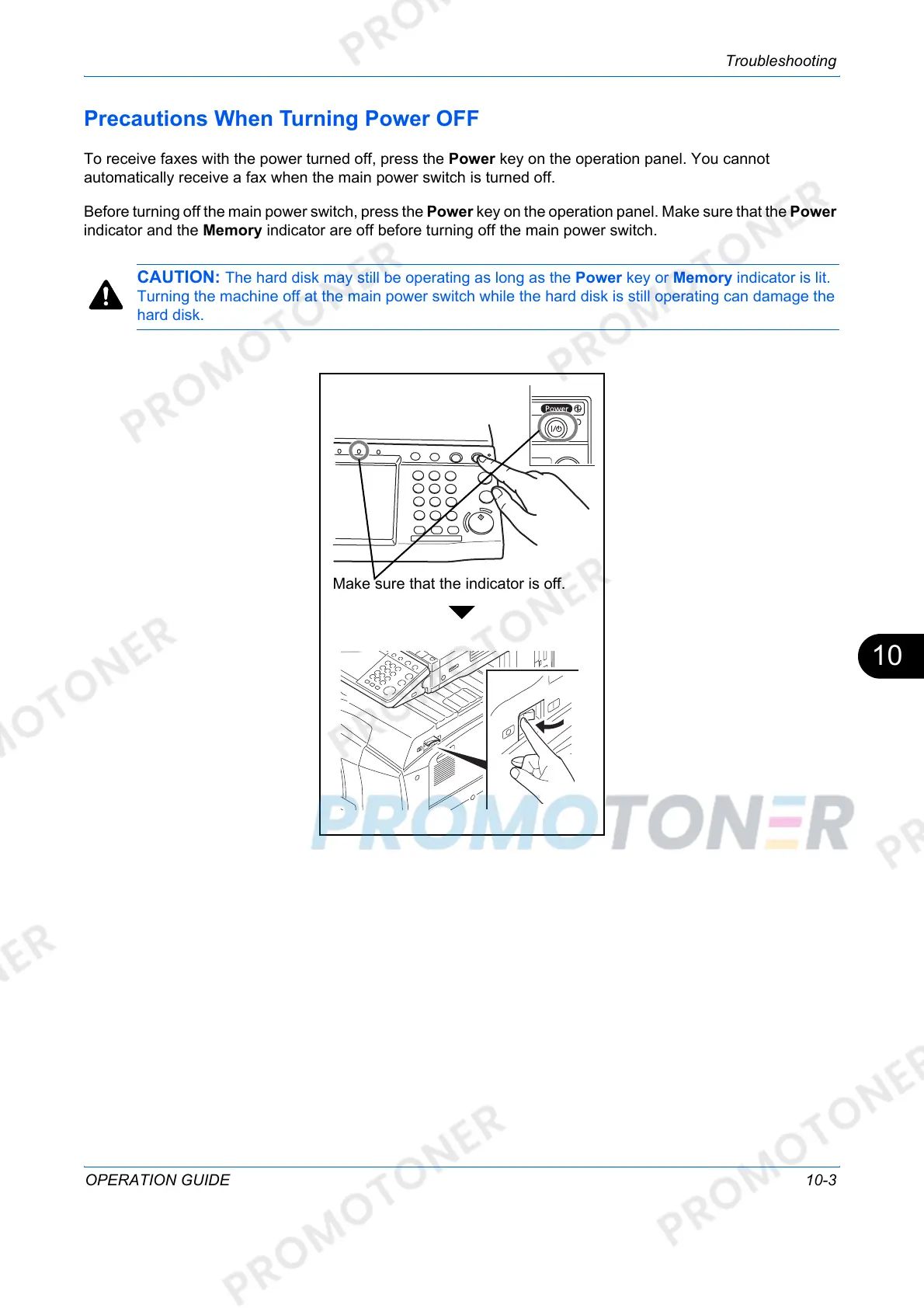
To receive faxes with the power turned off, press the Power key on the operation panel. You cannot
automatically receive a fax when the main power switch is turned off.
Before turning off the main power switch, press the Power key on the operation panel. Make sure that the Power
indicator and the Memory indicator are off before turning off the main power switch.
CAUTION: The hard disk may still be operating as long as the Power key or Memory indicator is lit.
Turning the machine off at the main power switch while the hard disk is still operating can damage the
hard disk.
Make sure that the indicator is off.



 To Next Page