FAX Operation (Advanced)
4-30 OPERATION GUIDE
FAX Box Function
FAX Box
A FAX Box is a box for storing received originals on the machine to which the FAX System is to be installed.
Using the memory forwarding function, you can store received originals in a personal FAX Box.
Registering a FAX Box
Up to 100 FAX Boxes can be registered.
1 Press the System Menu key.
2 Press [Document Box/Removable Memory], [Next]
of FAX Box and [Register/Edit] of Register/Edit
Box.
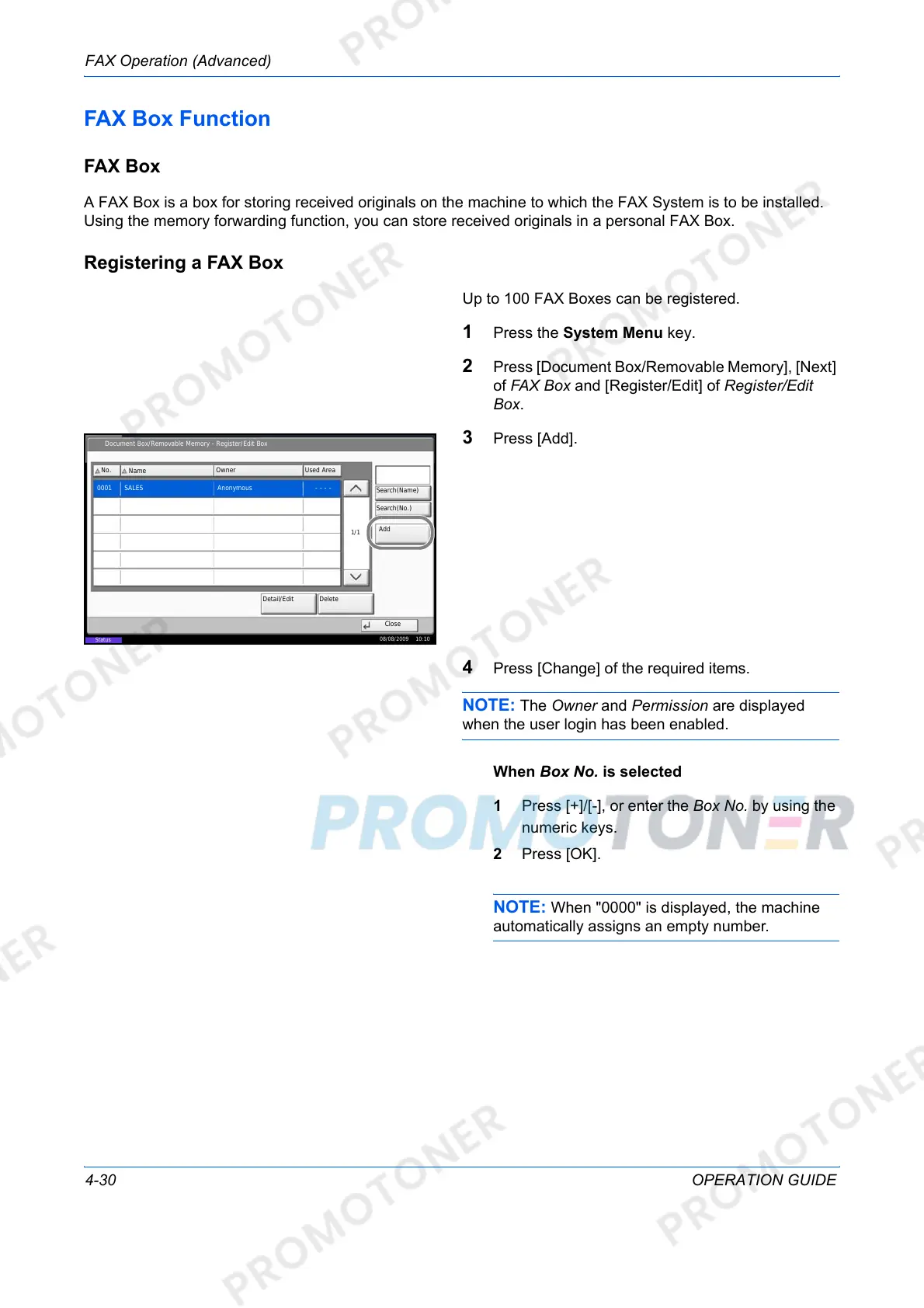
3 Press [Add].
4 Press [Change] of the required items.
NOTE: The Owner and Permission are displayed
when the user login has been enabled.
When Box No. is selected
1 Press [+]/[-], or enter the Box No. by using the
numeric keys.
2 Press [OK].
NOTE: When "0000" is displayed, the machine
automatically assigns an empty number.
Document Box/Removable Memory - Register/Edit Box
No.
Name
Owner Used Area
0001 SALES Anonymous - - - -
1/1
Add
Detail/Edit Delete
Close
Status
08/08/2009 10:10
Search(Name)
Search(No.)













 To Next Page