FAX Operation (Advanced)
4-10 OPERATION GUIDE
Chain Dial
Chain dial is a function that allows you to dial by linking fax numbers of the receiving systems with a chain
number created with a number common to several destinations. By setting a toll free number and an area code
to a chain number, you do not need to enter such numbers for each transmission.
NOTE: You can use the chain number at the head of the fax number of the receiving system.
It is convenient to register chain numbers that are used frequently to the Address Book or One-touch keys. For
registration to the Address Book, refer to Registering a New Destination on page 3-17. For registration to One-
touch keys, refer to Registering a New One-touch Key on page 3-29.
As an example, when using ‘212’ as the chain number
1 Press the Send/FAX key.
2 Place the originals.
3 Press [FAX No. Entry], and enter ‘212’ using the
numeric keys, and press [OK]. To use the Address
Book or One-touch keys, select the destinations to
which ‘212’ has been registered.
NOTE: For the Address Book and One-touch keys,
refer to Using the Address Book on page 3-17 and
Using One-touch Keys on page 3-29.
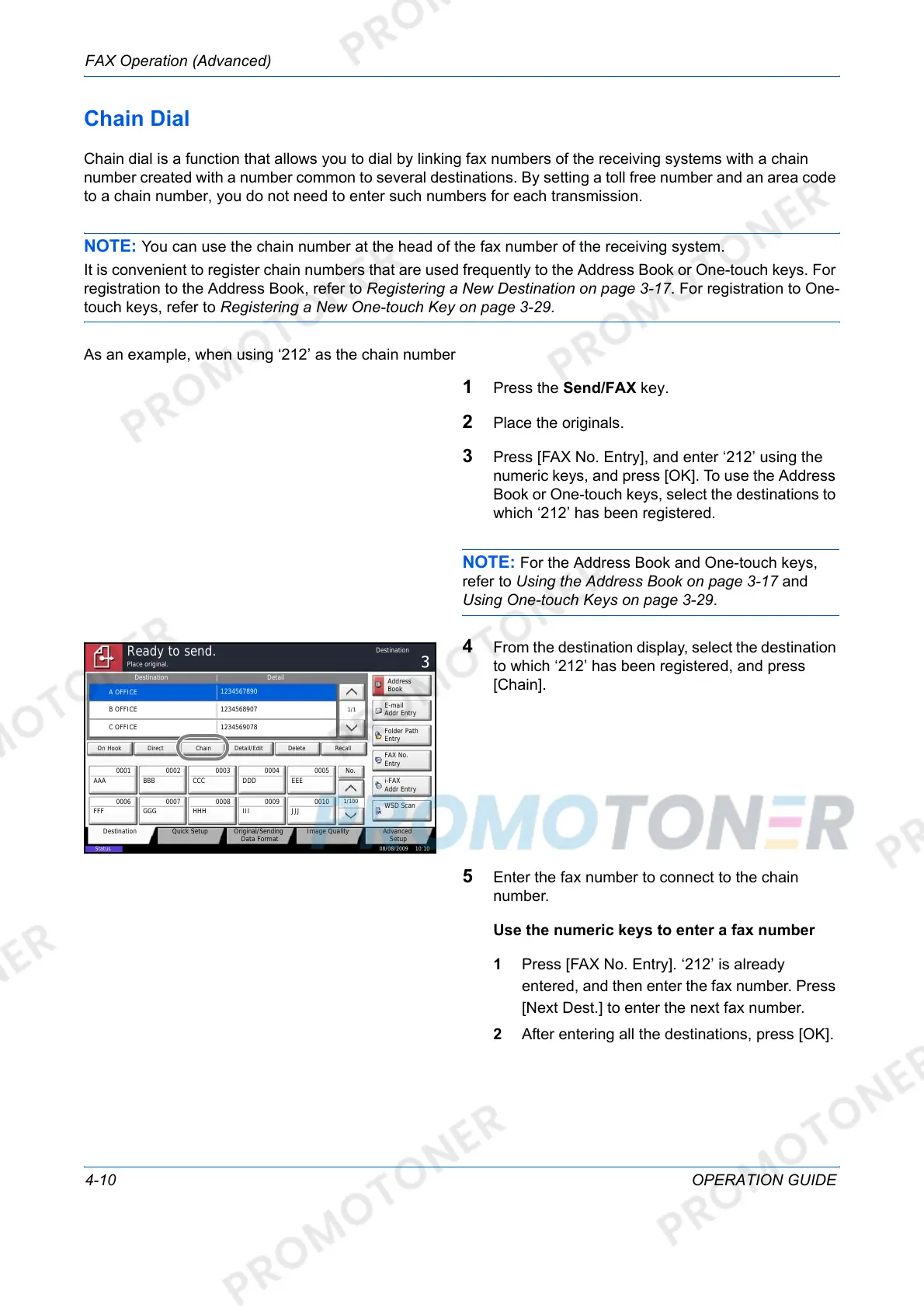
4 From the destination display, select the destination
to which ‘212’ has been registered, and press
[Chain].
5 Enter the fax number to connect to the chain
number.
Use the numeric keys to enter a fax number
1 Press [FAX No. Entry]. ‘212’ is already
entered, and then enter the fax number. Press
[Next Dest.] to enter the next fax number.
2 After entering all the destinations, press [OK].
Status
08/08/2009 10:10
Original/Sending
Data Format
Quick SetupDestination Image Quality Advanced
Setup
Destination Detail
A OFFICE
1234567890
Address
Book
Folder Path
Entry
E-mail
Addr Entry
No.
1/100
AAA BBB CCC DDD EEE
FFF GGG HHH III JJJ
00040003 00050001 0002
0006 0007 0008 0009 0010
1/1
i-FAX
Addr Entry
FAX No.
Entry
WSD Scan
Place original.
Ready to send.
Destination
B OFFICE
1234568907
C OFFICE
1234569078
Direct Delete RecallOn Hook Chain Detail/Edit













 To Next Page