Part Names and Functions
1-2 OPERATION GUIDE
Operation Panel
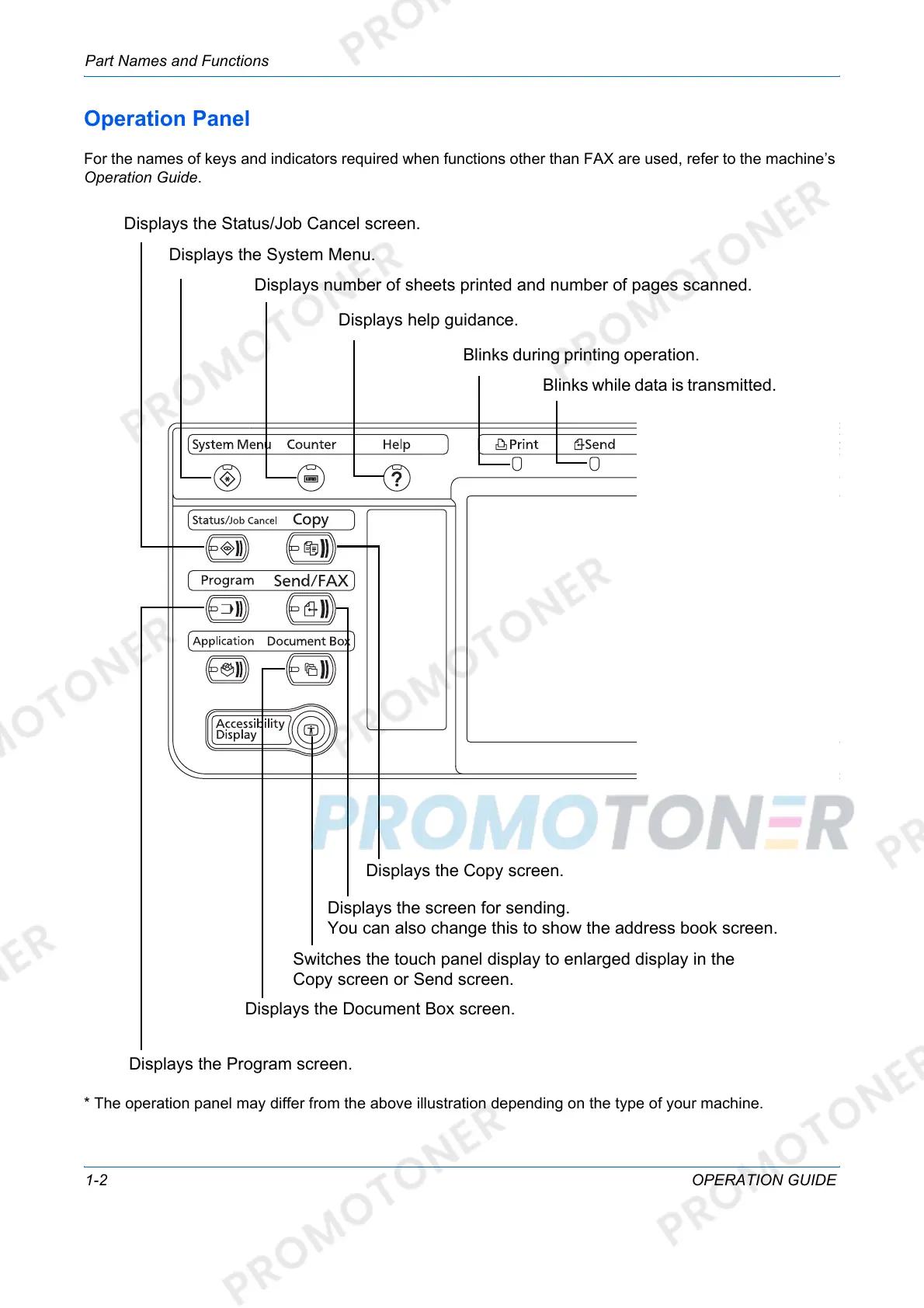
For the names of keys and indicators required when functions other than FAX are used, refer to the machine’s
Operation Guide.
* The operation panel may differ from the above illustration depending on the type of your machine.
Displays the Copy screen.
Displays the screen for sending.
You can also change this to show the address book screen.
Switches the touch panel display to enlarged display in the
Copy screen or Send screen.
Displays the Document Box screen.
Displays the Program screen.
Blinks while data is transmitted.
Blinks during printing operation.
Displays help guidance.
Displays number of sheets printed and number of pages scanned.
Displays the System Menu.
Displays the Status/Job Cancel screen.













 To Next Page