FAX Operation (Basic)
3-2 OPERATION GUIDE
Enter key and Quick No. Search key
This section explains how to use the Enter key and Quick No. Search key on the operation panel.
Using the Enter ( ) key
The Enter key works in the same way as keys displayed on the touch panel, such as [OK] and [Close].
The Enter symbol ( ) is displayed next to the keys whose operations are carried out by the Enter key (e.g.
[ OK], [ Close]).
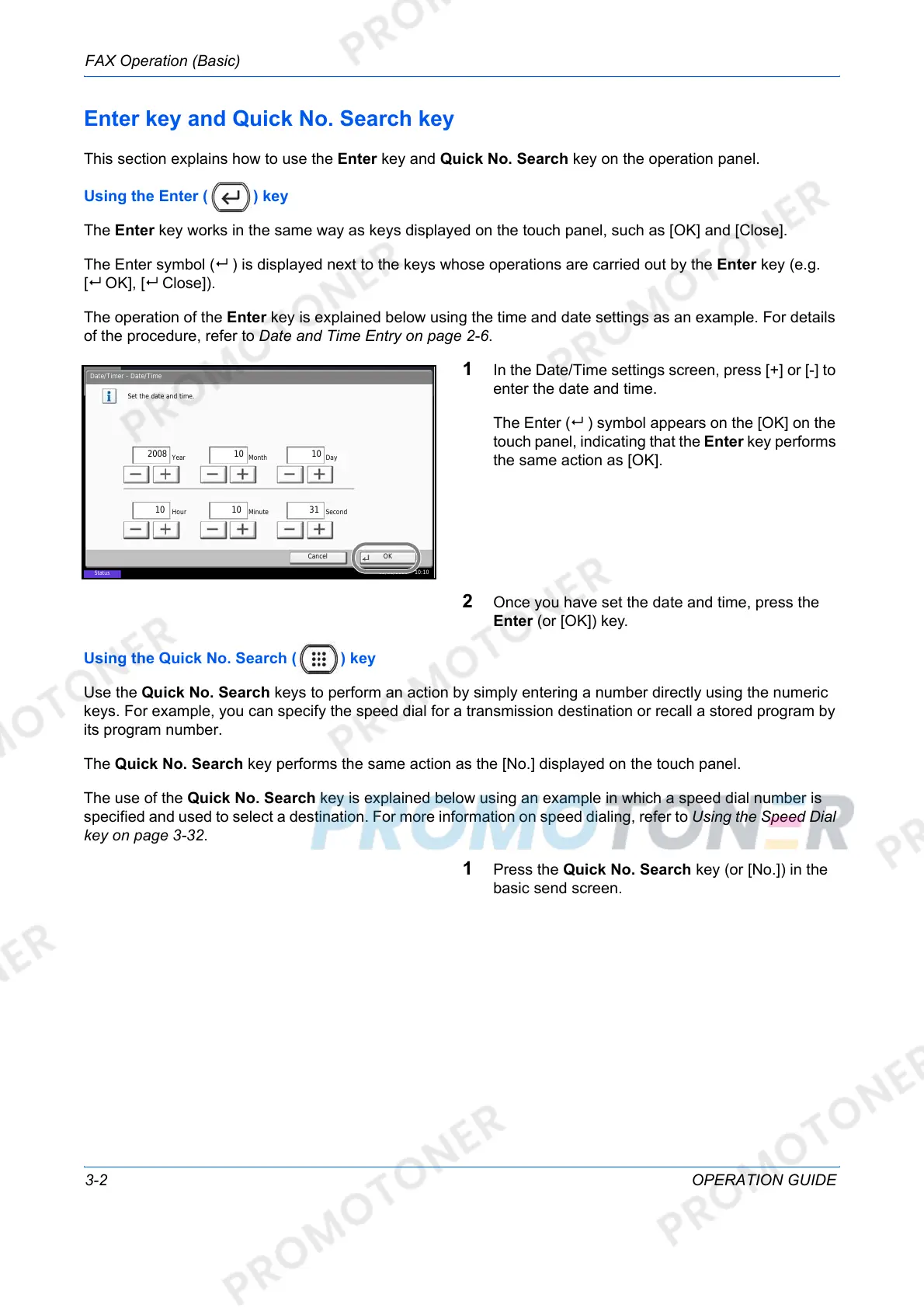
The operation of the Enter key is explained below using the time and date settings as an example. For details
of the procedure, refer to Date and Time Entry on page 2-6.
1 In the Date/Time settings screen, press [+] or [-] to
enter the date and time.
The Enter ( ) symbol appears on the [OK] on the
touch panel, indicating that the Enter key performs
the same action as [OK].
2 Once you have set the date and time, press the
Enter (or [OK]) key.
Using the Quick No. Search ( ) key
Use the Quick No. Search keys to perform an action by simply entering a number directly using the numeric
keys. For example, you can specify the speed dial for a transmission destination or recall a stored program by
its program number.
The Quick No. Search key performs the same action as the [No.] displayed on the touch panel.
The use of the Quick No. Search key is explained below using an example in which a speed dial number is
specified and used to select a destination. For more information on speed dialing, refer to Using the Speed Dial
key on page 3-32.
1 Press the Quick No. Search key (or [No.]) in the
basic send screen.
Date/Timer - Date/Time
Set the date and time.
Off
DayMonthYear
SecondMinuteHour
2008
10 10 31
10 10
Status
08/08/2009 10:10
Cancel
OK













 To Next Page