FAX Operation (Basic)
3-16 OPERATION GUIDE
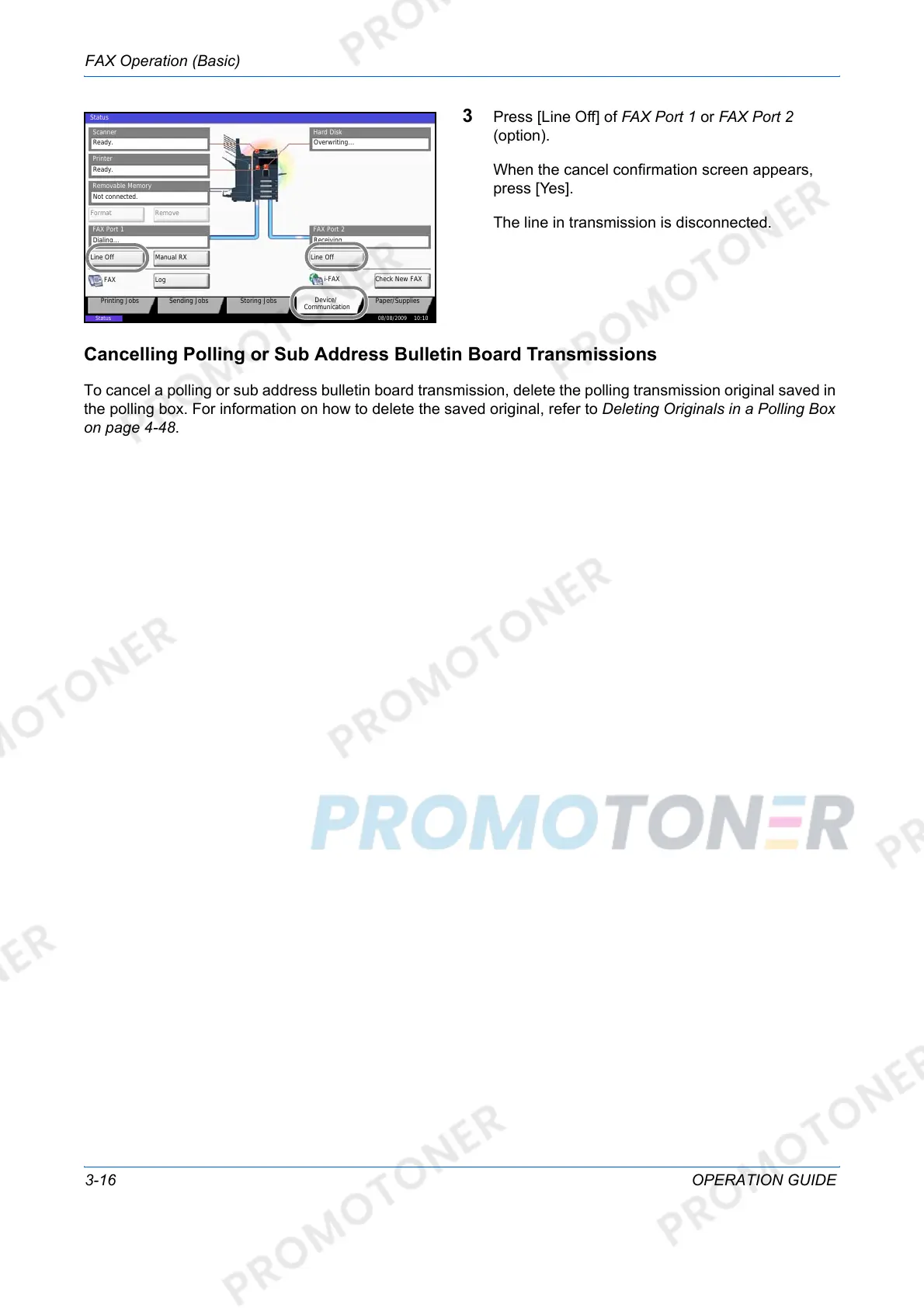
3 Press [Line Off] of FAX Port 1 or FAX Port 2
(option).
When the cancel confirmation screen appears,
press [Yes].
The line in transmission is disconnected.
Cancelling Polling or Sub Address Bulletin Board Transmissions
To cancel a polling or sub address bulletin board transmission, delete the polling transmission original saved in
the polling box. For information on how to delete the saved original, refer to Deleting Originals in a Polling Box
on page 4-48.
Overwriting...
Scanner
Ready.
Printer
Not connected.
Removable Memory
Hard Disk
䝯䝰䝸䜹䞊䝗
Format Remove
Line Off Manual RX
FAX Port 1
LogFAX
Check New FAX
i-FAX
FAX Port 2
Line Off
08/08/2009 10:10
Status
Printing Jobs Sending Jobs Storing Jobs
Device/
Communication
Paper/Supplies
Status
Dialing... Receiving...
Ready.













 To Next Page