FAX Operation (Basic)
3-18 OPERATION GUIDE
NOTE: For details on character entry, refer to
Character Entry Method on page 2 of the Appendix.
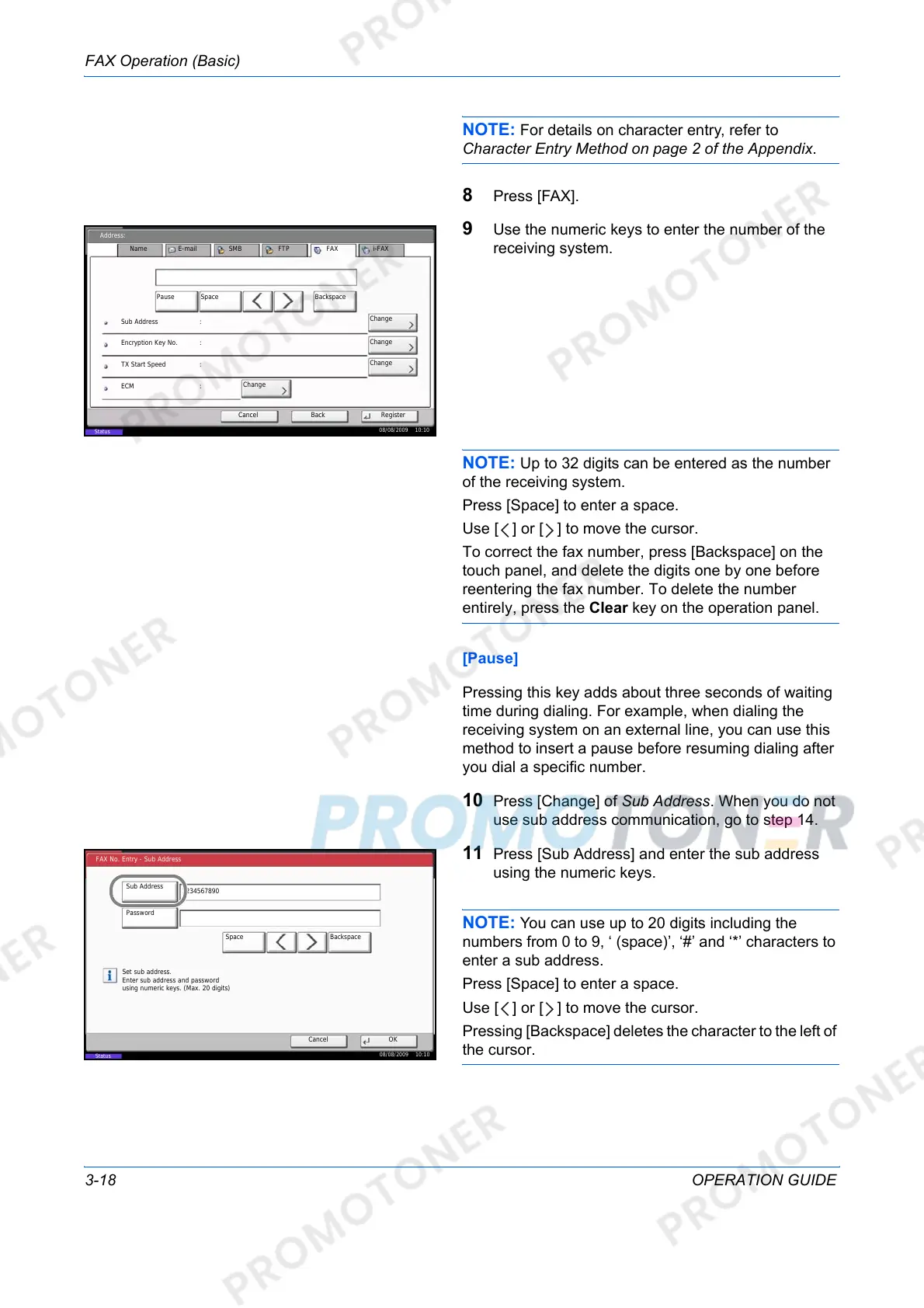
8 Press [FAX].
9 Use the numeric keys to enter the number of the
receiving system.
NOTE: Up to 32 digits can be entered as the number
of the receiving system.
Press [Space] to enter a space.
Use [ ] or [ ] to move the cursor.
To correct the fax number, press [Backspace] on the
touch panel, and delete the digits one by one before
reentering the fax number. To delete the number
entirely, press the Clear key on the operation panel.
[Pause]
Pressing this key adds about three seconds of waiting
time during dialing. For example, when dialing the
receiving system on an external line, you can use this
method to insert a pause before resuming dialing after
you dial a specific number.
10 Press [Change] of Sub Address. When you do not
use sub address communication, go to step 14.
11 Press [Sub Address] and enter the sub address
using the numeric keys.
NOTE: You can use up to 20 digits including the
numbers from 0 to 9, ‘ (space)’, ‘#’ and ‘*’ characters to
enter a sub address.
Press [Space] to enter a space.
Use [ ] or [ ] to move the cursor.
Pressing [Backspace] deletes the character to the left of
the cursor.
Cancel Register
Address:
ECM
Change
Pause BackspaceSpace
Name E-mail SMB FTP FAX i-FAX
Back
TX Start Speed
Encryption Key No.
Sub Address :
:
:
:
Change
Change
Change
08/08/2009 10:10
Status
FAX No. Entry - Sub Address
Cancel OK
Sub Address
Password
Set sub address.
Enter sub address and password
using numeric keys. (Max. 20 digits)
1234567890
BackspaceSpace
08/08/2009 10:10
Status













 To Next Page