FAX Operation (Basic)
3-20 OPERATION GUIDE
20 Check if each item has been entered correctly.
21 Check if the destination has been set correctly, and
press [Register]. The destination is added to the
Address Book.
Contact Registration (i-FAX)
Up to 2,000 contacts can be registered. Contact name, i-FAX address, transmission mode and the conditions
for the destination machine can be registered for each contact.
1 Press the System Menu key.
2 Press [Edit Destination], [Register/Edit] of Address
Book, [Add], [Contact], and then [Next].
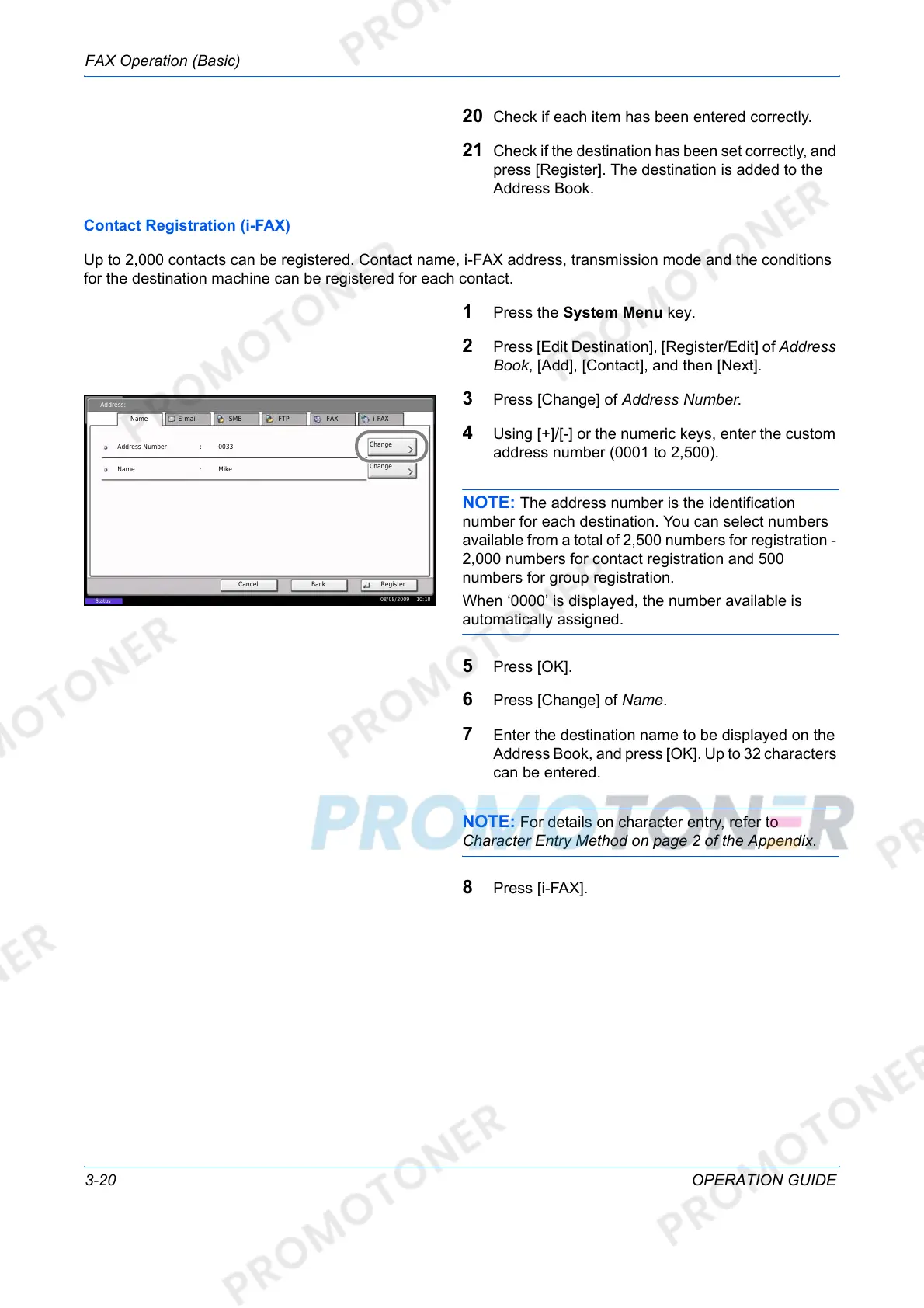
3 Press [Change] of Address Number.
4 Using [+]/[-] or the numeric keys, enter the custom
address number (0001 to 2,500).
NOTE: The address number is the identification
number for each destination. You can select numbers
available from a total of 2,500 numbers for registration -
2,000 numbers for contact registration and 500
numbers for group registration.
When ‘0000’ is displayed, the number available is
automatically assigned.
5 Press [OK].
6 Press [Change] of Name.
7 Enter the destination name to be displayed on the
Address Book, and press [OK]. Up to 32 characters
can be entered.
NOTE: For details on character entry, refer to
Character Entry Method on page 2 of the Appendix.
8 Press [i-FAX].
Address:
Change
Register
Address Number
Name
0033
BackCancel
Name Mike
E-mail SMB FTP FAX i-FAX
Status
08/08/2009 10:10
:
Change
:













 To Next Page