FAX Operation (Basic)
3-22 OPERATION GUIDE
14
Check if the destination has been set correctly, and
press [Register].The destination is added to the
Address Book.
Group Registration
You can register several destinations that have been registered to be contacted as a unit. This method is
convenient because several destinations can be designated at one time. Up to 500 groups can be registered.
NOTE: Group registration requires destinations that have been registered as contact registration. Perform the
necessary contact registration in advance.
1 Press the System Menu key.
2 Press [Edit Destination], [Register/Edit] of Address
Book, [Add], [Group], and then [Next].
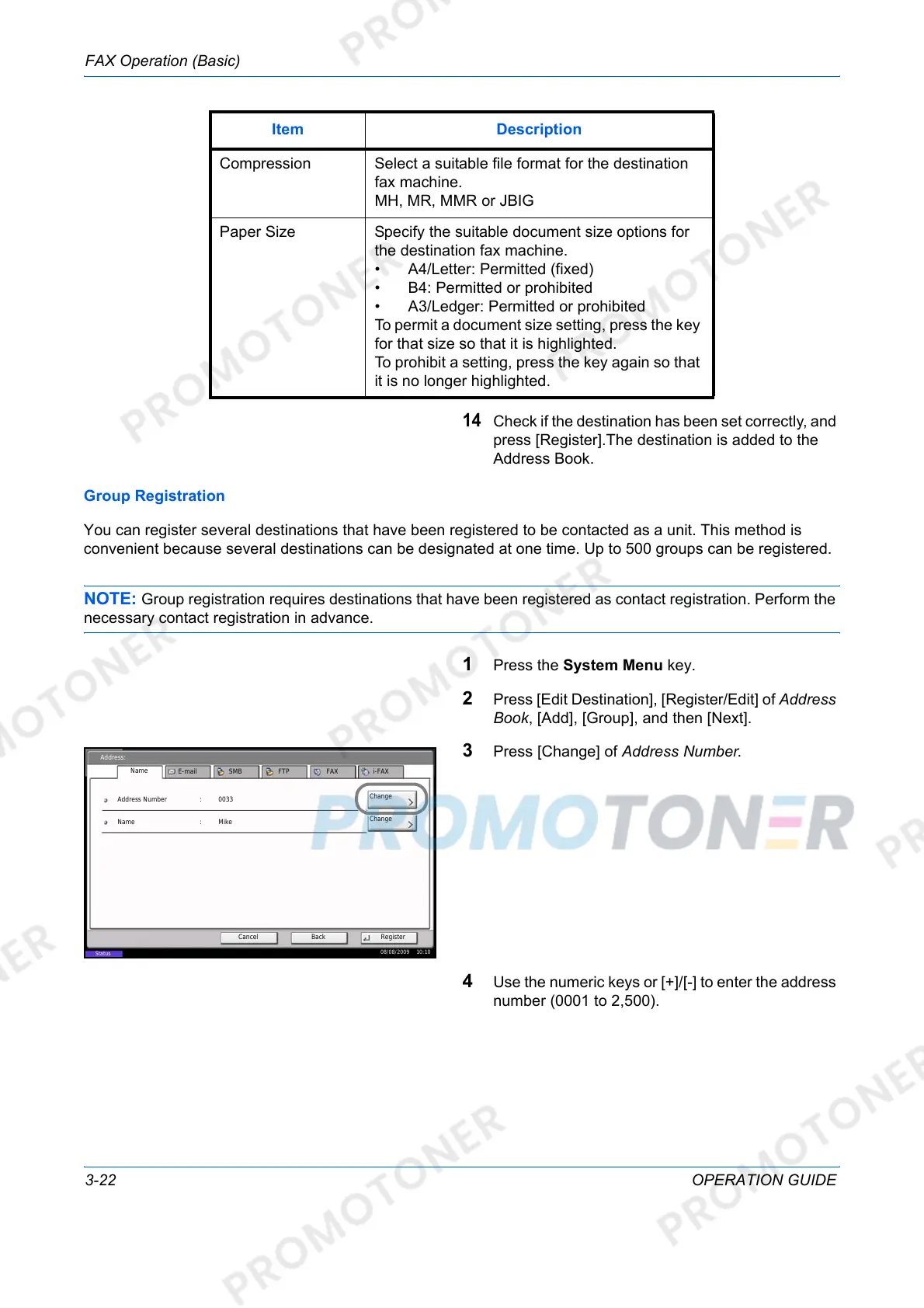
3 Press [Change] of Address Number.
4 Use the numeric keys or [+]/[-] to enter the address
number (0001 to 2,500).
Compression Select a suitable file format for the destination
fax machine.
MH, MR, MMR or JBIG
Paper Size Specify the suitable document size options for
the destination fax machine.
• A4/Letter: Permitted (fixed)
• B4: Permitted or prohibited
• A3/Ledger: Permitted or prohibited
To permit a document size setting, press the key
for that size so that it is highlighted.
To prohibit a setting, press the key again so that
it is no longer highlighted.
Item Description
Address:
Change
Register
Address Number
Name
0033
BackCancel
Name Mike
E-mail SMB FTP FAX i-FAX
Status
08/08/2009 10:10
:
Change
:













 To Next Page