FAX Operation (Basic)
3-26 OPERATION GUIDE
Search (No.)
Press [Search (No.)] and enter the address number you want to search.
Destination type search refinement
Press [E-mail], [Folder], [FAX], [i-FAX] or [Group]. The destination by the destination type is displayed.
Capital letter search refinement
Press the key of the capital letter you want to search.
Changing/Deleting Registration Contents
You can change or delete the contents of destinations (contact) or groups.
1 Press the System Menu key.
2 Press [Edit Destination] and then [Register/Edit] of
Address Book.
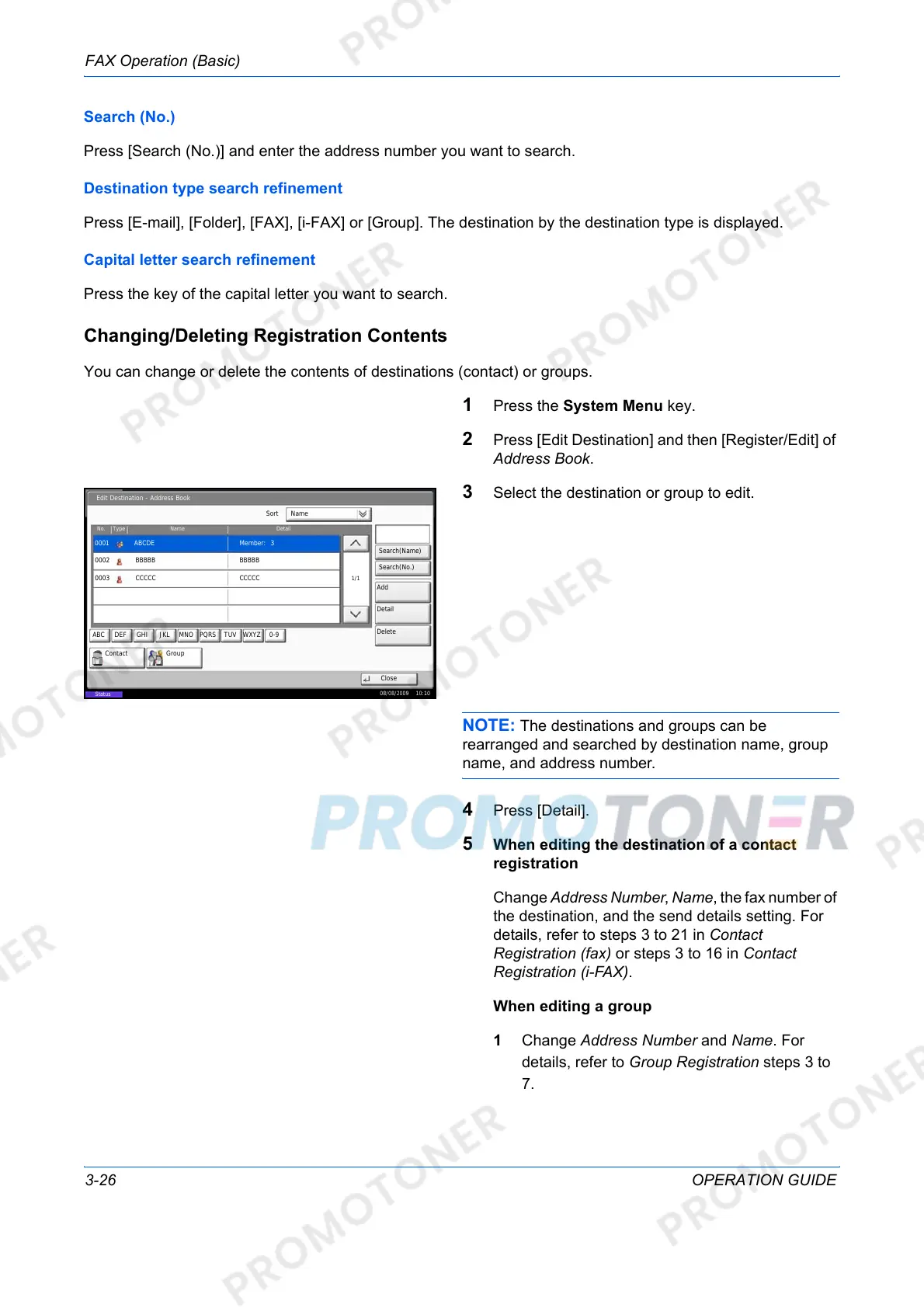
3 Select the destination or group to edit.
NOTE: The destinations and groups can be
rearranged and searched by destination name, group
name, and address number.
4 Press [Detail].
5 When editing the destination of a contact
registration
Change Address Number, Name, the fax number of
the destination, and the send details setting. For
details, refer to steps 3 to 21 in Contact
Registration (fax) or steps 3 to 16 in Contact
Registration (i-FAX).
When editing a group
1 Change Address Number and Name. For
details, refer to Group Registration steps 3 to
7.
Edit Destination - Address Book
Sort
Search(Name)
No. Type
0001
Name Detail
1/1
Contact Group
Detail
Close
Search(No.)
ABCDE
Add
Delete
CCCCC0003
08/08/2009 10:10
Status
Name
BBBBB0002
Member: 3
CCCCC
BBBBB
ABC DEF JKL MNO PQRS TUVGHI WXYZ 0-9













 To Next Page