FAX Operation (Advanced)
4-4 OPERATION GUIDE
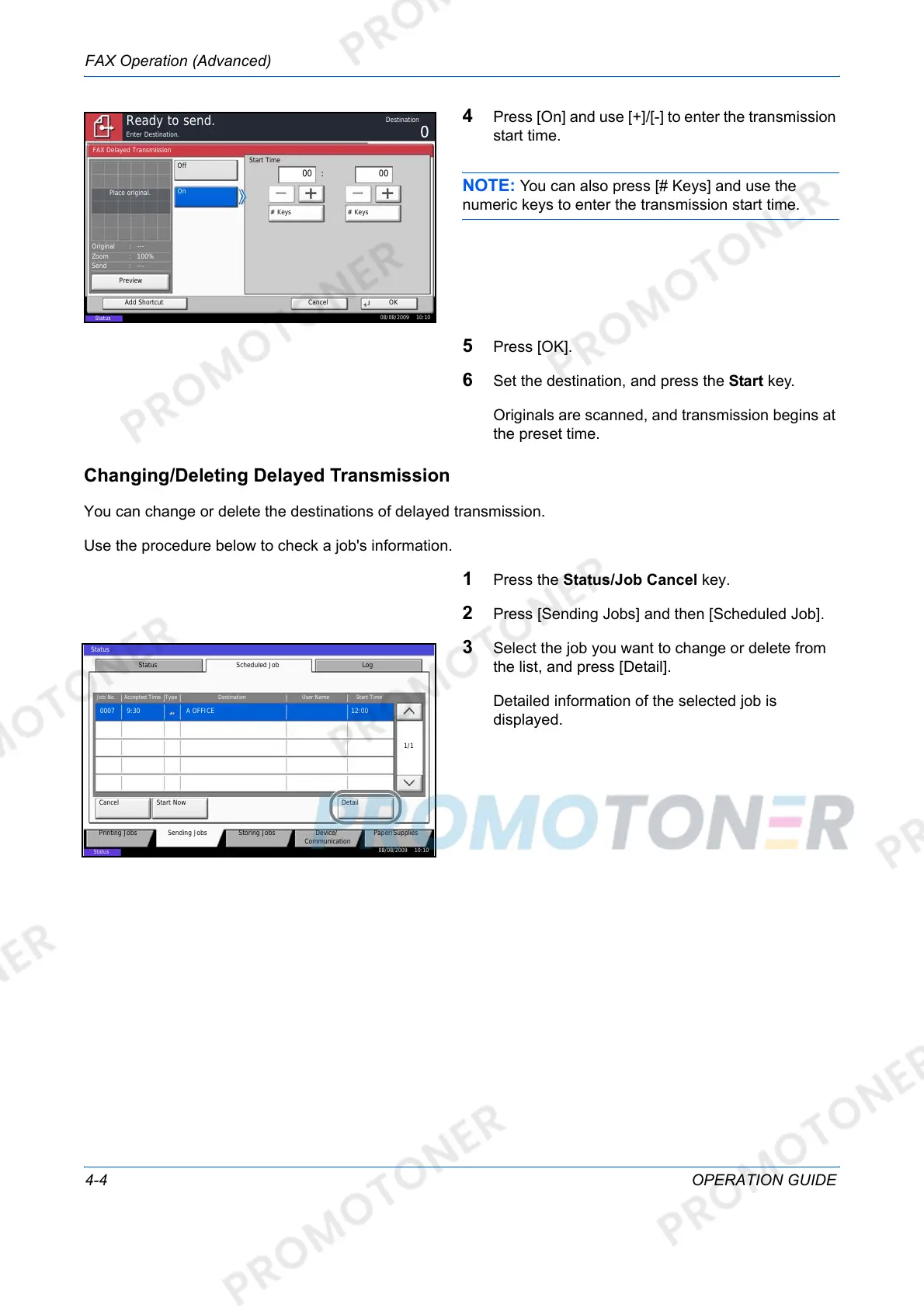
4 Press [On] and use [+]/[-] to enter the transmission
start time.
NOTE: You can also press [# Keys] and use the
numeric keys to enter the transmission start time.
5 Press [OK].
6 Set the destination, and press the Start key.
Originals are scanned, and transmission begins at
the preset time.
Changing/Deleting Delayed Transmission
You can change or delete the destinations of delayed transmission.
Use the procedure below to check a job's information.
1 Press the Status/Job Cancel key.
2 Press [Sending Jobs] and then [Scheduled Job].
3 Select the job you want to change or delete from
the list, and press [Detail].
Detailed information of the selected job is
displayed.
Enter Destination.
Cancel OKAdd Shortcut
Ready to send.
On
FAX Delayed Transmission
Off
Start Time
# Keys
00
# Keys
00:
08/08/2009 10:10
Status
Place original.
Preview
Original
Zoom
Send
100%
---
---:
:
:
Destination
Printing Jobs Sending Jobs Storing Jobs Device/
Communication
Paper/Supplies
Status Scheduled Job Log
Job No. Accepted Time Type Destination User Name Start Time
Cancel
Detail
1/1
Status
12:000007 9:30 A OFFICE
Start Now
08/08/2009 10:10
Status













 To Next Page