FAX Operation (Advanced)
4-32 OPERATION GUIDE
5 To complete the registration of all contents, press
[Register]. To register other FAX Boxes, repeat
steps 3 to 5.
Changing/Deleting a FAX Box
1 Follow steps 1 to 2 of Registering a FAX Box on
page 4-30.
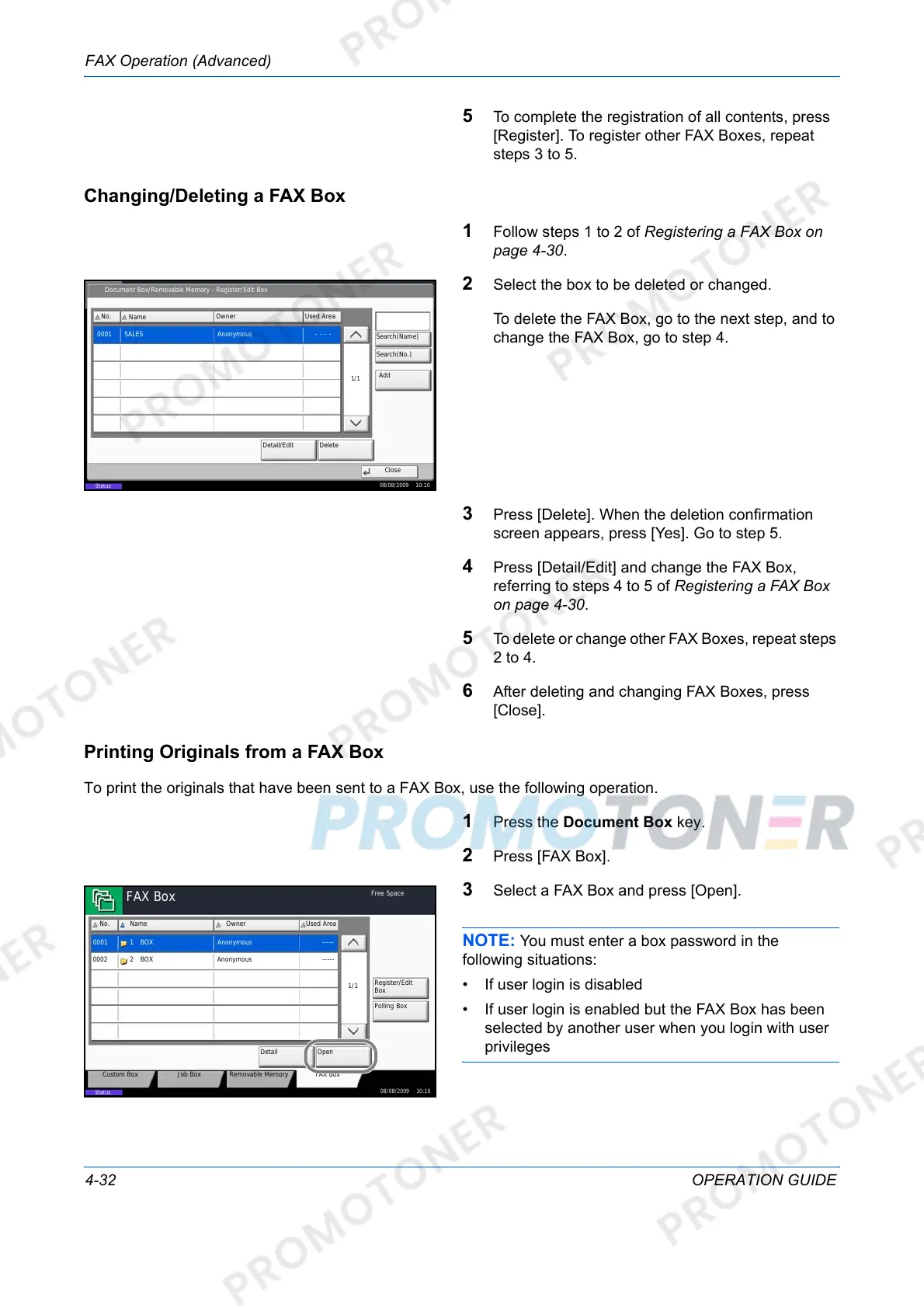
2 Select the box to be deleted or changed.
To delete the FAX Box, go to the next step, and to
change the FAX Box, go to step 4.
3 Press [Delete]. When the deletion confirmation
screen appears, press [Yes]. Go to step 5.
4 Press [Detail/Edit] and change the FAX Box,
referring to steps 4 to 5 of Registering a FAX Box
on page 4-30.
5 To delete or change other FAX Boxes, repeat steps
2 to 4.
6 After deleting and changing FAX Boxes, press
[Close].
Printing Originals from a FAX Box
To print the originals that have been sent to a FAX Box, use the following operation.
1 Press the Document Box key.
2 Press [FAX Box].
3 Select a FAX Box and press [Open].
NOTE: You must enter a box password in the
following situations:
• If user login is disabled
• If user login is enabled but the FAX Box has been
selected by another user when you login with user
privileges
Document Box/Removable Memory - Register/Edit Box
No.
Name
Owner Used Area
0001 SALES Anonymous - - - -
1/1
Add
Detail/Edit Delete
Close
Status
08/08/2009 10:10
Search(Name)
Search(No.)
FAX Box
⏝⣬/ᾘ⪖ရ
No. Name
Custom Box Removable MemoryJob Box
Register/Edit
Box
Owner
Open
Detail
Used Area
FAX Box
1/1
0001
0002
Anonymous
Anonymous
-----
-----
Polling Box
08/08/2009 10:10
Status
Free Space
BOX
BOX
1
2













 To Next Page