92
6
Playback
Creating composite pictures (FRAME/
TITLE/CALENDAR/LAYOUT)
This function lets you add frames, titles or a calendar to still pictures and
save them as new pictures. You can also create an index layout of
selected pictures and save it as a new picture. The following picture
composite operations are possible.
FRAME Adds a selected frame to a picture and saves it as a new picture.
TITLE Adds a selected title to a picture and saves it as a new picture.
CALENDAR Adds a calendar to a picture and saves it as a new picture.
LAYOUT
Creates an index layout of pictures selected in normal playback,
album playback or calendar display, and saves it as a new picture.
Top menu [EDIT] [FRAME] / [TITLE] / [CALENDAR] / [LAYOUT]
g“Using the menus” (P. 17)
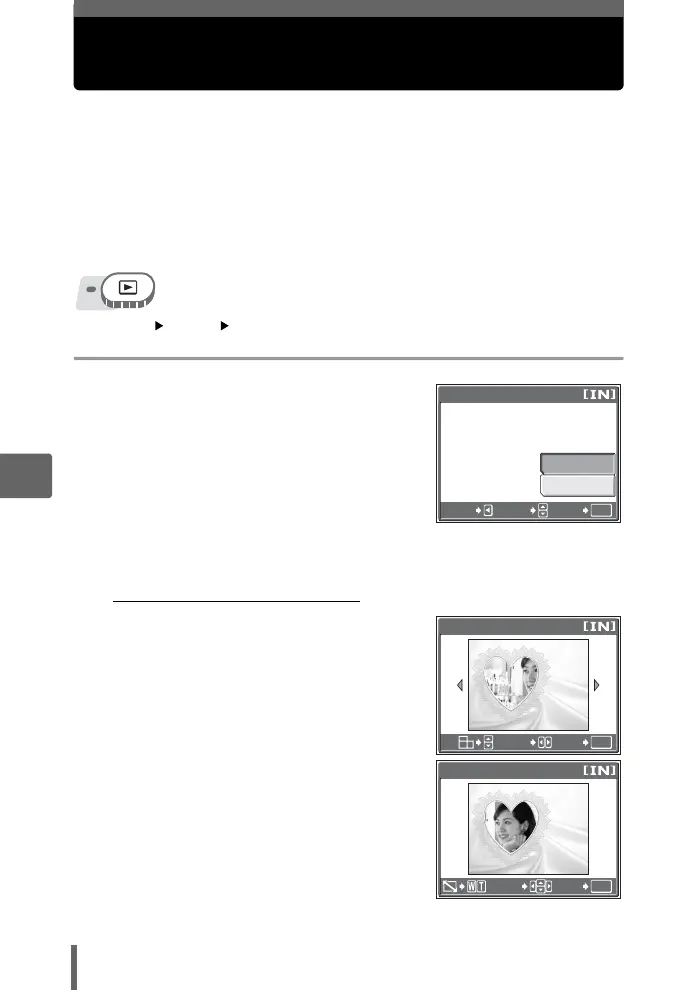
1 Select [NEW FILE], and press Z.
2 Add a decoration.
(
When [FRAME] is selected
1 Press pq to select a frame, and
press Z.
2 Press pq to select the picture to
which you want to add the frame,
and press Z.
•
Press
sr
to rotate the picture
90° clockwise or counterclockwise.
3 Adjust the position and size of the
picture, and press Z.
srpq Adjusts the position of
the picture.
Zoom lever Adjusts the size of the
picture.
When you select a frame that can
accommodate more than one
picture, repeat Steps 2 and 3 to
add pictures.
OK
FRAME
CANCEL
SELECT
CANCEL
GO
NEW FILE
When [FRAME] is selected
OK
GO
SEL. IMAGE
SELECT
OK
GO
FRAME
MOVE






 To Next Page