Erasing images during playback
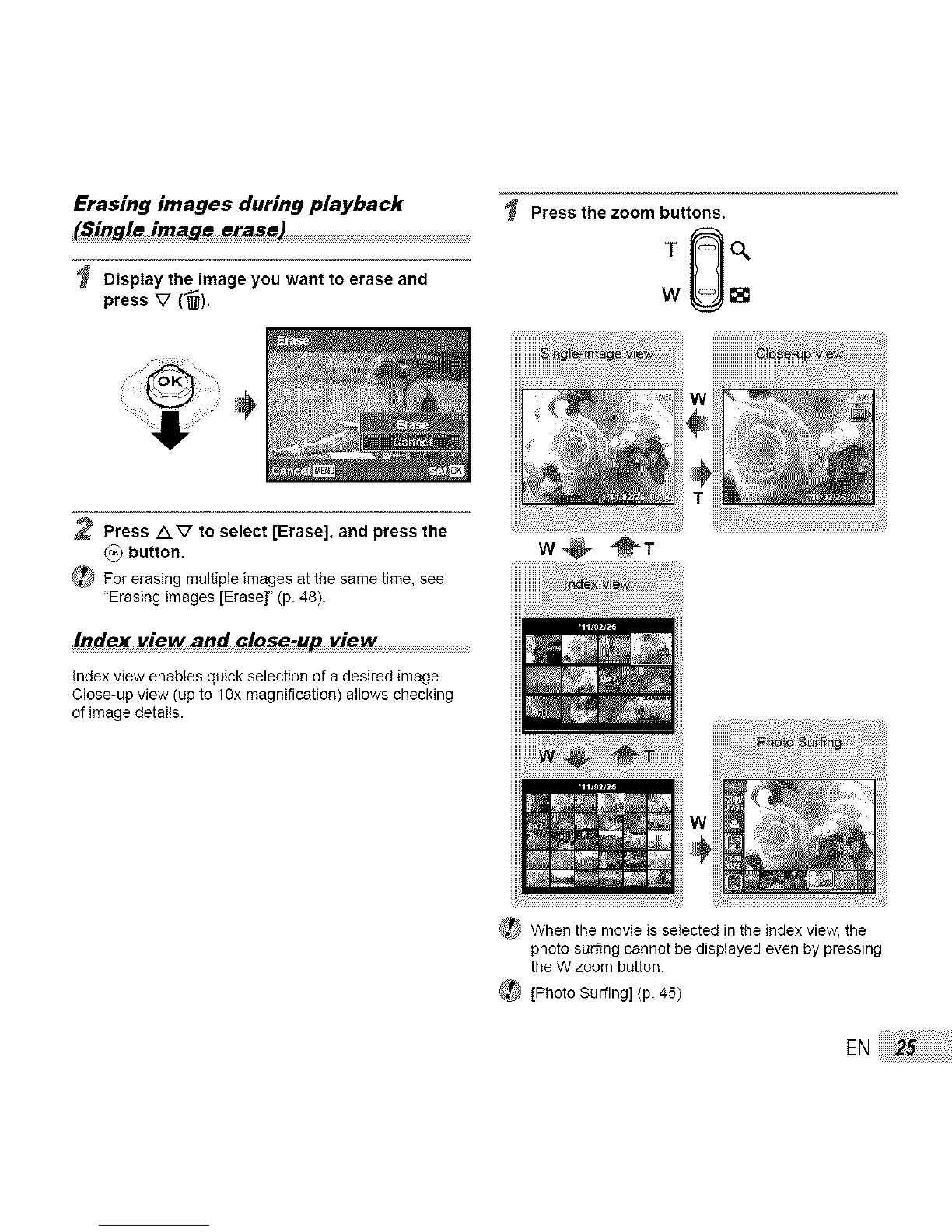
Display the image you want to erase and
press V (_).
Press the zoom buttons.
:0:
w
2 Press AV to select [Erase], and press the
(°3 button.
_ For erasing multiple images at the same time, see
"Erasing images [Erase]" (p. 48).
Index view and close-up view ..........................................................................................
Index view enables quick selection of a desired image.
Close-up view (up to lOx magnification) allows checking
of image details.
w@ @T
_When the movie is selected in the index view, the
photo surfing cannot be displayed even by pressing
the W zoom button.
_ [Photo Surfing] (p. 45)
EN



 To Next Page