..................Operation_guide .........................................................................................................................................................................................................................................................................................
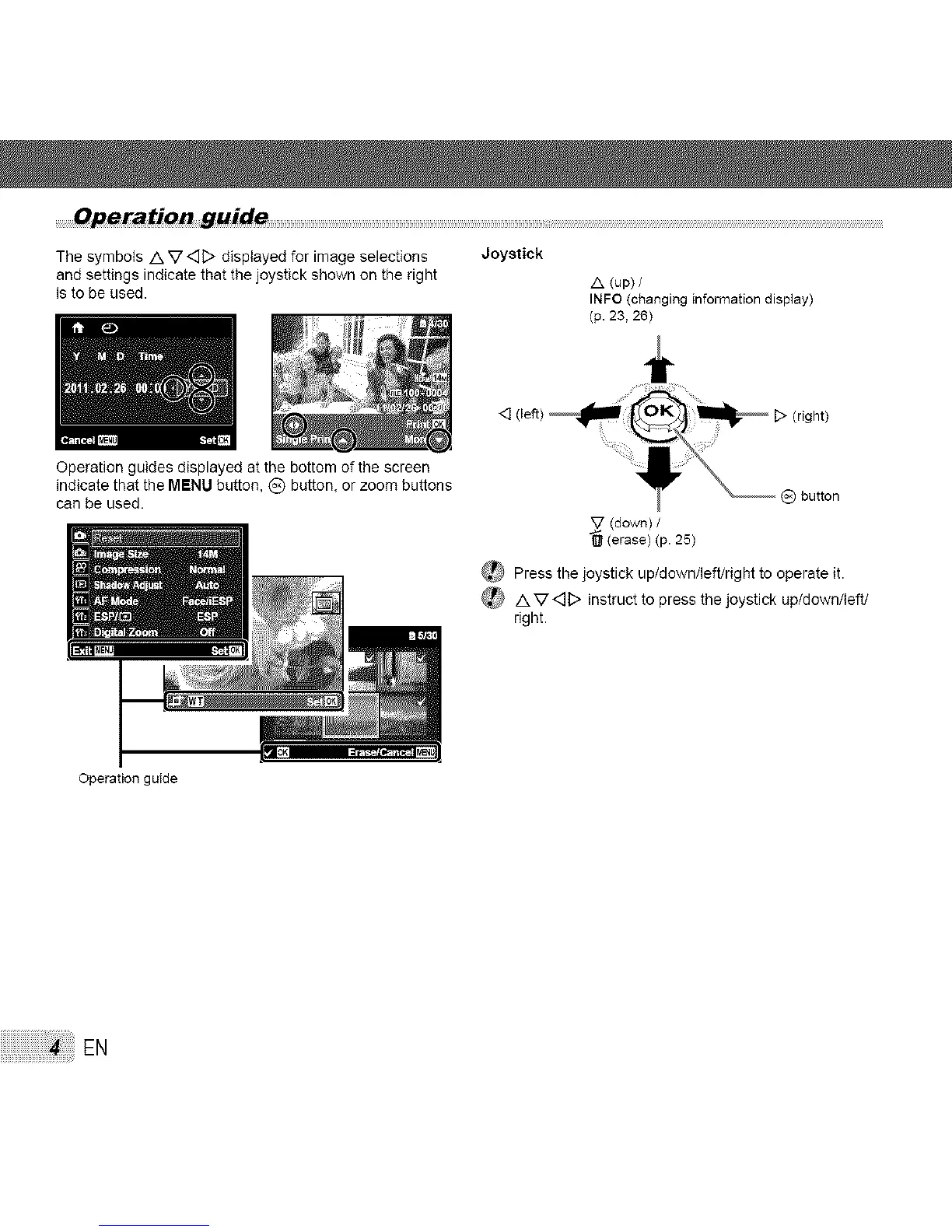
The symbols /k V <_D displayed for image selections
and settings indicate that the joystick shown on the right
is to be used.
Joystick
/k (up) /
INFO (changing information display)
(p. 23, 26)
Operation guides displayed at the bottom of the screen
indicate that the MENU button, (_ button, or zoom buttons
can be used.
<] (left) D (right)
_) button
_ (down) /
(erase) (p. 25)
_ Press the joystick up/down/left/right to operate it.
_ /X V<_D instruct to press the joystick up/down/ieftJ
right.
Operation guMe
EN



 To Next Page