_hg Shooting Functions
_ 'Using tile Menu" (p. 5)
Using the flash ..................................
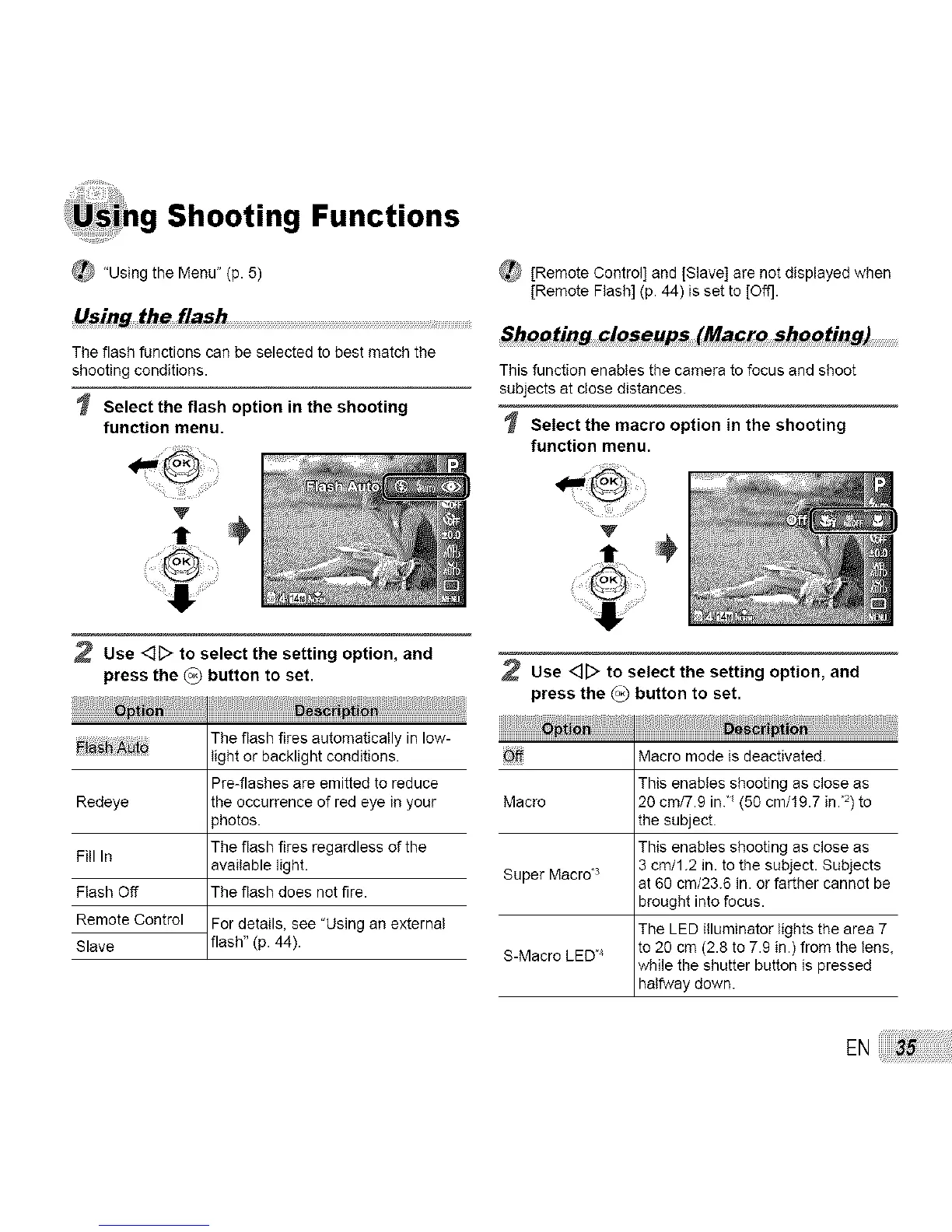
The flash functions can be selected to best match the
shooting conditions.
Select the flash option in the shooting
function menu.
(_ [Remote Control] and [Slave] are not displayed when
[Remote Flesh] (p. 44) is set to [Off].
Shooting clo_eups (Macro shooting)
This function enables the camera to focus and shoot
subjects at close distances.
Select the macro option in the shooting
function menu.
V
,÷
Redeye
Fill In
Flash Off
Remote Control
Slave
Use <:][> to select the setting option, and
press the {o_ button to set.
The flash fires automatically in low-
light or backlight conditions.
Pre-flashes are emitted to reduce
the occurrence of red eye in your
_hotos.
The flash fires regardless of the
available light.
The flash does not fire.
For details, see "Using an external
flash" (p. 44).
Use <]_ to select the setting option, and
press the _) button to set.
op_i
Off Macro mode is deactivated.
This enables shooting as close as
Macro 20 cm/7.9 in/(50 cm/19.7 in."2)to
the subject.
This enables shooting as close as
3 cm/1.2 in. to the subject. Subjects
Super Macrd s at 68 cm/23.6 in. or farther cannot be
brought into focus.
The LED illuminator lights the area 7
S-Macro LED"4 to 28 cm (2.8 to 7.9 in.) from the lens,
while the shutter button is pressed
halfway down.
EN



 To Next Page