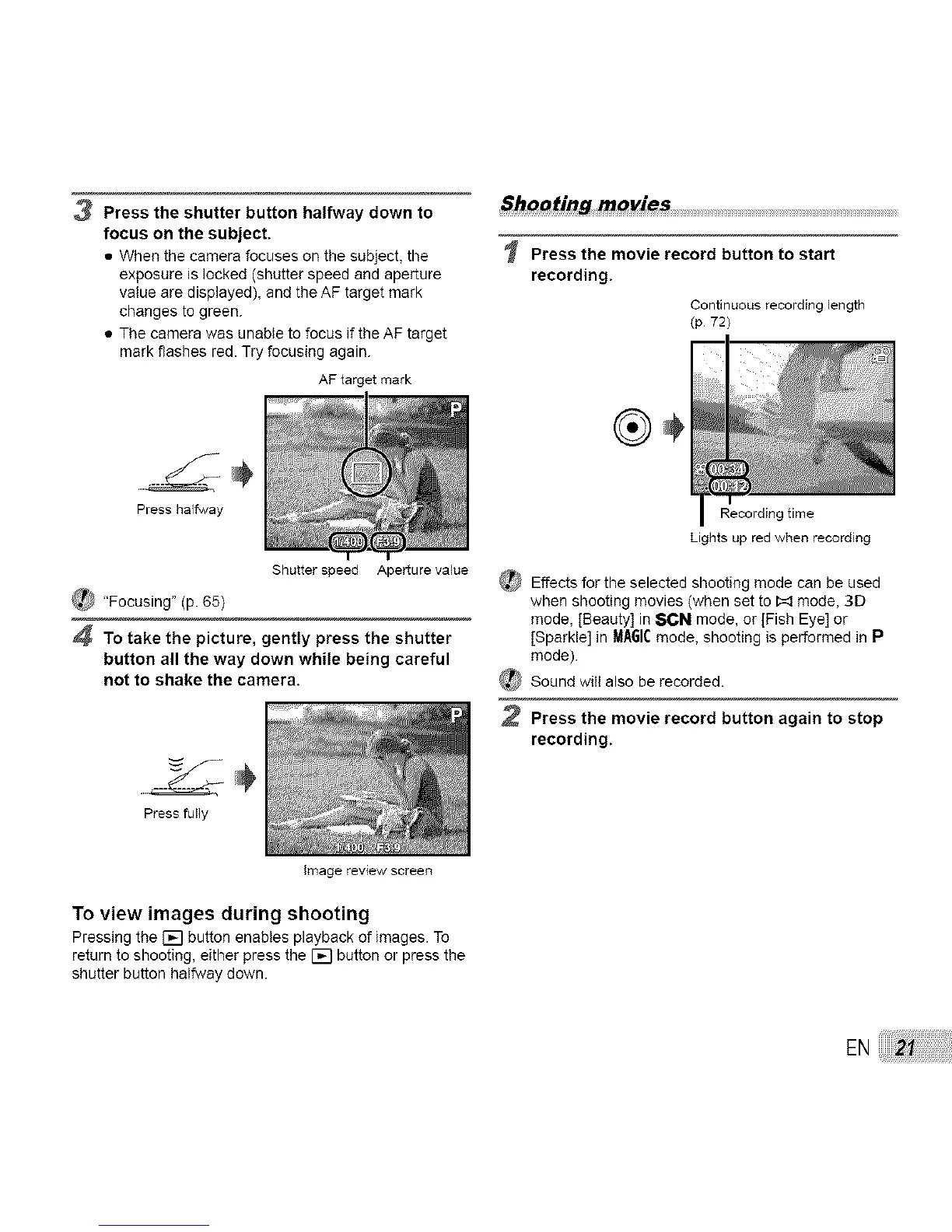
3 Press the shutter button halfway down to
focus on the subject.
• When the camera focuses on the subject, the
exposure is locked (shutter speed and aperture
value are displayed), and the AF target mark
changes to green.
• The camera was unable to focus if the AF target
mark flashes red. Try focusing again.
AF target mark
.....
Press halfway
Shutter speed Aperture vabe
_hooting movies ................................................................................................................................................................................................................................
Press the movie record button to start
recording.
Continuous recording length
(p 72)
Recording time
_ "Focusing" (p. 65)
4 To take the picture, gently press the shutter
button all the way down while being careful
not to shake the camera.
...... ÷
Press fuNy
Image review screen
Lights up red when recording
_ Effects for the selected shooting mode can be used
when shooting movies (when set to I:_ mode, 3D
mode, [Beauty] in 8CN mode, or [Fish Eye] or
[Sparkle] in MA61Cmode, shooting is performed in P
mode).
_ Sound will also be recorded.
2 Press the movie record button again to stop
recording.
To view images during shooting
Pressing the F_I button enables playback of images. To
return to shooting, either press the [] button or press the
shutter button halfway down.
EN



 To Next Page