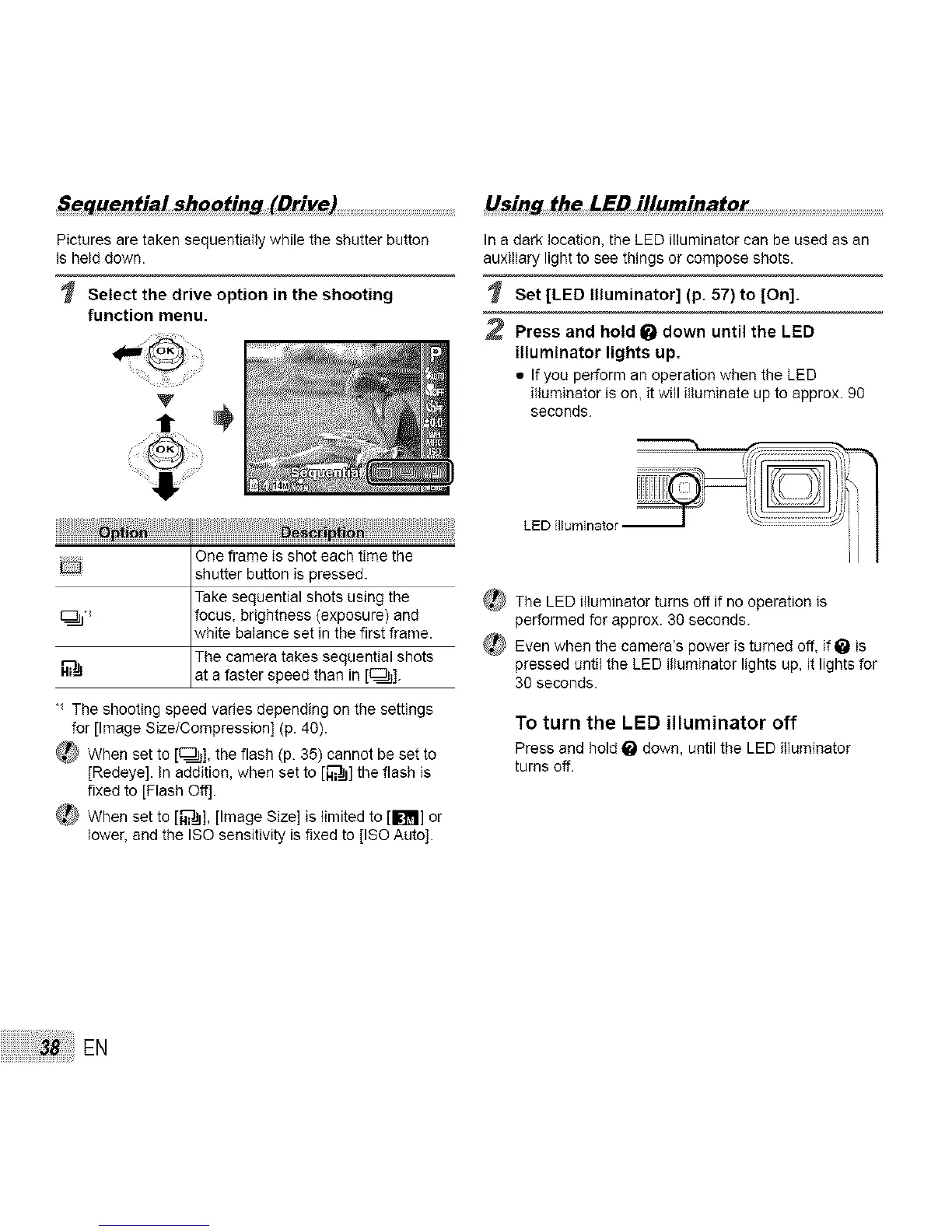
S_quentia! shooting (Drive)
Pictures are taken sequentially while the shutter button
is held down.
Select the drive option in the shooting
function menu.
V
Llsing the L£D illuminator
In a dark location, the LED illuminator can be used as an
auxiliary light to see things or compose shots.
Set [LED Illuminator] (p. 57) to [On].
2 Press and hold _ down until the LED
illuminator lights up.
• If you perform an operation when the LED
illuminator is on, it will illuminate up to approx. 90
seconds.
.......... One frame is shot each time the
shutter button is pressed.
Take sequential shots using the
focus, brightness (exposure) and
white balance set in the first frame.
The camera takes sequential shots
at a faster speed than n _.
The shooting speed varies depending on the settings
for [Image Size/Compression] (p. 40).
_ When set to [c:_]], the flash (p. 35) cannot be set to
[Redeye]. In addition, when set to [_] the flash is
fixed to [Flash Oft].
_ When set to [_], [Image Size] is limited to [1_] or
lower, and the ISO sensitivity is fixed to [ISO Auto].
LED []bminator I
_ The LED illuminator turns off if no operation is
performed for approx. 30 seconds.
_ Even when the camera's power is turned off, if _ is
pressed until the LED illuminator lights up, it lights for
30 seconds.
To turn the LED illuminator off
Press and hold _ down, until the LED illuminator
turns off.
EN



 To Next Page