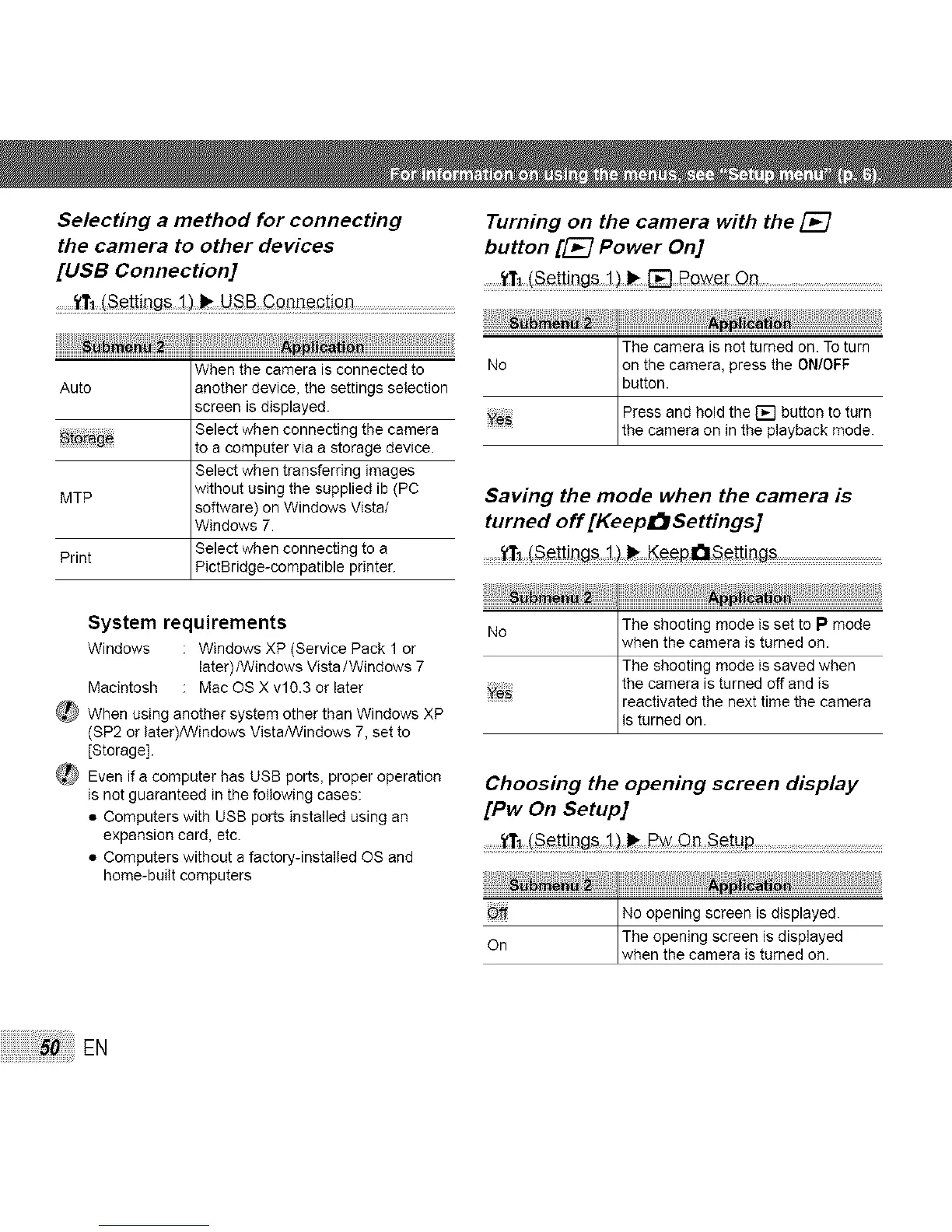
Selecting a method for connecting Turning on the camera with the
the camera to other devices button [_ Power On]
[USB Connection] ........_rl (s_!t!ng_ .....
When the camera is connected to
Auto another device, the settings selection
screen is displayed.
Select wh........ ting th.......
to a computer via a storage device.
Select when transferring images
MTP without using the supplied ib (PC
software) on Windows Vista/
Windows 7.
Print Select when connecting to a
PictB ridge-compatible printer.
System requirements
Windows : Windows XP (Service Pack 1 or
later)/Windows Vista/Windows 7
Macintosh : Mac OS X v10.3 or later
_ When using another system other than Windows XP
(SP2 or later)/VVindows VistaHVindows 7, set to
[Storage].
_' Even if a computer has USB ports, proper operation
is not guaranteed in the following cases:
• Computers with USB ports installed using an
expansion card, etc.
• Computers without a factory-installed OS and
home-built computers
The camera is not turned on. To turn
No on the camera, press the ON/OFF
button.
Press and hold the [] button to turn
Ye_ the camera on n the p ayback mode.
Saving the mode when the camera is
turned off [Keep_Settings]
........._1(Se!t!ng_ _K_paset!ings ...........................
No The shooting mode is set to P mode
when the camera is turned on.
The shooting mode is saved when
,,^ the camera is turned off and is
reactivated the next time the camera
is turned on.
Choosing the opening screen display
[Pw On Setup]
........tt, (s_!t!n_ on Se!up..................
Off No opening screen is displayed.
On The opening screen is displayed
when the camera is turned on.
EN



 To Next Page