Operating during playback mode
When switched to playback mode by tapping the top of
the camera body twice, the operations below can be used.
Display next image." Tap the right side of the camera
once.
Display previous image= Tap the left side of the
camera once.
Fast for,Nard and reverse: Tilt the camera to the
right or the left.
Return to the shooting mode: Tap the top side of
the camera twice.
Take a picture: Tap the back of the camera twice (Only
for the [_ Snow] mode).
_ Check the operation of the camera by tapping on the
camera after making the settings.
Using the LED illuminator as an
auxiliary light [LED Illuminator]
...._r3(_e!_i0gs ........ : :....
ii;,,;,,))))))))))))_Appi_€.ti_.i ,
Off Disables the LED illuminator.
On Enables the LED illuminator.
_ "Using the LED illuminator" (p. 38)
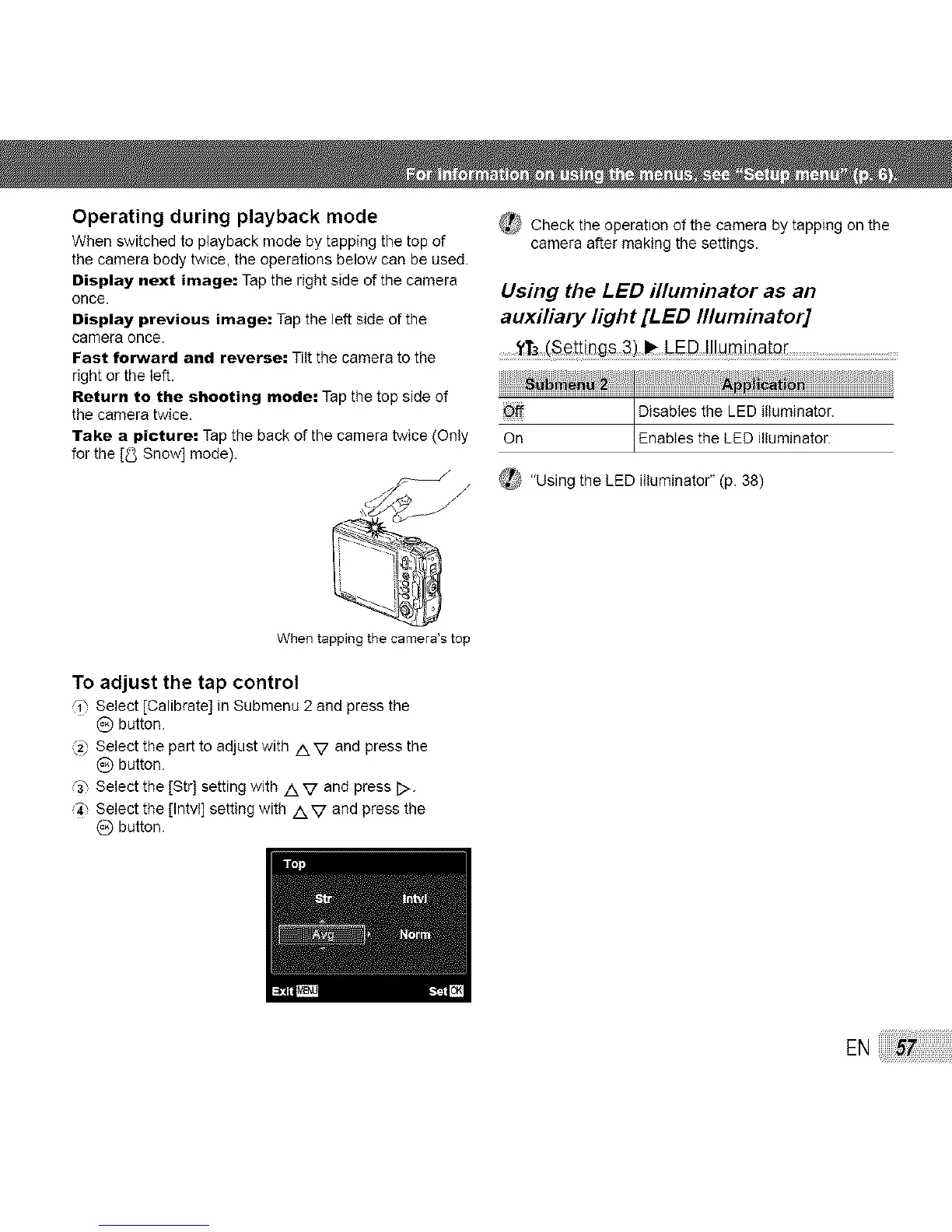
When tapping the camera's top
To adjust the tap control
,i-, Select [Calibrate] in Submenu 2 and press the
(_) button.
_2' Select the part to adjust with /XV and press the
(_) button.
r3_ Select the [Str] setting with /k V and press [>.
q_ Select the [Intvl] setting with /XV and press the
(_) button.
EN:_



 To Next Page