[Clear Skin], [Sparkle
_i -- Eye] and [Dramatic Eye]
are applied together.
Makes skin look smooth
Clear Skin SoftJAvg/Hard and translucent. Select
the correction effect
from 3 levels.
Enhances the contrast
Sparkle Eye
of the eyes.
Dramatic Eye _ Enlarges the subject's
eyes.
'i" Use A.V to select a correction item, and press the _)
button.
_2' Use <:][> to select an image for retouching, and press
the C) button.
• The retouched image is saved as a separate image.
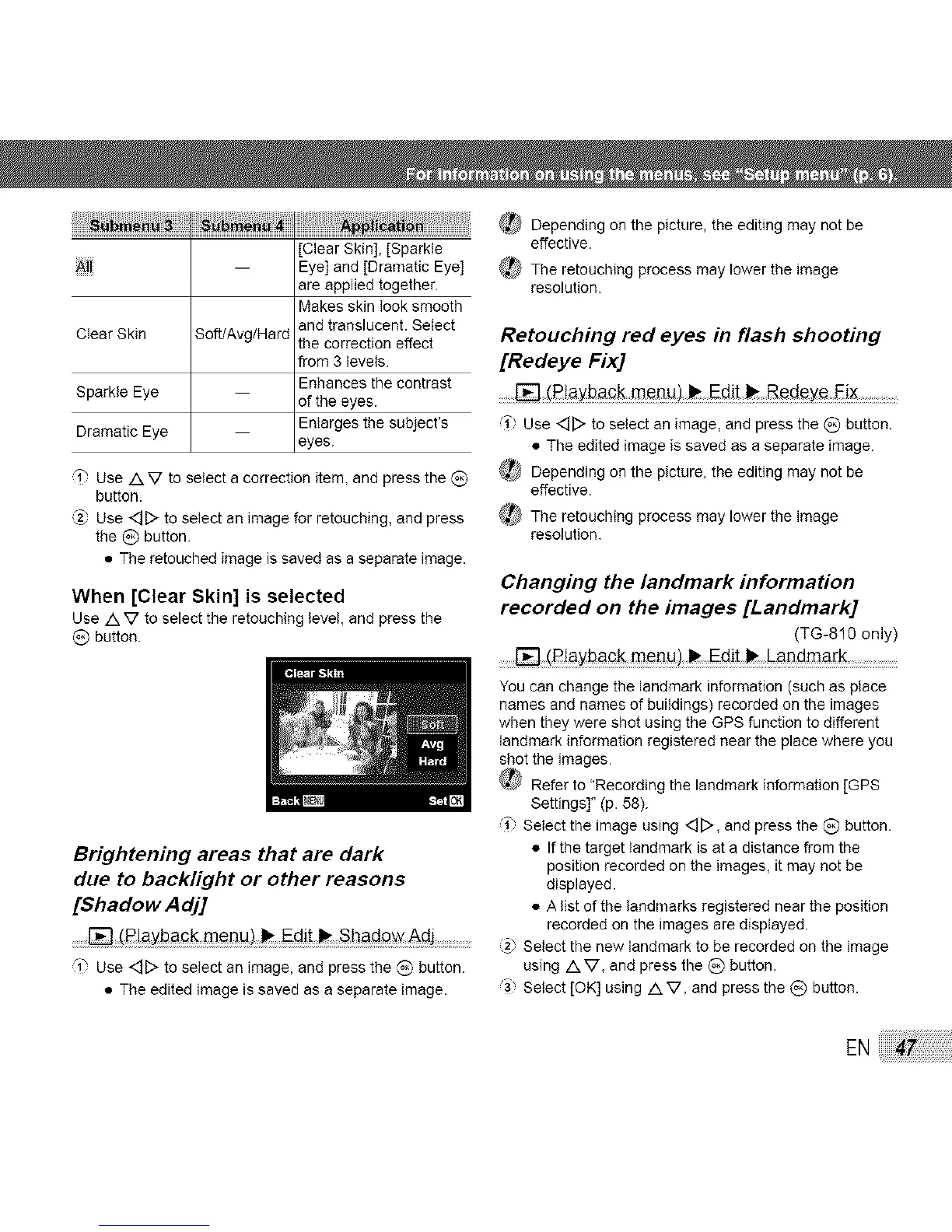
When [Clear Skin] is selected
Use /k V to select the retouching level, and press the
_) button.
Brightening areas that are dark
due to backlight or other reasons
[$hadow Adj]
_ Depending on the picture, the editing may not be
effective.
The retouching process may lower the image
resolution.
Retouching red eyes in flash shooting
[Redeye Fix]
......_ (_!ayback menu) _ Edit _ Bcdcye Eix
(1 Use <_D to select an image, and press the {_) button.
• The edited image is saved as a separate image.
_ Depending on the picture, the editing may not be
effective.
_} The retouching process may lower the image
resolution.
Changing the landmark information
recorded on the images [Landmark]
(TG-810 only)
........[] (R!aybac k Edit__ Landmark
You can change the landmark information (such as place
names and names of buildings) recorded on the images
when they were shot using the GPS function to different
landmark information registered near the place where you
shot the images.
Refer to "Recording the landmark information [GPS
Settings]" (p. 58).
(1" Select the image using <][>, and press the C) button.
• If the target landmark is at a distance from the
position recorded on the images, it may not be
displayed.
• A list of the landmarks registered near the position
recorded on the images are displayed.
[] (Playback menu)_ Edit _ Shado_ Adj: ....... @ Select the new landmark to be recorded on the image
'i" Use <::][> to select an image, and press the (_) button, using AV, and press the _) button.
• The edited image is saved as a separate image. ,'3) Select [OK] using /k V, and press the _) button.
EN



 To Next Page