When the zoom is at the widest (W) position.
,2 When the zoom is at the most telephoto (T) position.
,3 The zoom is automatically fixed.
,4 ISO sensitivity (p. 37) is automatically fixed to
[ISO Auto].
_,_ The flash (p. 35) and zoom (p. 22) cannot be set
when [_,_ Super Macro] or [ffsi S-Macro LED] (p. 35)
is selected.
Using the self-timer .............................................................................
After the shutter button is pressed all the way down, the
picture is taken after a short delay.
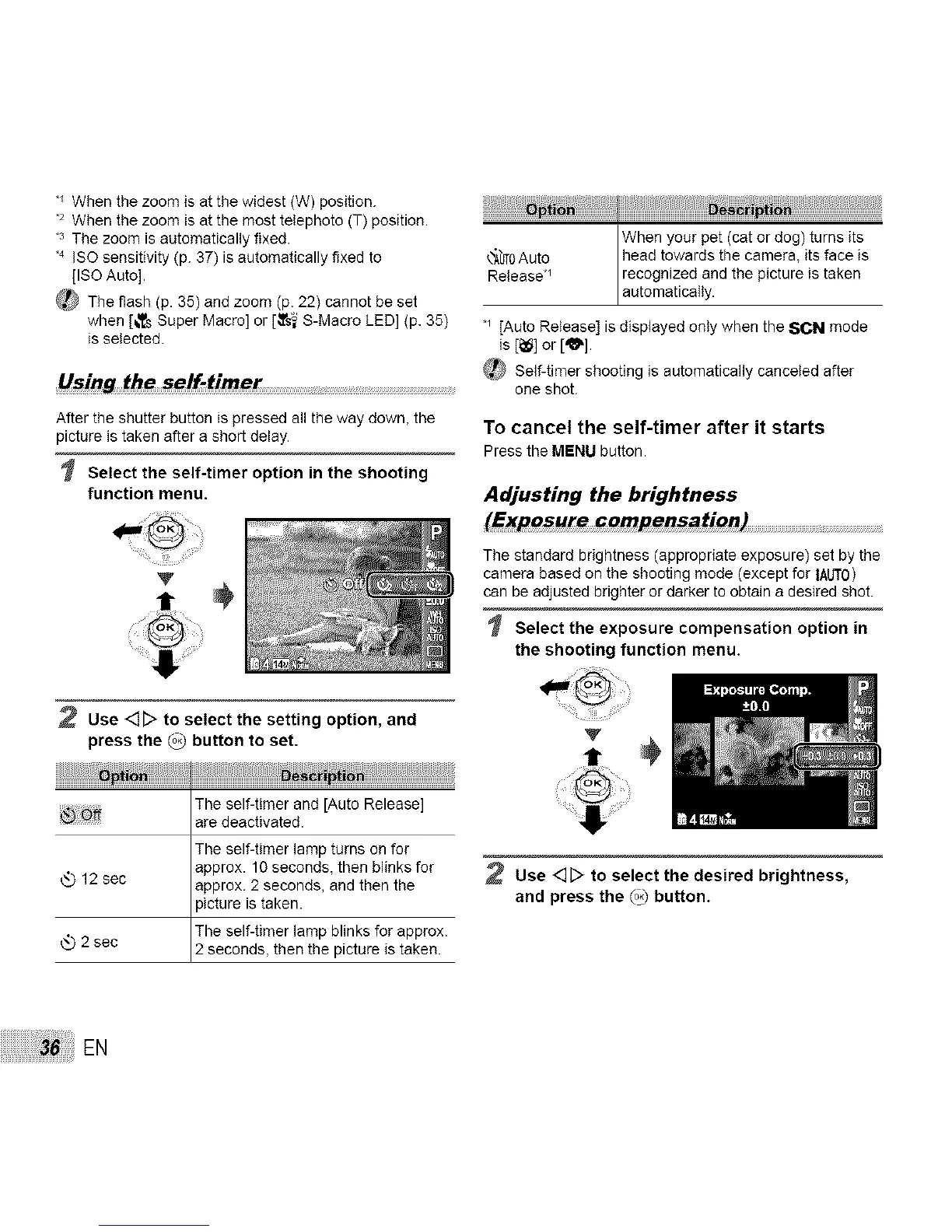
Select the self-timer option in the shooting
function menu.
2 Use <]_ to select the setting option, and
press the _ button to set.
The self-tinter and [Auto Release]
are deactivated.
The self-timer lamp turns on for
approx. 10 seconds, then blinks for
12 sec approx. 2 seconds, and then the
picture is taken.
The self-timer lamp blinks for approx.
2 sec 2 seconds, then the p cture s taken.
When your pet (cat or dog) turns its
_bT0Auto head towards the camera, its face is
Release*_ recognized and the picture is taken
automatically.
[Auto Release] is displayed only when the SCN mode
is [_] or [_].
_[_ Self-timer shooting is automatically canceled after
one shot.
To cancel the self-timer after it starts
Pressthe MENUbutton.
Adjusting the brightness
(Exposure compensation)
The standard brightness (appropriate exposure) set by the
camera based on the shooting mode (except for IAb'T0)
can be adjusted brighter or darker to obtain a desired shot.
Select the exposure compensation option in
the shooting function menu.
Use <]D to select the desired brightness,
and press the (_ button.
EN



 To Next Page