Menus for Playback, Editing, and Printing Functions
_ The default settings of the function are highlighted in
Data must be created with the ib (PC software) before
using some functions.
_ Refer to the ib (PC software) help guide for details on
how to use the ib (PC soffware).
_ For details on installing the ib (PC software), see
"Charging the battery and setting up using the
supplied CD" (p. 14).
Playing back pictures automatically
[Sfideshow]
Searching for images and playing back
the related images [Photo Surfing]
........ Photo ..........
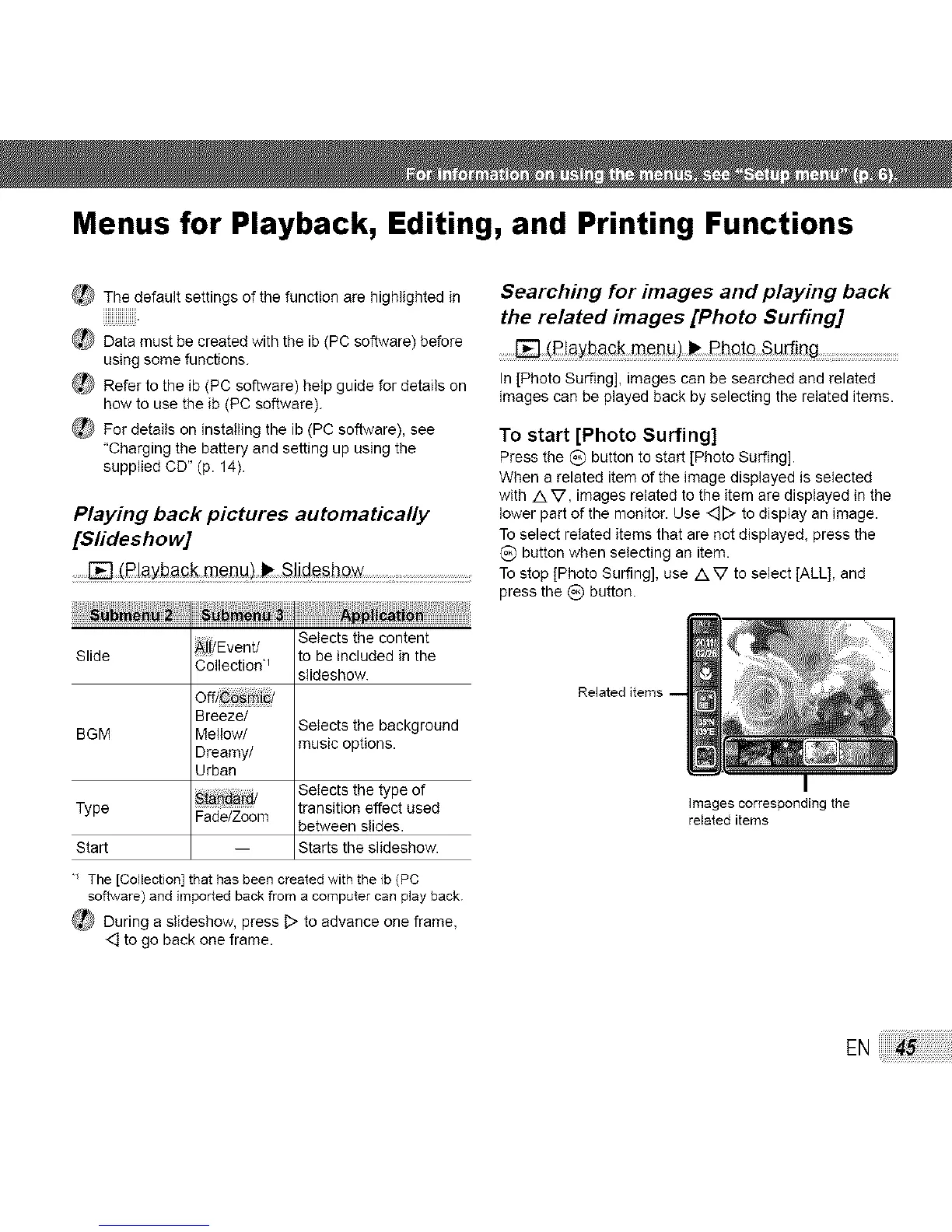
In[PhotoSurfing],imagescanbe searchedandrelated
imagescanbe playedbackbyselectingthe relateditems•
To start [Photo Surfing]
Press the C) button to start [Photo Surfing].
When a related item of the image displayed is selected
with /kV, images related to the item are displayed in the
lower part of the monitor• Use <_[::>to display an image•
To select related items that are not displayed, press the
(_) button when selecting an item.
......._ (_!aybaGk m#l]Ll:) _ SJjde_how : To stop [Photo Surfing], use /x V to select [ALL], and
press the _) button.
N ,
Slide _jiYEventJ Selects the content
to be included in the
C°llecti°n'_ slideshow.
off/ _ iY
Breeze/ Selects the background
BGM Mellow/
Dreamy/ music options•
Urban
Type Sta _ Selects the type of
transition effect used
Fade/Zoom between slides•
Start -- Starts the slideshow.
Images corresponding the
related items
• The [Collection] that has been created with the {b (PC
software) and imported backfrom a computer can play back.
_ During a slideshow, press D to advance one frame,
<::]to go back one frame•
EN



 To Next Page