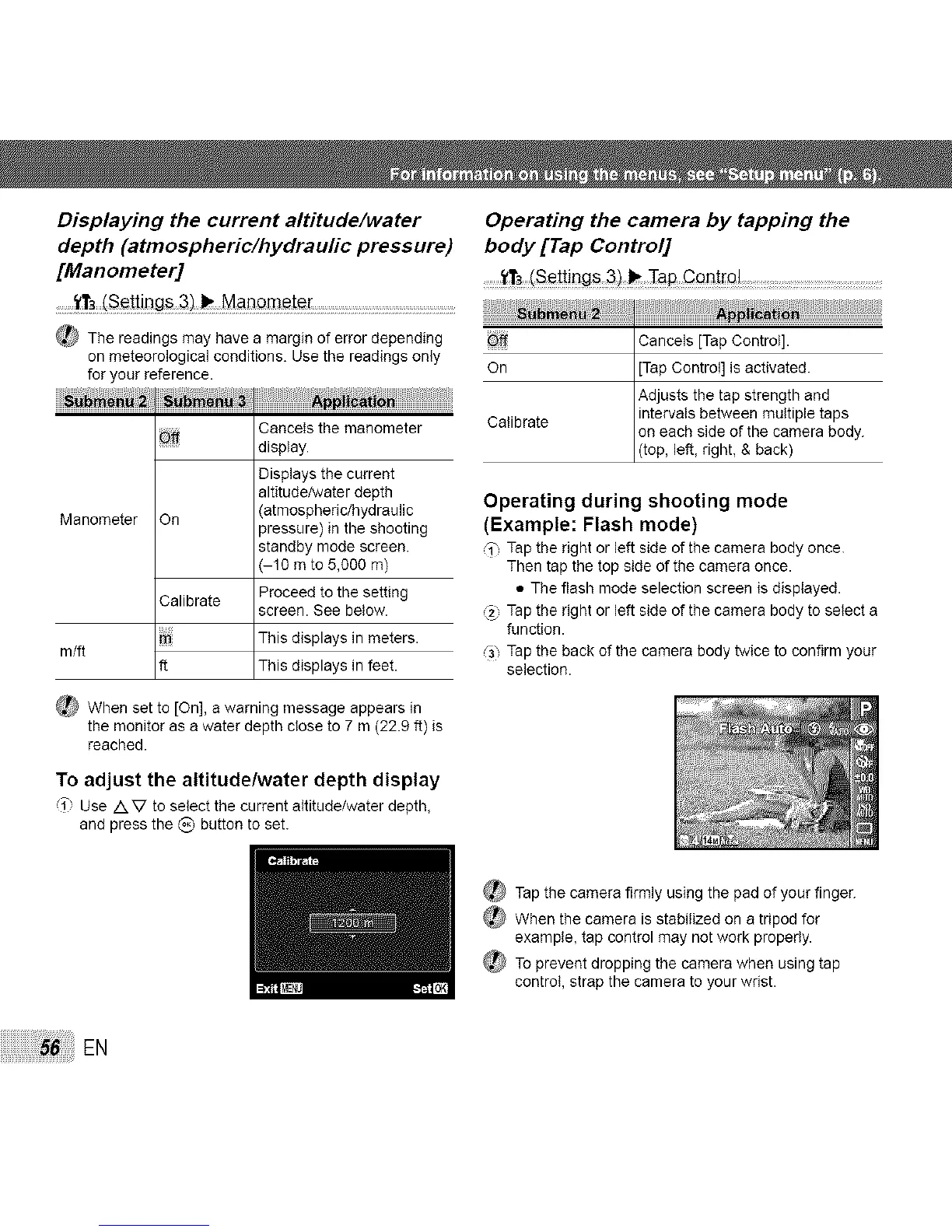
Displaying the current altitude/water Operating the camera by tapping the
depth (atmospheric/hydraufic pressure) body [Tap Control]
[Manometer] ........ .....................: :
......_r,_set_it_gs Mat_meter.......................................................................:
_ The readings may have a margin of error depending _
on meteorological conditions. Use the readings only
for your reference.
_ Cancels the manometer
display.
Displays the current
altitude/water depth
Manometer On (atmospheric/hydraulic
pressure) in the shooting
standby mode screen.
-10 m to 5,000 m)
Proceed to the setting
screen. See below.
m/ft
Calibrate
ft
This displays in meters.
This displays in feet.
_ When set to [On], a warning message appears in
the monitor as a water depth close to 7 m (22.9 ft) is
reached.
Cancels [Tap Control].
On [Tap Control] is activated.
Adjusts the tap strength and
intervals between multiple taps
Calibrate on each side of the camera body.
top, eft, rght, & back
Operating during shooting mode
(Example: Flash mode)
_1"Tap the right or left side of the camera body once.
Then tap the top side of the camera once.
• The flash mode selection screen is displayed.
(_) Tap the right or left side of the camera body to select a
function.
_3 Tap the back of the camera body twice to confirm your
selection.
To adjust the altitude/water depth display
i" Use /k V to select the current altitude/water depth,
and press the _) button to set.
_ Tap the camera firmly using the pad of your finger.
When the camera is stabilized on a tripod for
example, tap control may not work properly.
_ To prevent dropping the camera when using tap
control, strap the camera to your wrist.
EN



 To Next Page