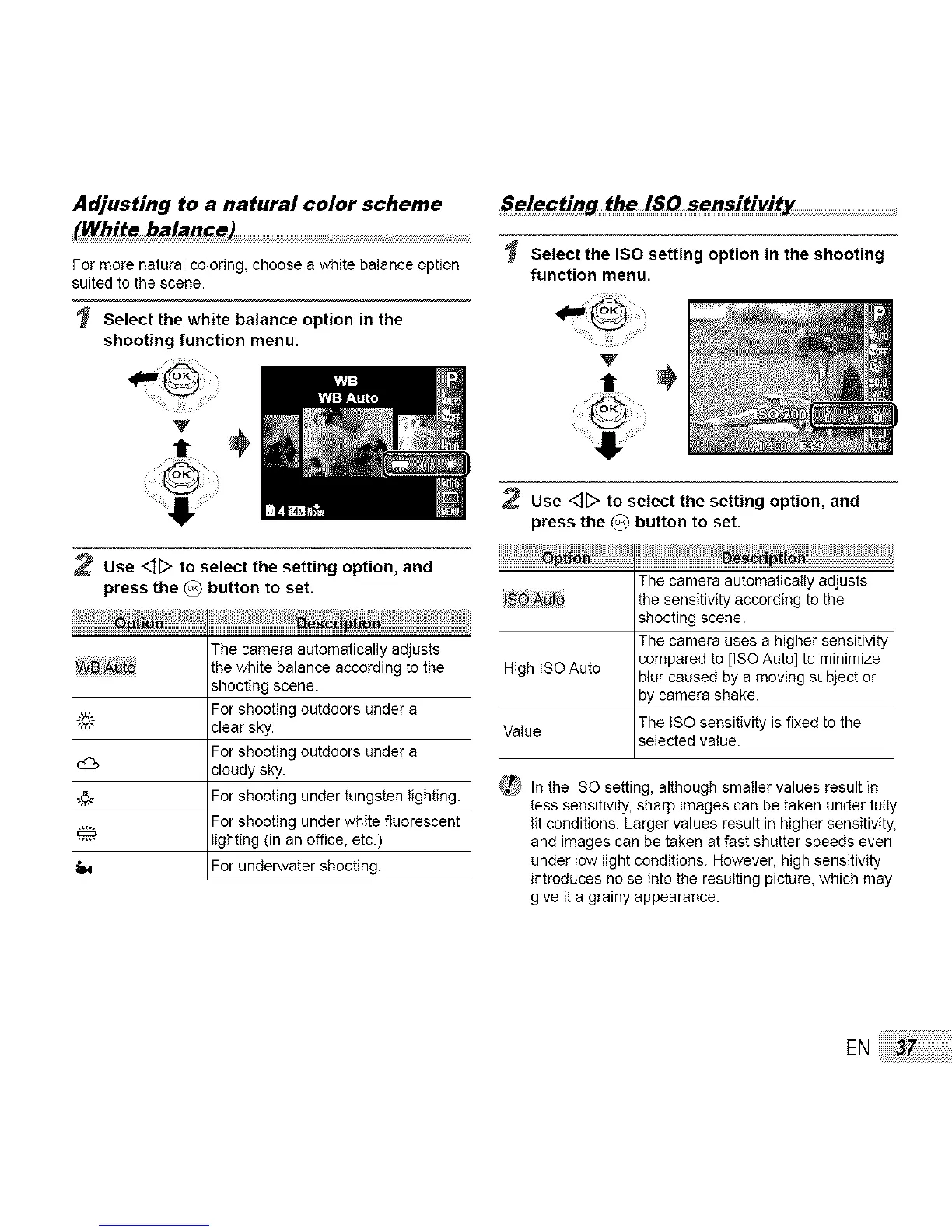
Adjusting to a natural color scheme
(White balan_e)
For more natural coloring, choose a white balance option
suited to the scene.
Select the white balance option in the
shooting function menu.
2 Use <]D to select the setting option, and
press the (o_ button to set.
The camera automatically adjusts
_B _to the white balance according to the
shooting scene.
For shooting outdoors under a
_'6,'.'- clear sky.
For shooting outdoors under a
d_ cloudy sky.
_6_ For shooting under tungsten lighting.
For shooting under white fluorescent
lighting (in an office, etc.)
For underwater shooting.
Selecting the lSO sensitivity .................................................
Select the ISO setting option in the shooting
function menu.
Use <]_ to select the setting option, and
press the _ button to set.
The camera automatically adjusts
J_ _to the sensitivity according to the
shooting scene.
The camera uses a higher sensitivity
compared to [ISO Auto] to minimize
High ISO Auto blur caused by a moving subject or
by camera shake.
Value The ISO sensitivity is fixed to the
selected value.
_}t In the ISO setting, although smaller values result in
less sensitivity, sharp images can be taken under fully
lit conditions. Larger values result in higher sensitivity,
and images can be taken at fast shutter speeds even
under low light conditions. However, high sensitivity
introduces noise into the resulting picture, which may
give it a grainy appearance.
EN



 To Next Page