Setting the date and time [0]
........Ylr3(Settings Q ....................................................................................................
_ "Date,time,timezone,and language"(p.18).
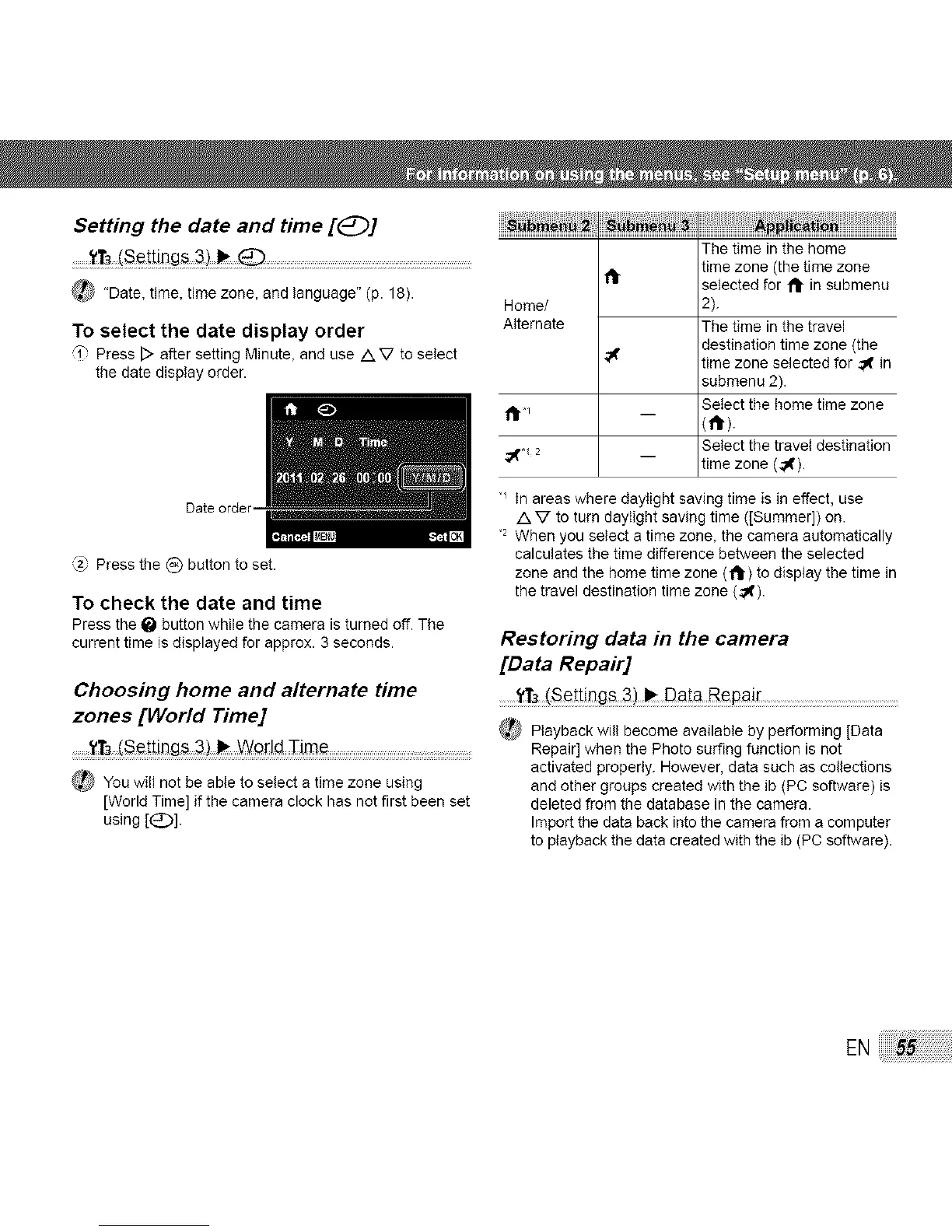
To select the date display order
'i' PressD aftersettingMinute,anduse AV to select
thedatedisplayorder.
_.&'Press the (_) button to set.
TO check the date and time
Press the _ button while the camera is turned off. The
current time is displayed for approx. 3 seconds.
Choosing home and alternate time
zones [World Time]
........._'T3(Se!_.ings3) _ _o[!d TJ_e ....... .....
_You will notbeableto selecta timezoneusing
[WorldTime]ifthecameraclockhas notfirstbeenset
using[(_)].
The time in the home
time zone (the time zone
selected for 1_ in submenu
Home/ 2).
Alternate The time in the travel
destination time zone (the
'_ time zone selected for _ in
submenu 2).
Select the home time zone
1111,1
(111").
Select the travel destination
time zone (,_).
"_ In areas where daylight saving time is in effect, use
AV to turn daylight saving time ([Summer]) on.
.2When you select a time zone, the camera automatically
calculates the time difference between the selected
zone and the home time zone ('1_1")to display the time in
the travel destination time zone (._).
Restoring data in the camera
[Data Repair]
t,1r3(se_tings 3) _ DaLa Repai[
_ Playback will become available by performing )Data
Repair] when the Photo surfing function is not
activated properly. However, data such as collections
and other groups created with the ib (PC software) is
deleted from the database in the camera.
Import the data back into the camera from a computer
to playback the data created with the ib (PC software).
EN:55



 To Next Page