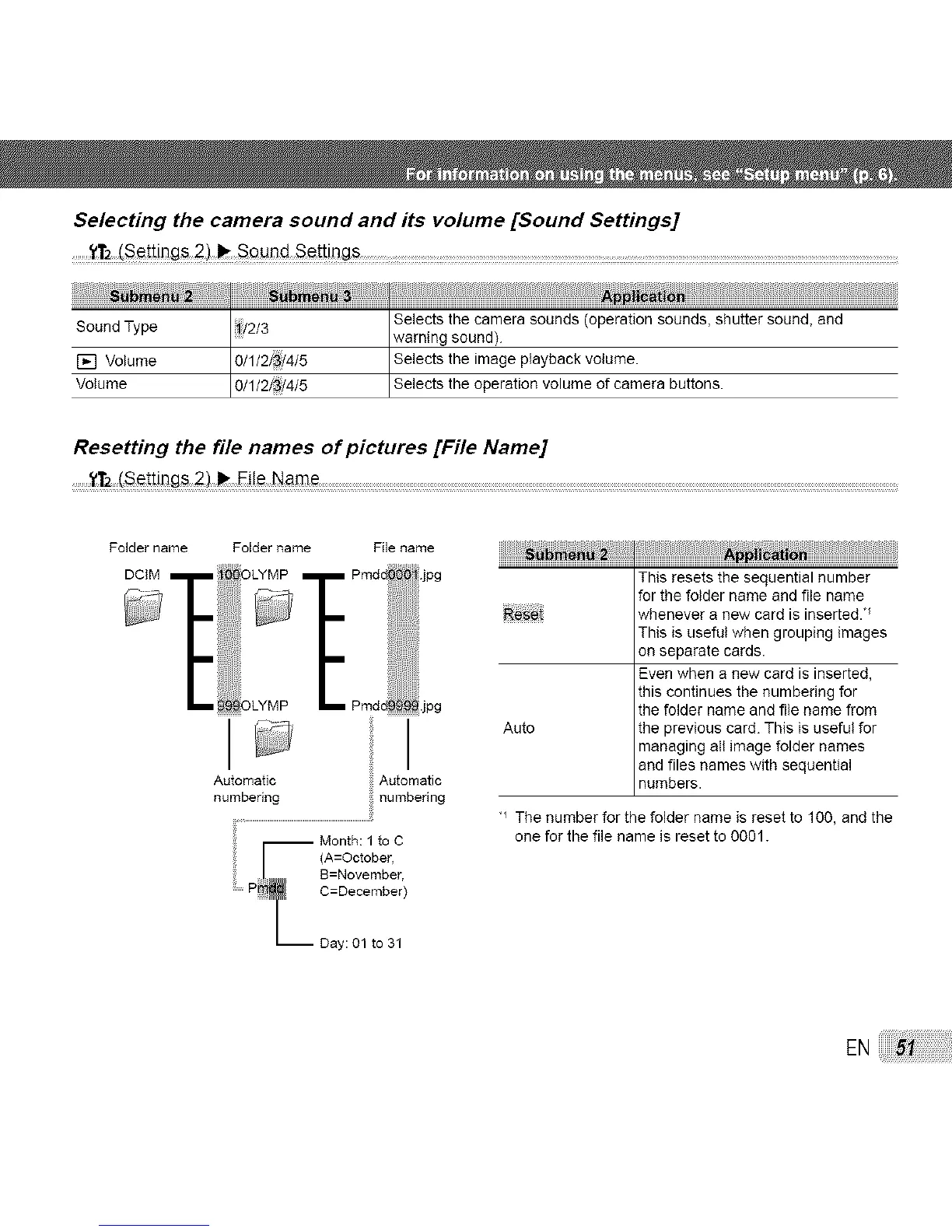
Selecting the camera sound and its volume [Sound Settings]
........_t2!_ttings2) _e_t!ngs .... .......................................................................
ii2/3 Selects the camera sounds (operation sounds, shutter sound, andSound Type warning sound).
[] Volume 0/1/2/ i4/5 Selects the image playback volume.
Volume O 1 2/ /4/5 Se ects the operat on vo ume of camera buttons.
Resetting the file names of pictures [File Name]
........Y_ (Set!ings 2)_ Ei!e Name
Folder name
DCIM
Folder name File name
Automatic Automatic
numbering numbenng
Month: 1to C
F (A=October,
B=November
P T C=December)
I_ Day 01 to 31
iiiiiiiiiiili;i_!i;i_ii_i_iiLiiii1iiiiii`ii`ii`ii`iiiiiiiiiiiiiiiiiiiiiiiiiiiiiiiiiii`i_ii1i_i_iii_iiii_ii_ii_ii_ii_ii_ii_ii_ii_i_i!
This resets the sequential number
for the folder name and file name
Re_ whenever a new card is inserted. _
This is useful when grouping images
on separate cards.
Even when a new card is inserted,
this continues the numbering for
the folder name and file name from
Auto the previous card. This is useful for
managing all image folder names
and files names with sequential
numbers.
"_The number for the folder name is reset to 100, and the
one for the file name is reset to 0001.
EN



 To Next Page