_ There may be menus that are unavailable depending on other related settings or the _N mode (p. 29).
Function menu
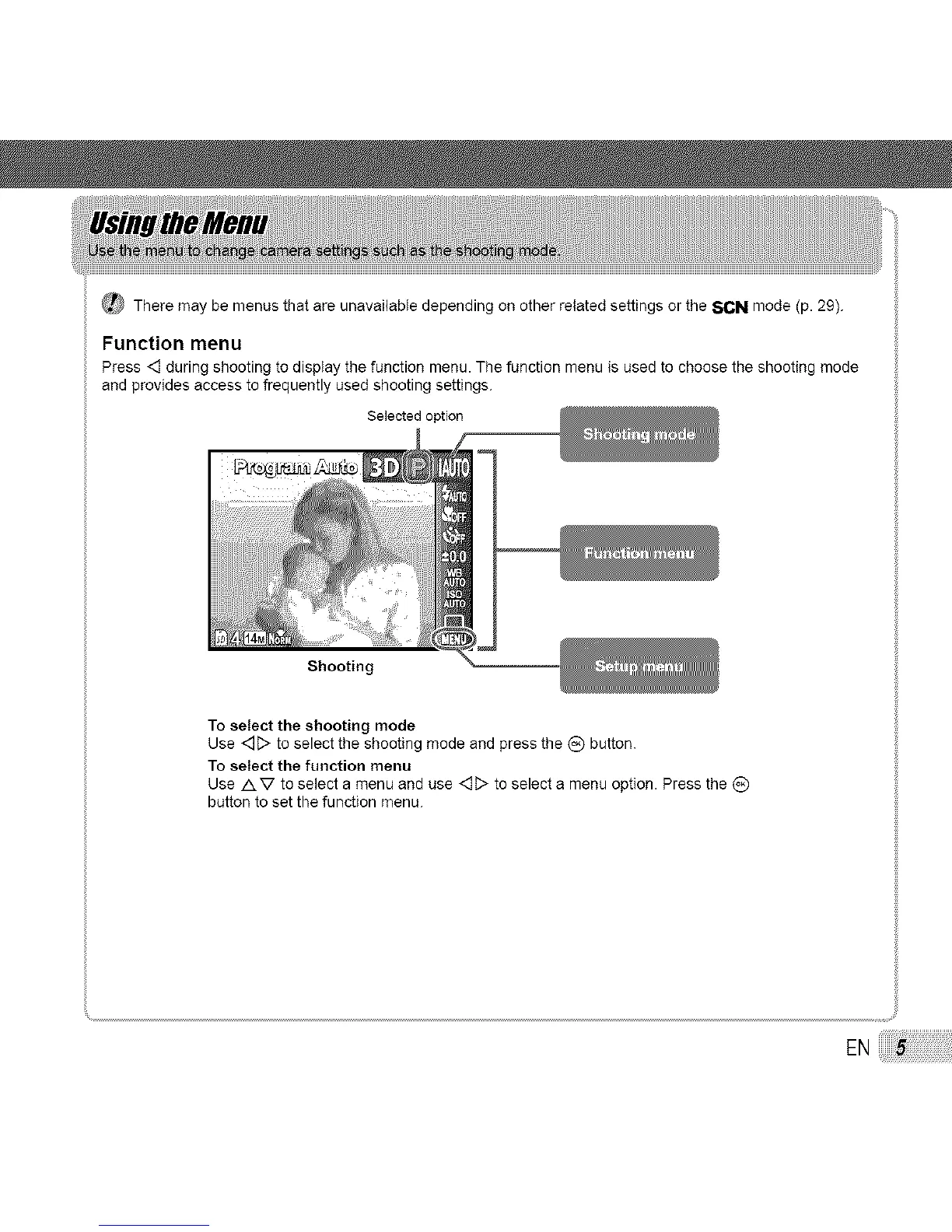
Press <] during shooting to display the function menu. The function menu is used to choose the shooting mode
and provides access to frequently used shooting settings.
Selectedoption
Shooting
To select the shooting mode
Use <_D to select the shooting mode and press the (_) button.
To select the function menu
Use AV to select a menu and use <_D to select a menu option. Press the _)
button to set the function menu.
EN



 To Next Page