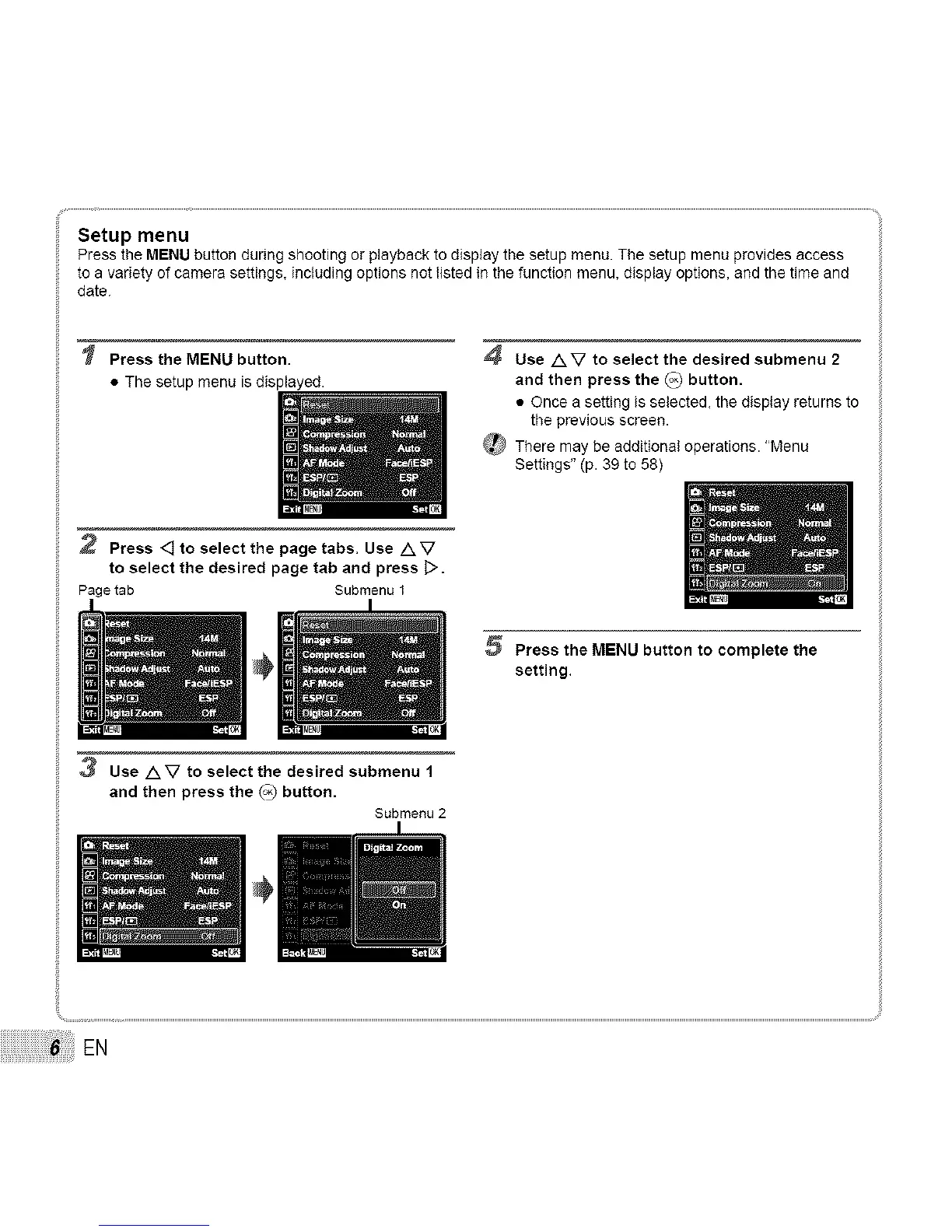
Setup menu
Press the MENU button during shooting or playback to display the setup menu. The setup menu provides access
to a variety of camera settings, including options not listed in the function menu, display options, and the time end
date.
Press the MENU button.
• The setup menu isdisplayed.
4 Use AV to select the desired submenu 2
and then press the _ button.
• Once a setting is selected, the display returns to
the previous screen.
There may be additional operations. "Menu
Settings" (p. 39 to 58)
2 Press <] to select the page tabs. Use A V
to select the desired page tab and press [>.
Pagetab Submenu 1
5 Press the MENU button to complete the
setting.
3 Use AV to select the desired submenu 1
and then press the _ button.
Submenu 2
EN



 To Next Page