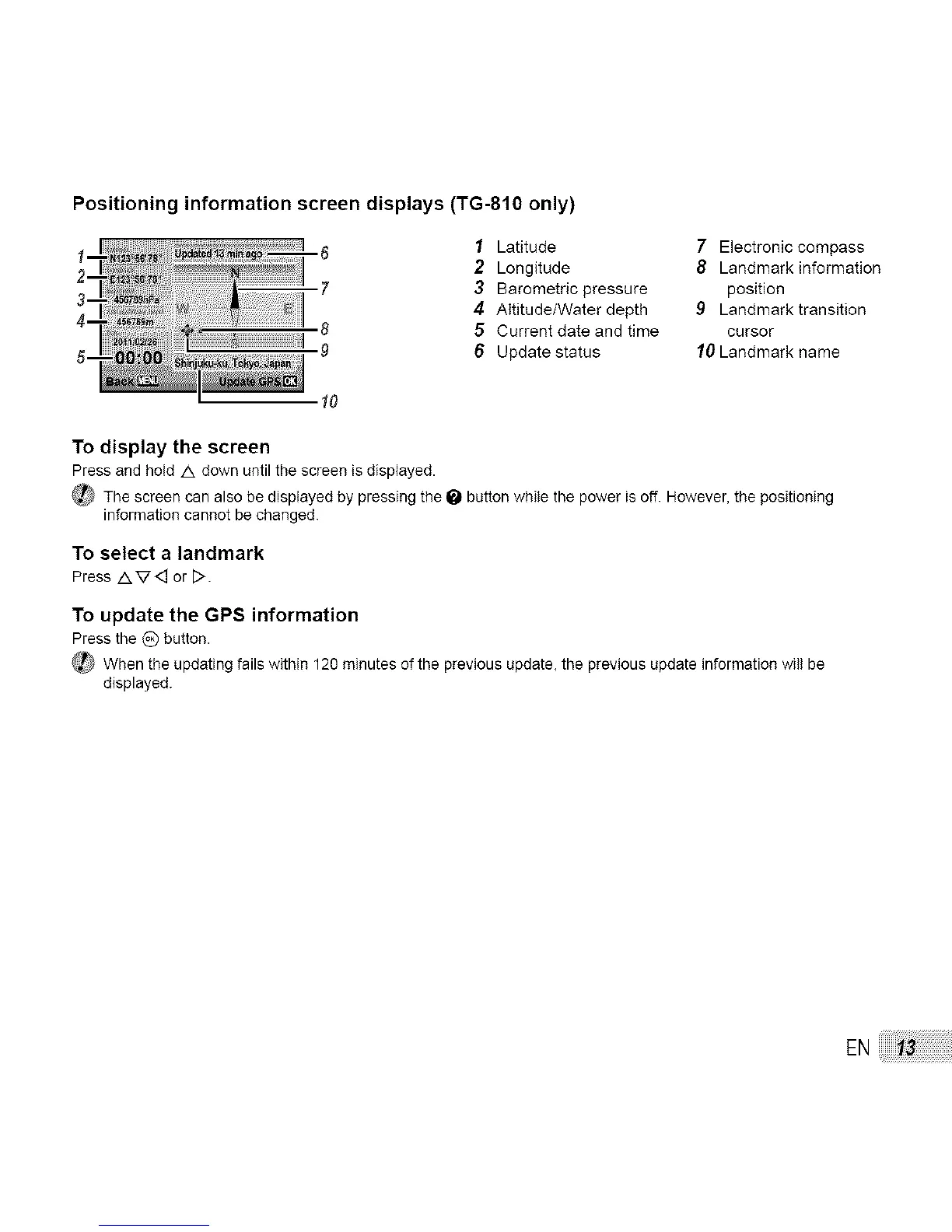
Positioning information screen displays (TG-810 only)
1 Latitude 7 Electronic compass
2 Longitude 8 Landmark information
3 Barometric pressure position
4 Altitude/Water depth 9 Landmark transition
5 Current date and time cursor
6 Update status 10 Landmark name
To display the screen
Press and hold /k down until the screen is displayed.
_ The screen can also be displayed by pressing the _ button while the power is off. However, the positioning
information cannot be changed.
To select a landmark
Press AV< or D.
To update the GPS information
Press the _) button.
_ When the updating fails within 120 minutes of the previous update, the previous update information will be
displayed.



 To Next Page