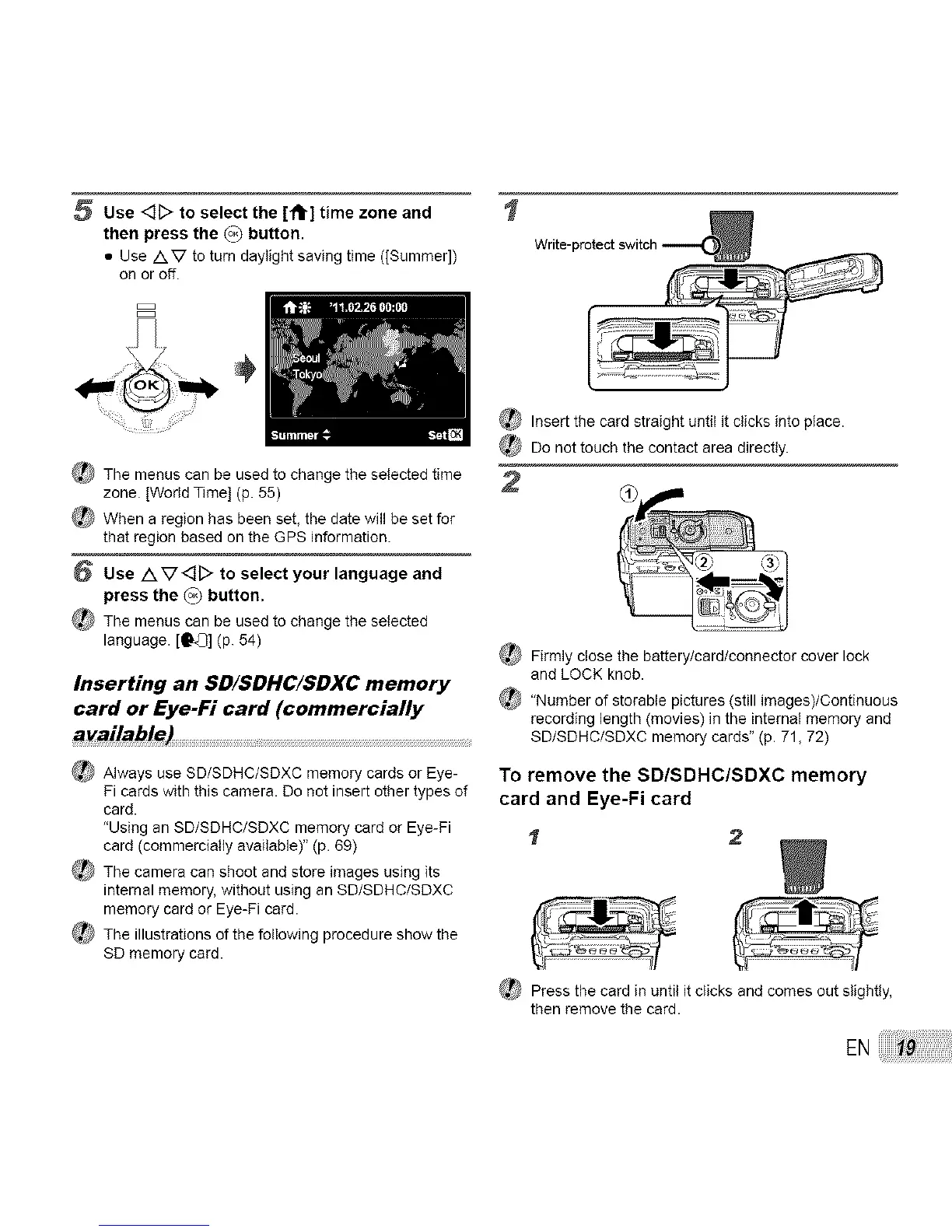
5 Use <]D to select the [ft] time zone and
then press the (o_ button.
• Use /XV to turn daylight saving time ([Summer])
on or off.
B
÷
_ The menus can be used to change the selected time
zone. [World Time] (p. 55)
When a region has been set, the date will be set for
that region based on the GPS information.
6 Use A V<][> to select your language and
press the (o_ button.
_} The menus can be used to change the selected
language. [O'_] (p. 54)
Inserting an SD/SDHC/SDXC memory
card or Eye-Fi card (commercially
available)
_ Always use SD/SDHC/SDXC memory cards or Eye-
Pi cards with this camera. Do not insert other types of
card.
"Using an SD/SDHC/SDXC memory card or Eye-Pi
card (commercially available)" (p. 69)
_ The camera can shoot and store images using its
internal memory, without using an SD/SDHC/SDXC
memory card or Eye-Pi card.
_,_ The illustrations of the following procedure show the
SD memory card.
I
Write-protect switch
_ Insert the card straight until it clicks into place.
Do not touch the contact area directly.
2
_ Firmly close the battery/card/connector cover lock
end LOCK knob.
_ "Number of storable pictures (still imeges)/Continuous
recording length (movies) in the internal memory and
SD/SDHC/SDXC memory cards" (p. 71, 72)
To remove the SD/SDHC/SDXC memory
card and Eye-Fi card
1 2
{_ Press the card in until it clicks and comes out slightly,
then remove the card.
EN



 To Next Page