A-27
Appendices
NJ/NX-series CPU Unit Built-in EtherCAT Port User’s Manual (W505)
A-3 Multi-vendor Environments
A
A-3-4 Editing PDO Entry Tables
Adding PDO Entries
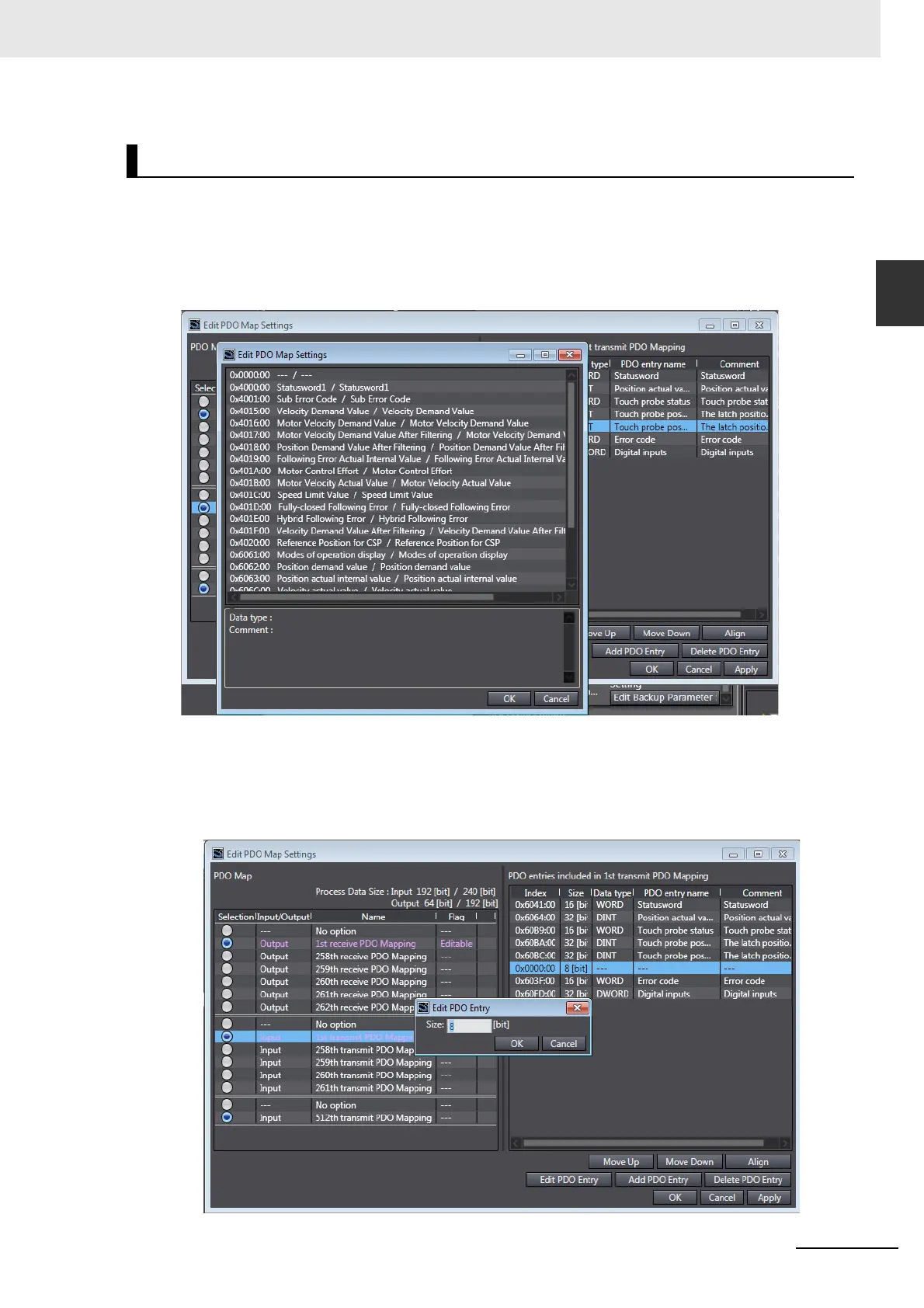
Click the Add PDO Entry Button. The entry table from the slave is displayed. Select the object to
add with the cursor and click the OK Button to add it.
The selected object is added at the location of the cursor in the PDO entry table.
Editing PDO Entries
Use the cursor to select padding (0x0000:00) in the PDO entry table and click the Edit PDO Entry
Button. Enter the size and click the OK Button. The size of the padding will change.
Editing Methods for PDO Entries



 To Next Page
 Loading...