Installing and connecting the Crocus CNV Crocus CNV
26 User manual
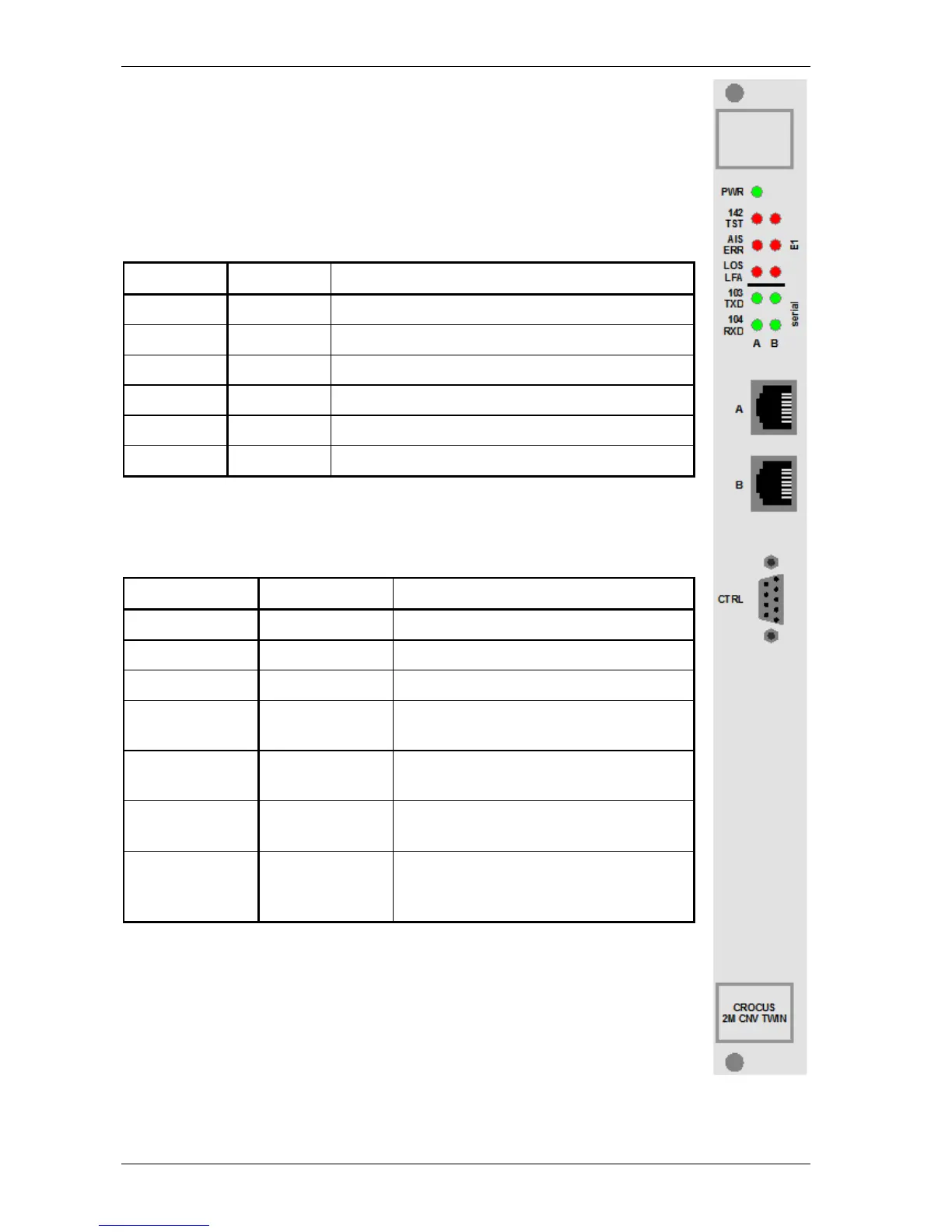
2.8.1 Introduction to the front panel LEDs
When all the connections are made and the Crocus CNV is powered, the LEDs on the
front panel reflect the actual status of the device.
LED label and colour
The following table lists the front panel LED indicators with their corresponding label and
colour.
Label Colour Short description
PWR green Power indication.
142 TST red Test indication.
AIS ERR red Alarm Indication Signal / error indication.
LOS LFA red Loss Of Signal / Loss of Frame Alignment indication.
103 TXD green Transmit data indication.
104 RXD green Receive data indication.
LED status modes
For some front panel LED indicators different status modes exist. These status modes
can be distinguished by the way the LED is lit up:
LED status LED duty cycle Description
continuously off 0 % The LED never lights up.
continuously on 100 % The LED lights up continuously.
blinking 50 % The LED is as much lit as it is out.
flashing 20 % The LED only lights up during 20% of the
time.
mostly off - The LED occasionally lights up, without a
fixed duty cycle.
mostly on - The LED occasionally goes out, without a
fixed duty cycle.
monitoring - The LED lights up irregularly. For instance,
it lights up on detection of a certain signal.
I.e. it monitors this signal.



 To Next Page