PULSAR
2
ESP
Installation and Operating Manual
OPTIKON 2000
Cod. 111007EN Rev.E
8-4
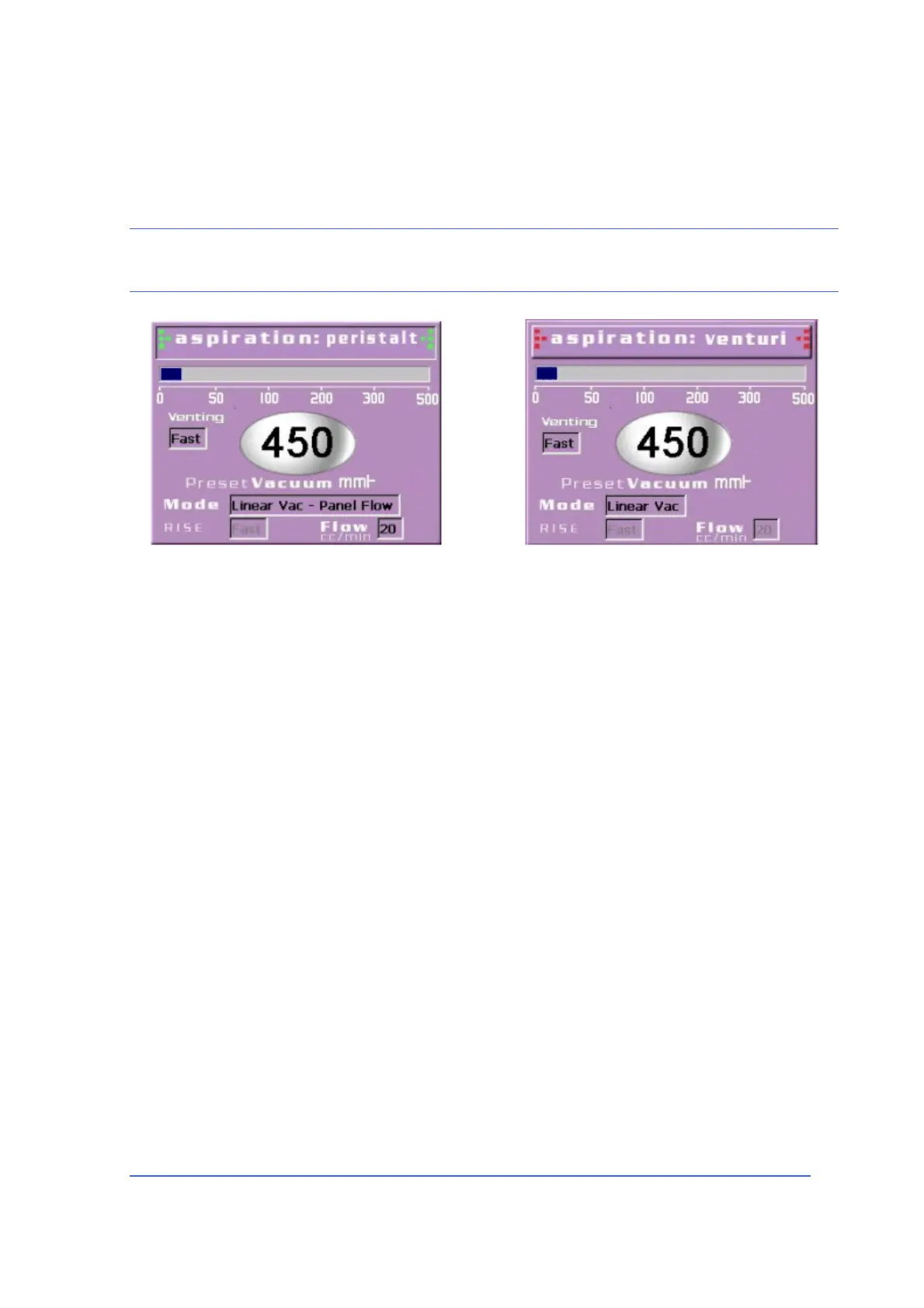
6) To change pump mode from Venturi to peristaltic or vice-versa, touch the
status button at the top of the aspiration parameter window.
NOTE:
When changing pump mode, always check that the aspiration parameters are suitable for the type of
pump selected before restarting aspiration.
7) If you need to adjust vacuum level and the other Aspiration parameters touch
the vacuum level display to show the Aspiration setup pop-up window.
8) Vacuum level can be adjusted by means of the <UP>/<DOWN> keys. Touch
<MODE> toggle key to set the vacuum in linear or panel control mode. Use <VAC
RISE> toggle key to select the appropriate vacuum rise time (slow, medium,
fast). If in peristaltic mode, the flow rate adjustment UP/DOWN keys will
appear at the bottom of the pop-up window. When using Venturi pump, you
may select one of the two available venting modes:
• Fast venting: vacuum is immediately released by introduction of fresh
Balanced Salt Solution in the aspiration line, which driven to the same
pressure as the irrigation line.
• Soft venting: the vacuum is gradually released through the Venturi
pump. This eliminates turbulences in the Anterior Chamber due to
sudden changes in the fluidics balance.
9) Depress footswitch beyond stand by position to activate IRRIGATION.
IRRIGATION can also be activated by "CONTINUOUS IRRIGATION" button located
on the footswitch or by pressing the IRR soft key on the LCD screen.
10) Depress footswitch beyond mechanical detent #1 to activate IRRIGATION and
ASPIRATION at the VACUUM preset limit (if in PANEL mode). If in SURGEON
mode, the footswitch will linearly control VACUUM level. In this condition, the
footswitch depression from detent #1 to max travel linearly varies the VACUUM
level from 5 mmHg to the preset maximum level.



 To Next Page