PULSAR
2
ESP
Installation and Operating Manual
OPTIKON 2000
Cod. 111007EN Rev.E
8-3
8.2 I/A (Irrigation/Aspiration)
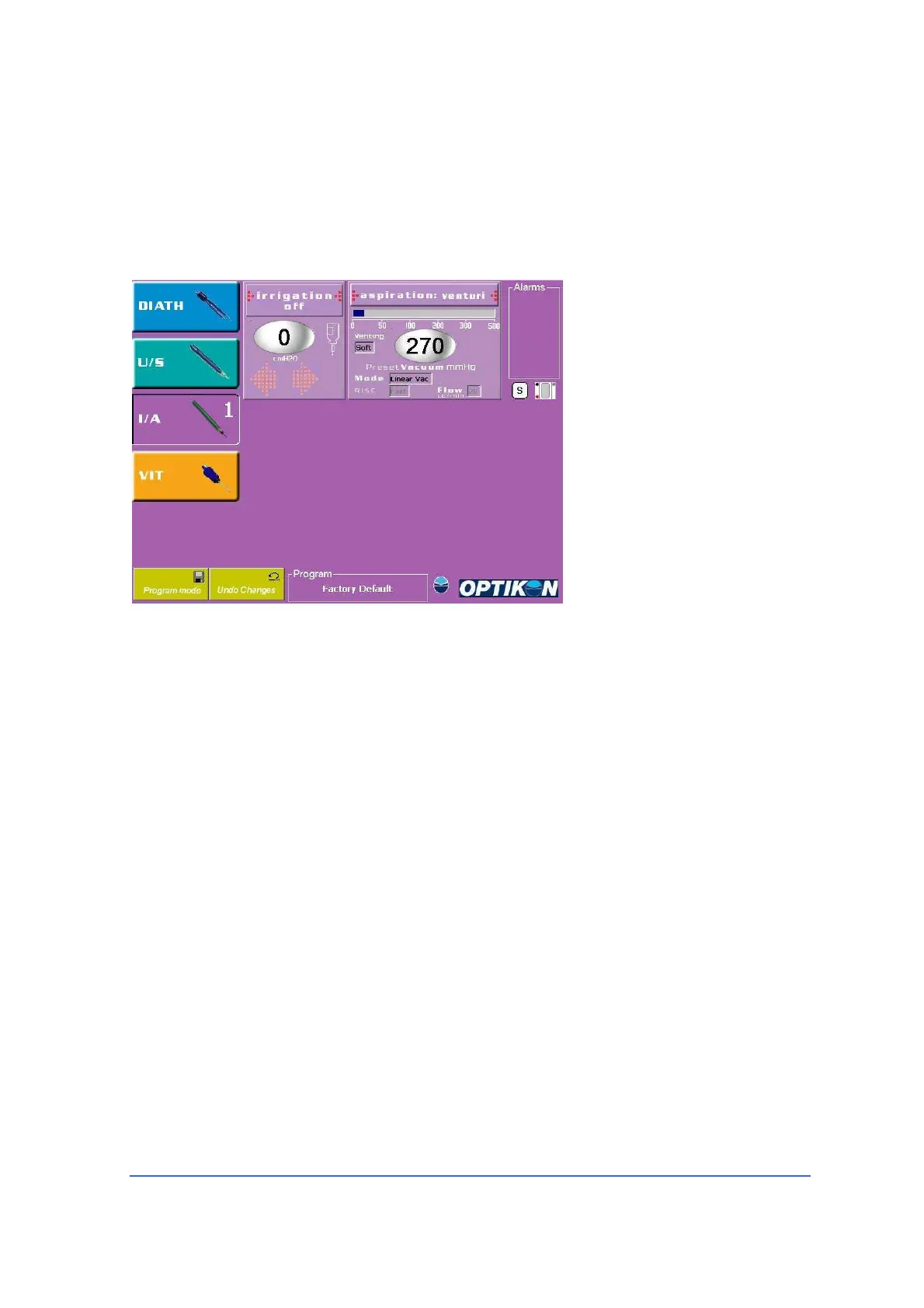
User Interface
• Parameter windows available
- Irrigation
- Aspiration
• Irrigation parameters
- Status (ON/OFF)
- I.V. Pole height
• Aspiration parameters
- Status (Venturi or
Peristaltic)
- Vacuum mmHg (5 – 500)
- Flow rate cc/min (2-50,
peristaltic mode only)
- Rise Time
(slow/medium/fast)
Mode (linear/panel)
Touching the I/A Function Key, I/A Memory1 screen (I/A 1) will be displayed. In
order to display I/A Memory2 screen (I/A 2) touch the same key once again (toggle
mode). Swapping between memories I/A 1 and I/A 2 can also be achieved by means
of the footswitch. For footswitch operation please refer to the relevant section.
Operation
1) Select required I/A tip and gently insert into the coaxial I/A handpiece.
2) Fit the silicone sleeve over the I/A tip cap. The sleeve should be gently pressed
onto the tip cap until the sleeve clears the aspiration port on the I/A tip.
3) Attach the I/A tubes from the installed irrigation aspiration lines by pushing the
end fittings into the corresponding fittings on the handpiece tubing.
4) Set I.V. pole height in the Irrigation window so that the BSS bottle is hung 50 to
70 centimetres higher than the patient eye level.
5) Touch <I/A> key on the LCD screen to select the Irrigation/Aspiration mode.
<I/A> soft key is depressed and the speech synthesizer announces “I/A one”.
Irrigation/Aspiration window will display preset Vacuum level, Aspiration mode,
Vacuum Rise Time and flow rate (peristaltic only).



 To Next Page