PULSAR
2
ESP
Installation and Operating Manual
OPTIKON 2000
Cod. 111007EN Rev.E
8-10
8.3.1 PROGRAMMABLE EMISSION MODE (P.E.M.)
The research in the field of cataract extraction surgery is aimed today to remove
the human lens with a less invasive technique.
This led to smaller incisions in the 90s and it is leading now to reduce the amount
of ultrasound energy needed to emulsify the lens.
Minimal stress, Pulse mode and Burst modes are a step in this direction. A
significant further step forward is Programmable Emission Mode.
P.E.M. allows the Surgeon to design, by setting a few parameters, the precise
ultrasound emission pattern that fit his technique and cataract hardness the best.
To maximize surgical performances, P.E.M. works together with Minimal Stress.
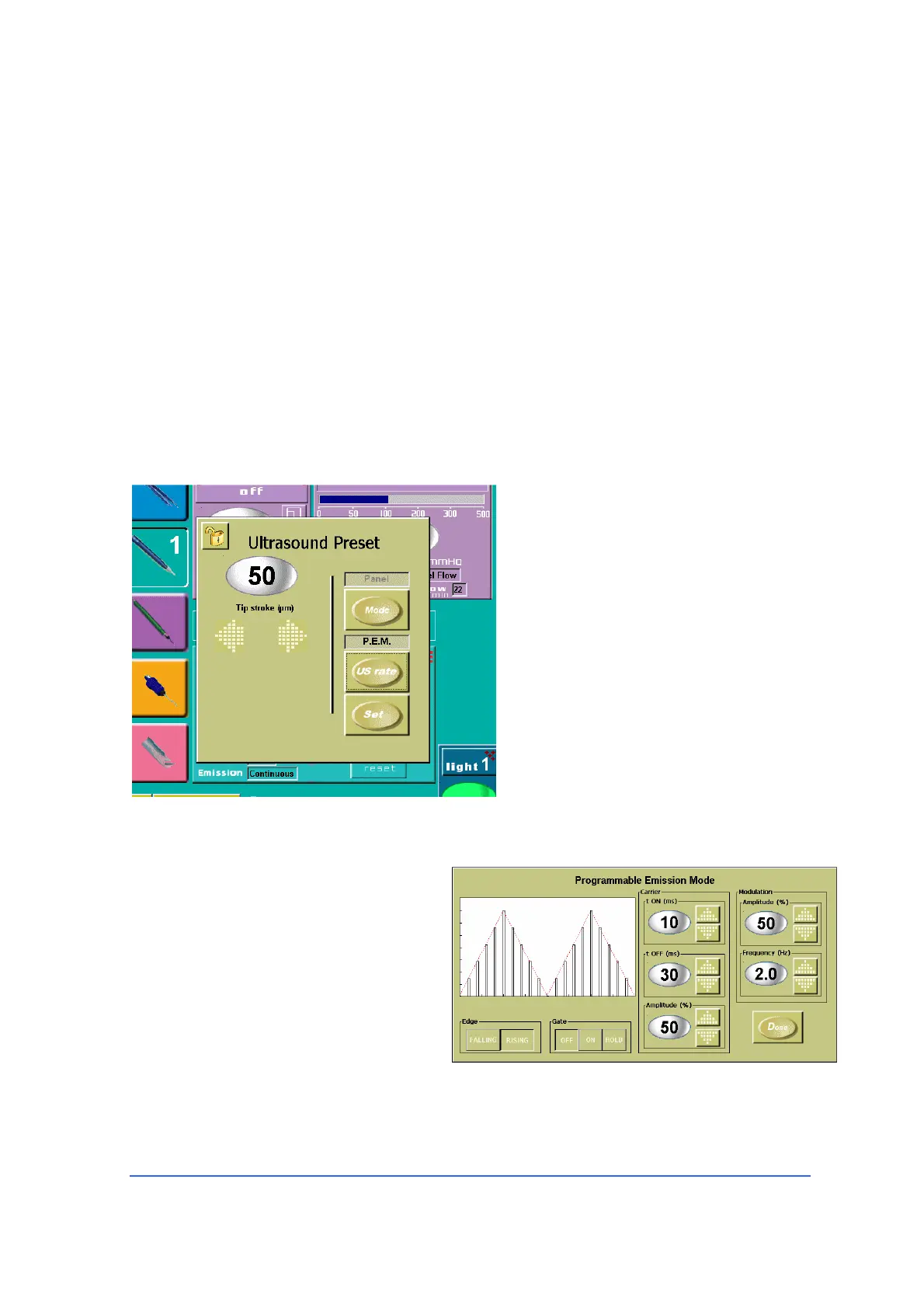
To activate P.E.M., in the
Ultrasound Preset setting window,
hit “U/S rate” key until P.E.M.
appears.
Note: when in P.E.M., the
Linear/Panel mode selection is not
active. The power emission is
controlled by the P.E.M. software.
To configure the Ultrasound pattern
as desired, press the “Set” key.
A pop-up window will appear (see
below).
The Ultrasound pattern is defined
in terms of:
a) Carrier
b) Modulation
c) Edge
d) Gate
The Carrier is a train of Ultrasound pulses of which the Surgeon may define:
1) t ON time on, duration of each pulse (10-90 milliseconds).



 To Next Page