13
Connecting the Projector
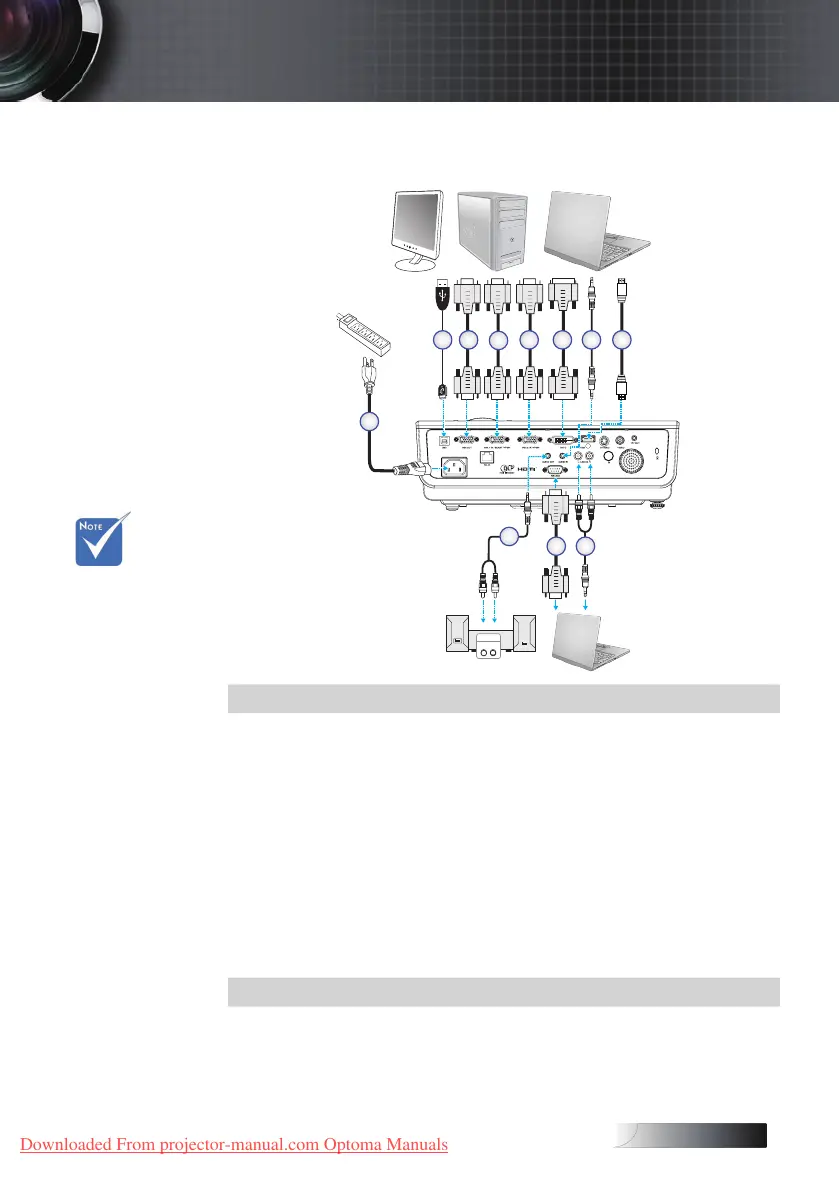
Connect to Computer / Notebook
1
Audio Out
L R
Audio In
Audio - Out
3
3 4
2 3
5
78
7
6
v Due to the
dierence in
applications for
each
country, some
regions may
have dierent
accessories.
Installation
1. Power Cord
2. USB Cable (Optional)
3. VGA Cable
4. DVI-D Cable (Optional)
5. Audio Cable (Optional)
6. HDMI Cable (Optional)
7. Audio Cable (Optional - RCA to mini-jack)
8. RS232 Cable (Optional)
Downloaded From projector-manual.com Optoma Manuals





 To Next Page