17
Adjusting the Projected Image
Adjusting the Projector’s Height
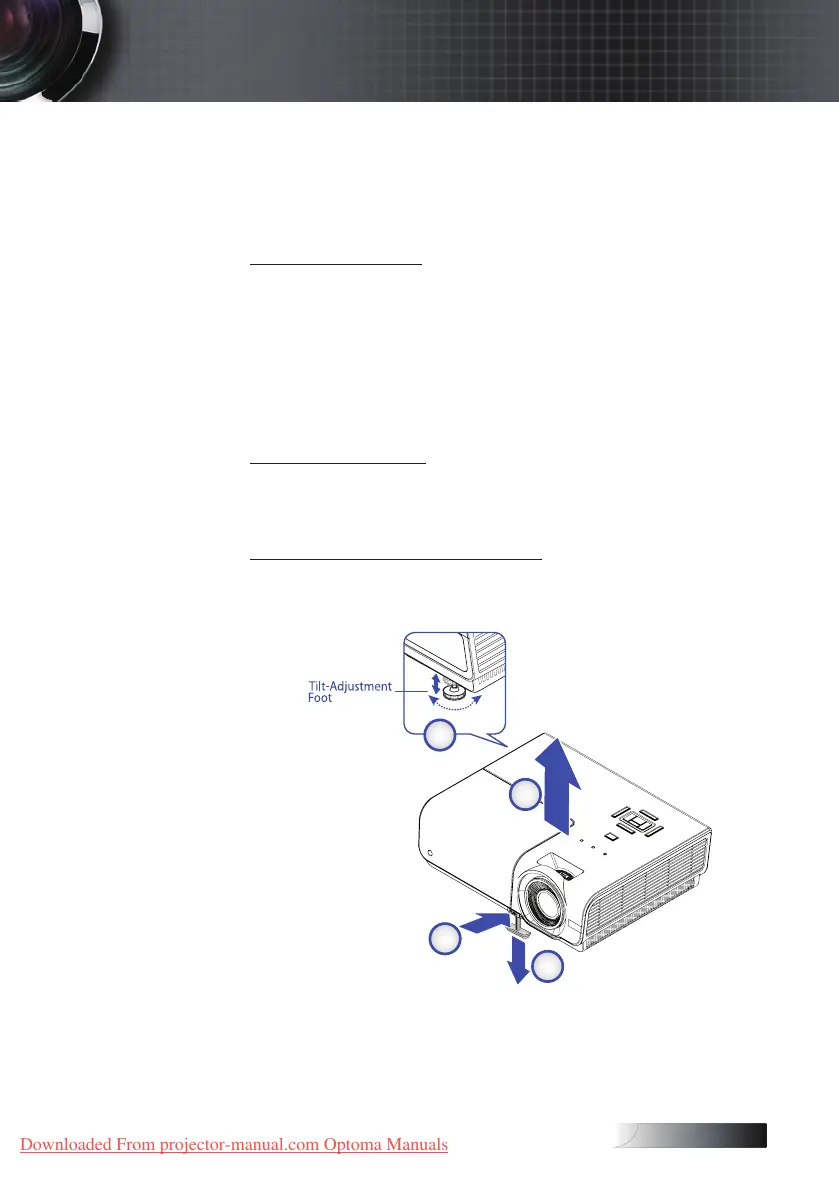
The projector is equipped with elevator foot for adjusting the image height.
To raise the image:
1. Lift the projector
u
.
2. Press the elevator button
v
.
3. Raise the image to the desired height angle, the elevator foot
drops down
w
.
3. Fine-tune the display angle and then release the button to lock
the elevator foot into position.
To lower the image:
Press the height-adjuster button and push down on the top of the
projector.
To adjust the angle of the image:
Turn the tilt-adjuster
x
right or left until the desired angle has
been achieved.
Installation
Downloaded From projector-manual.com Optoma Manuals





 To Next Page