18
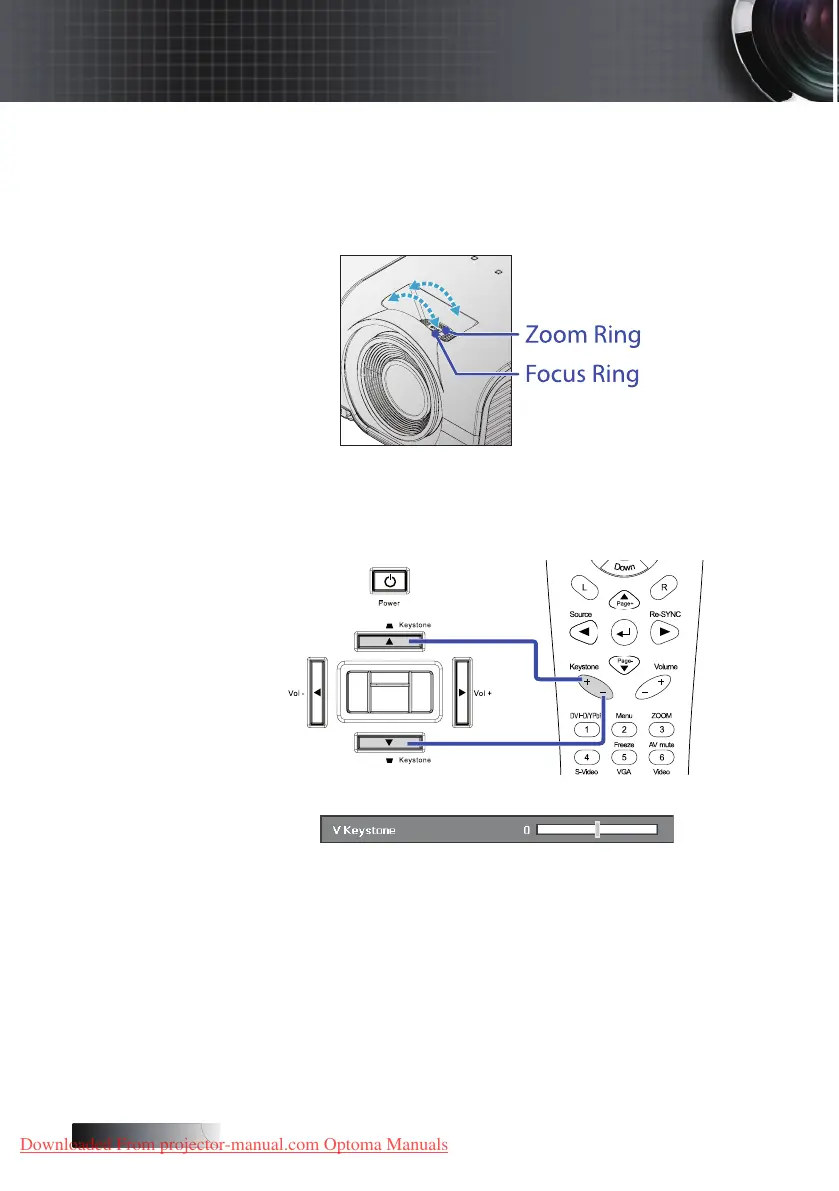
Adjusting the Zoom / Focus
You may turn the zoom ring to zoom in or out. To focus the image,
rotate the focus ring until the image is clear. The projector will focus
at distances. See pages 19.
Use the keystone buttons to
correct image distortion. They can be found on the remote
control and on the projector’s control panel.
Source
Enter
Menu
Re−sync
HDMI
Installation
Downloaded From projector-manual.com Optoma Manuals





 To Next Page