45
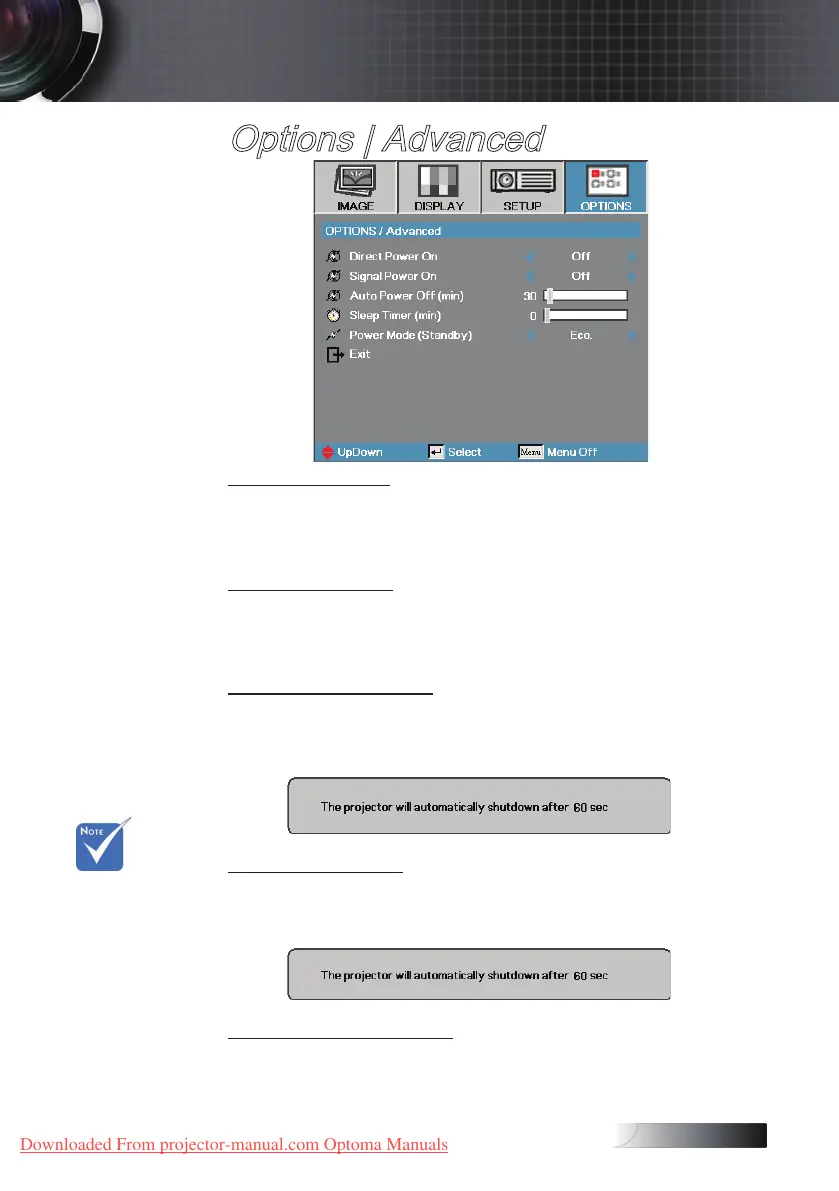
Options | Advanced
Direct Power On
Enable or disable Direct Power On.
4
On— the projector powers on automatically when AC power is supplied.
4
O— the projector must be powered on as normal.
Signal Power On
Enable or disable Signal Power On.
4
On— the projector turns on automatically when an active signal is detected.
4
O— the projector can be turned on by pressing the "Power" button.
Auto Power O (min)
Set the Auto Power O interval. The projector powers o the lamp after
30 minutes of no signal by default. The following warning is displayed 60
seconds before power o.
Sleep Timer (min)
Set the Sleep Timer interval. The projector powers o after the specied
time period of inactivity (regardless of signal). The following warning is
displayed 60 seconds before power o.
Power Mode (Standby)
4
Eco.: Choose “Eco.” to save power dissipation further < 1W.
4
Active: Choose “Active” to return to normal standby and the VGA out
port will be enabled.
v When Power
mode (Standby)
is set to Eco, the
VGA & Audio
pass-through,
RS232 and
RJ45 will be
deactivated
when the
projector is in
standby.
User Controls
Downloaded From projector-manual.com Optoma Manuals





 To Next Page