31
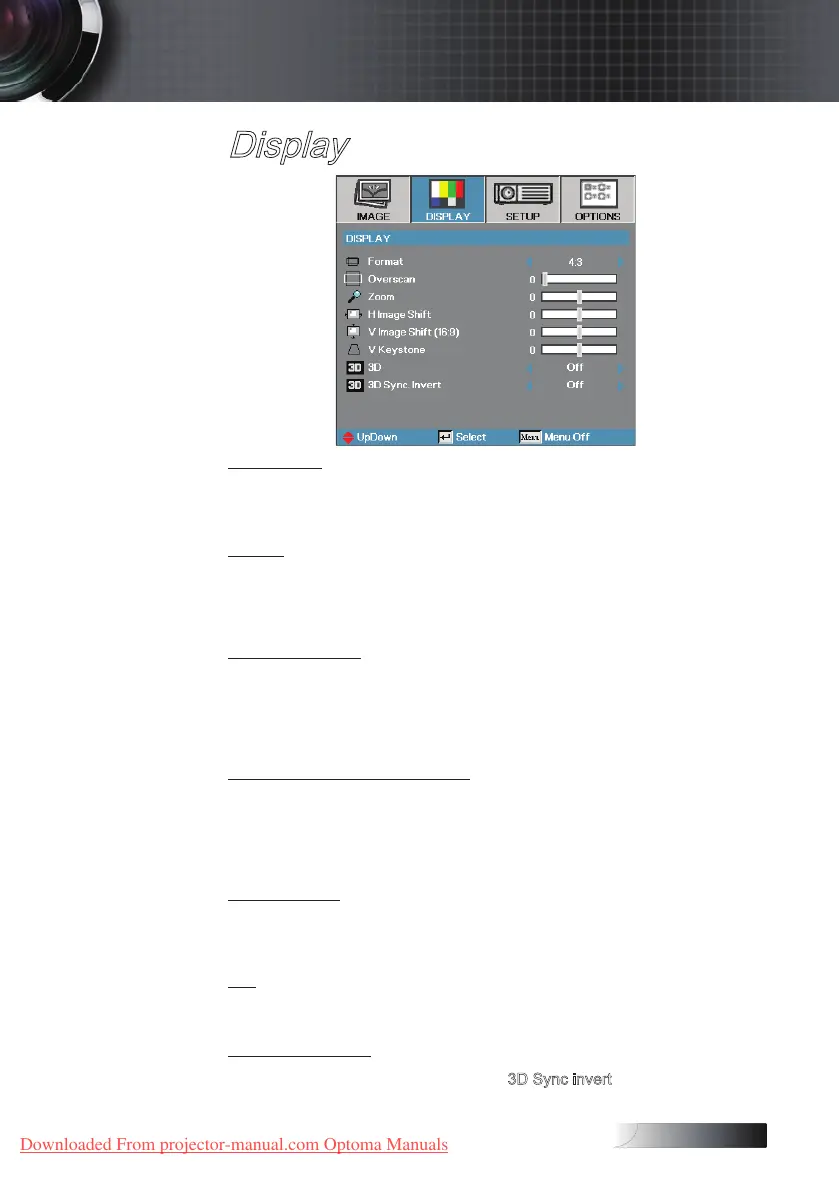
Display
Overscan
Overscan function removes the noise in a video image. Overscan the
image to remove video encoding noise on the edge of video source.
Zoom
4
Press ◄ to reduce the size of the image.
4
Press ► to magnify an image on the projected screen.
H Image Shift
Shifts the projected image position horizontally.
4
Press ◄ to move the image left on the projected screen.
4
Press ► to move the image right on the projected screen.
V Image Shift (16:9 only)
Shifts the projected image position vertically (in 16:9 format only).
4
Press ► to move the image up on the projected screen.
4
Press ◄ to move the image down on the projected screen.
V Keystone
Press ◄ or ► to compensate for vertical images distortion when the
projector is positioned at an angle to the screen.
3D
Press ◄ or ► to select dierent 3D functions.
3D Sync invert
Press ◄ or ► to enable or disable the 3D Sync invert function to invert
images.
User Controls
Downloaded From projector-manual.com Optoma Manuals





 To Next Page