43
Options
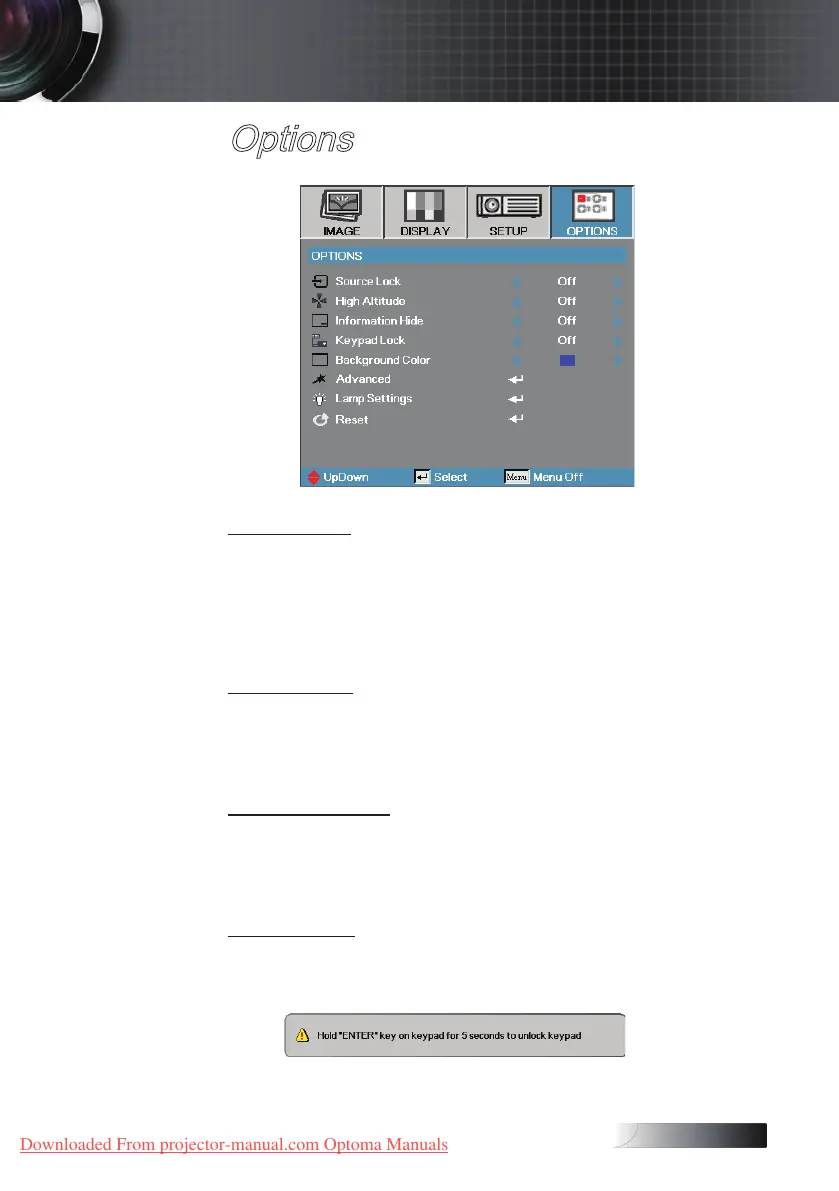
Source Lock
Lock the current source as the only available source, even if the cable is
unplugged.
4
On—only the current source is recognized as an input source.
4
O—all sources selected in Image | Advanced | Input Source are
recognized as an input source.
High Altitude
Adjust the fan speed to reect the environment.
4
On—increases fan speed for high temperature, humidity, or altitude.
4
O—regular fan speed for normal conditions.
Information Hide
Suppress informational messages on the projected screen.
4
On—no status messages appear on screen during operation.
4
O— status messages appear as normal on screen during operation.
Keypad Lock
Lock the buttons on the projector top panel.
4
On—a warning message displays to conrm keypad lock.
4
O—projector keypad functions as normal.
User Controls
Downloaded From projector-manual.com Optoma Manuals





 To Next Page