22
User Controls
Using the Remote Control
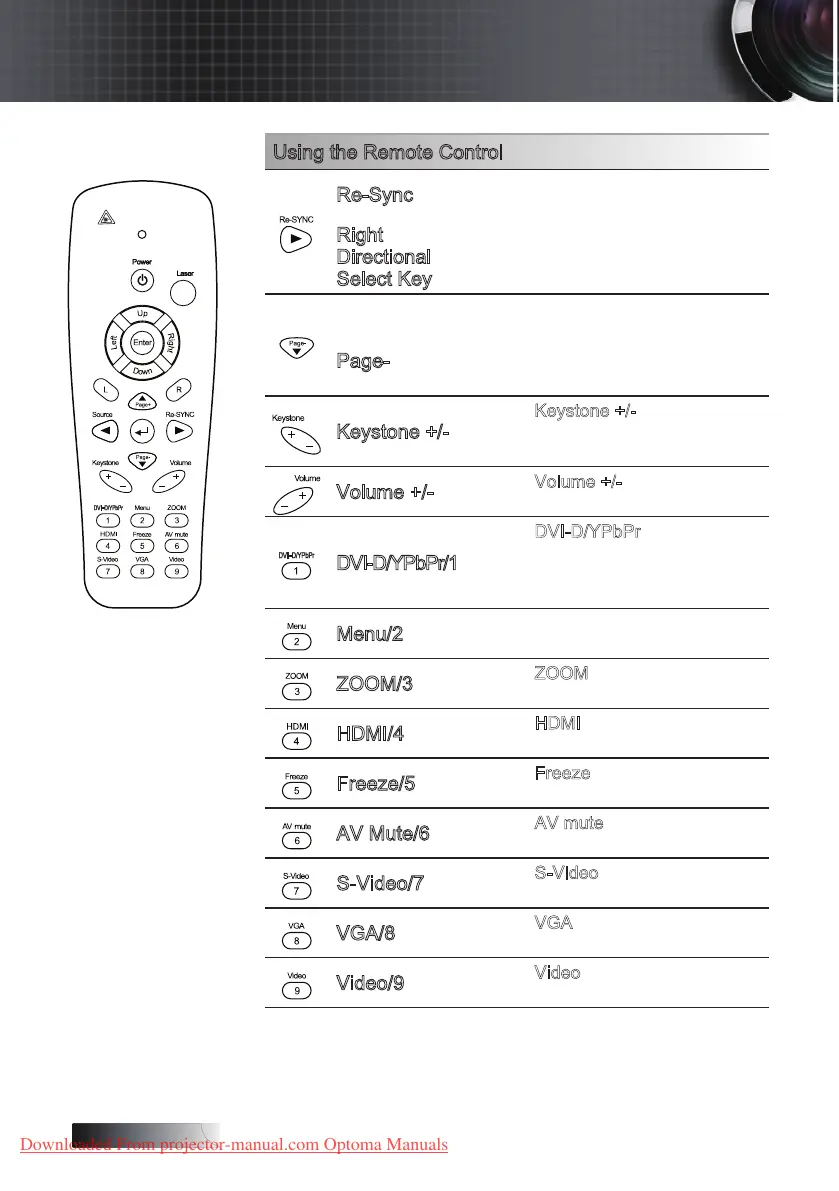
Re-Sync
Automatically synchronize the
projector to the input source.
Right
Directional
Select Key
Use directional select keys to
select items or make adjustments
to your selection.
q
Down selection when OSD on.
Page-
Page Down key for emulation
of USB keyboard via USB when
OSD o.
Keystone +/-
Press Keystone +/- to correct
image-trapezoid
(wider top/bottom) eect.
Volume +/-
Press Volume +/- to adjust
volume.
DVI-D/YPbPr/1
Press DVI-D/YPbPr to choose
Component Video source.
(DVI-D function available in this
model)
Menu/2
Display or exit the on-screen
display menus for projector.
ZOOM/3
Press ZOOM to zoom in or out
images.
HDMI/4
Press HDMI to choose source
from HDMI connectors.
Freeze/5
Press Freeze to freeze or unfreeze
the on-screen picture.
AV Mute/6
Press AV mute to mute the built-in
speaker.
S-Video/7
Press S-Video to choose S-video
source.
VGA/8
Press VGA to choose source from
VGA connector.
Video/9
Press Video to choose Composite
Video source.
Downloaded From projector-manual.com Optoma Manuals





 To Next Page