27
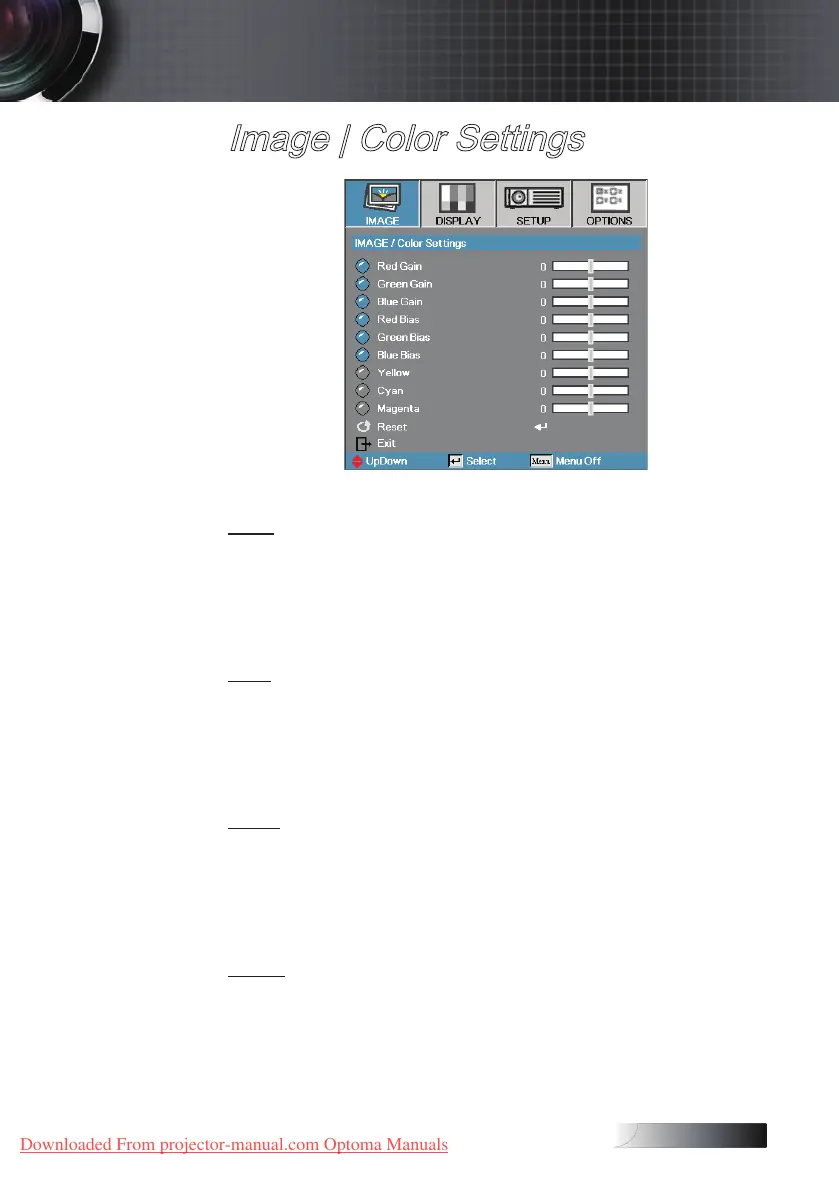
Image | Color Settings
Gain
Set RGB Gain to adjust the Brightness of the follow in Colors:
4
Red—increase or decrease the gain value for red.
4
Green—increase or decrease the gain value for green.
4
Blue—increase or decrease the gain value for blue.
Bias
Set RGB Bias to adjust the Contrast of the follow in Colors:
4
Red—increase or decrease the bias value for red.
4
Green—increase or decrease the bias value for green.
4
Blue—increase or decrease the bias value for blue.
Color
Set values to adjust the level of the following colors:
4
Yellow—increase or decrease the color value for yellow.
4
Cyan—increase or decrease the color value for cyan.
4
Magenta—increase or decrease the color value for magenta.
Reset
Reset all Color Setting values to the factory default.
User Controls
Downloaded From projector-manual.com Optoma Manuals





 To Next Page