57
4
5
1. Switch o the power to the projector by pressing the Power button.
2. Allow the projector to cool down at least 30 minutes.
3. Disconnect the power cord.
4. Open the screw cover.
5. Remove the single screw on the lamp compartment cover.
6.
Remove the lamp compartment cover.
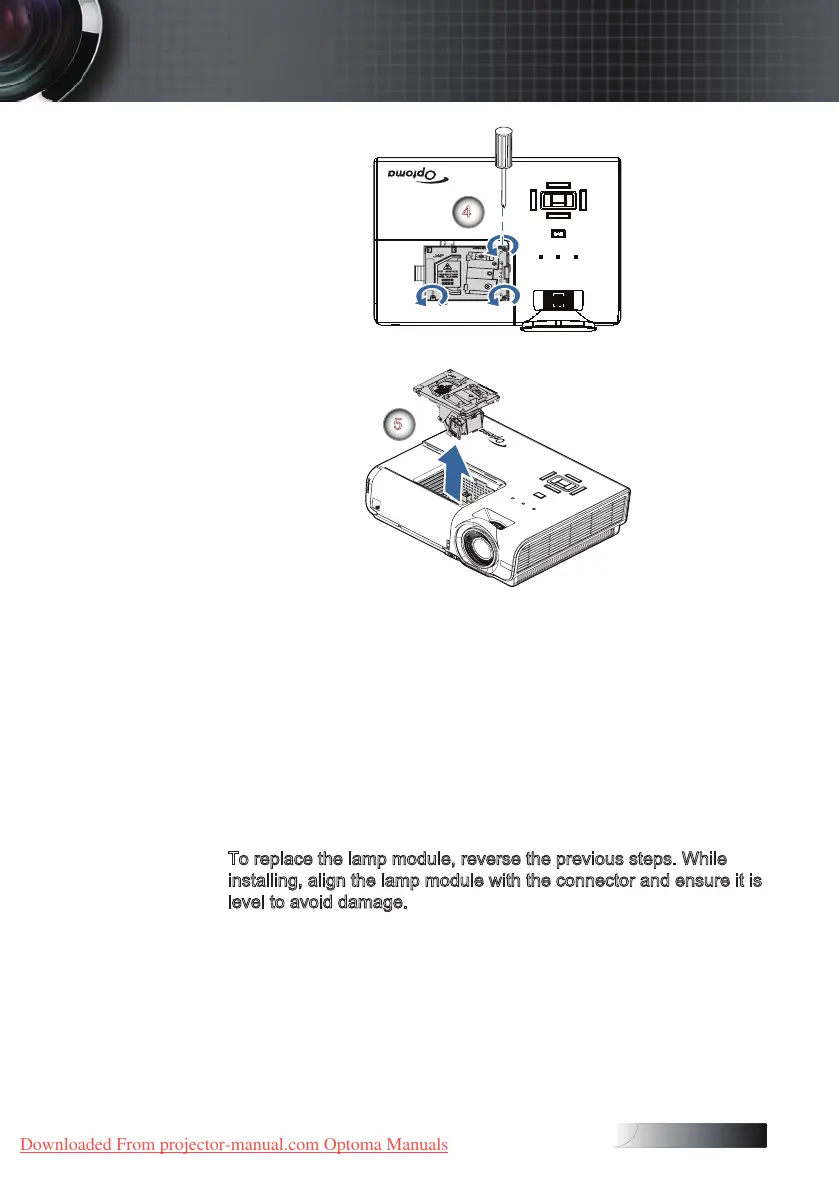
7. Remove the three screws from the lamp module.
Lift the module handle up.
8.
Pull rmly on the module handle to remove the lamp module.
To replace the lamp module, reverse the previous steps. While
installing, align the lamp module with the connector and ensure it is
level to avoid damage.
9. Turn on the projector and do "Lamp Reset" after the lamp
module is replaced.
Lamp Reset: See page 47 for more information.
Appendices
Downloaded From projector-manual.com Optoma Manuals





 To Next Page