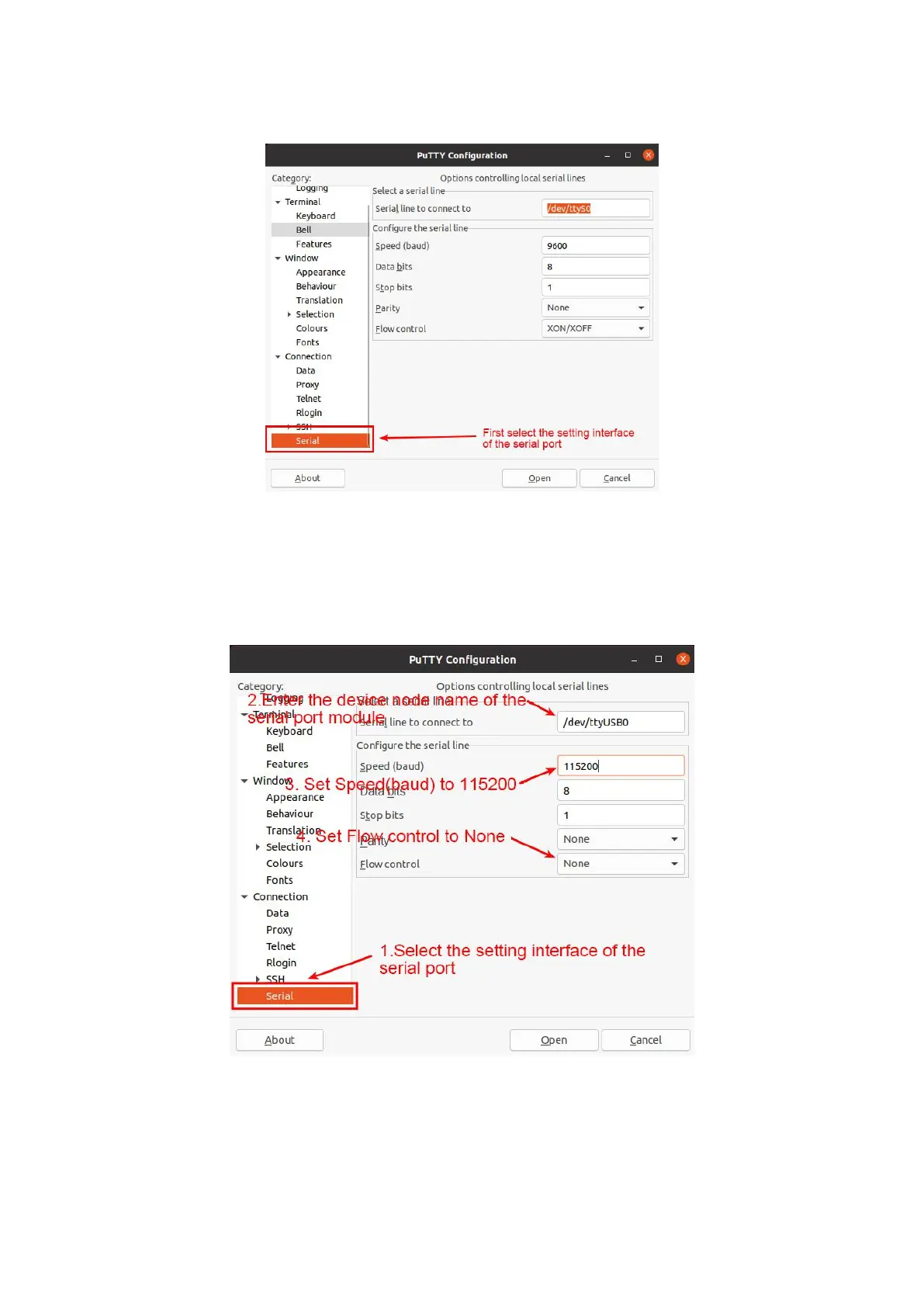
6) First, select the setting interface of the serial port
7) Then set the parameters of the serial port
a. Set the Serial line to connect to /dev/ttyUSB0 (modify to the corresponding
node name, generally /dev/ttyUSB0)
b. Set Speed(baud) to 115200 (baud rate of the serial port)
c. Set Flow control to None
8)After setting the serial port setting interface, return to the Session interface
a. First, select the Connection type as Serial
b. Then click the Open button to connect to the serial port



 To Next Page