You can enter the following command on the development board and try to
connect
root@orangepi:~# rm /etc/ssh/ssh_host_*
root@orangepi:~# dpkg-reconfigure openssh-server
3.9.2. SSH remote login development board under Windows
1) First, get the IP address of the development board
2) MobaXterm can be used to remotely log in to the development board under
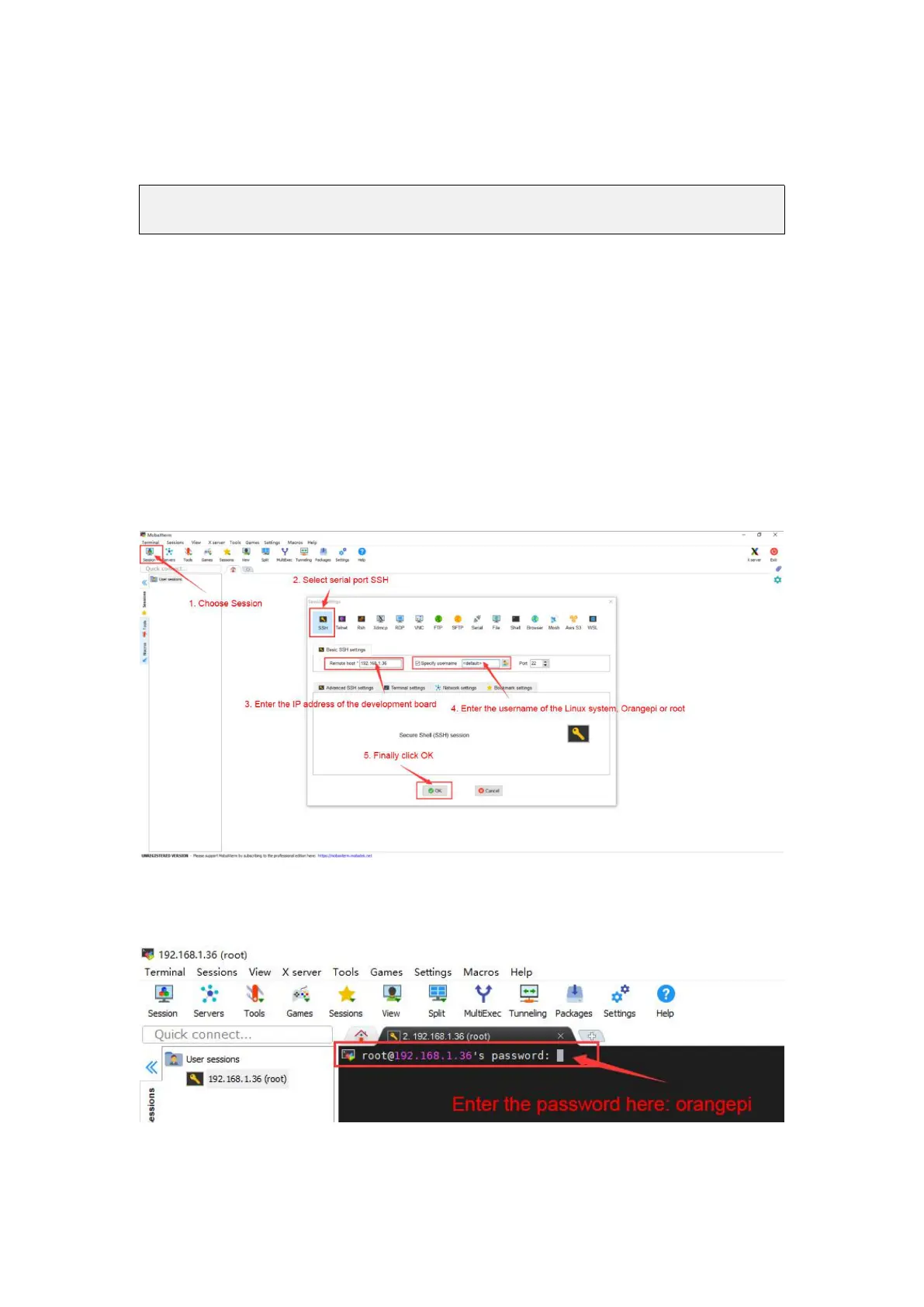
windows, first create a new ssh session
a. Open Session
b. Then select SSH in Session Setting
c. Then enter the IP address of the development board in Remote host
d. Then enter the username root or orangepi of the Linux OS in Specify username
e. Finally, click OK
3)Then you will be prompted to enter a password, the default passwords for root and
orangepi users are orangepi
4)The display after successfully logging in to the OS is shown in the figure below



 To Next Page