need to recompile rootfs
b. bionic-cli-arm64.153618961f14c28107ca023429aa0eb9.tar.lz4.list lists the package
names of all packages installed by rootfs
test@test:~/orangepi-build$ ls external/cache/rootfs/
bionic-cli-arm64.153618961f14c28107ca023429aa0eb9.tar.lz4 bionic-cli-
arm64.153618961f14c28107ca023429aa0eb9.tar.lz4.list
9) If the required rootfs already exists under external/cache/rootfs, then compiling
the rootfs again will skip the compilation process and will not restart the compilation.
When compiling the image, it will also go to external/cache/rootfs to check whether
it is already Rootfs with cache available, if available, use it directly, which can save a
lot of download and compilation time
4.6. Compile linux image
1) Run the build.sh script, remember to add sudo permissions
test@test:~/orangepi-build$ sudo ./build.sh
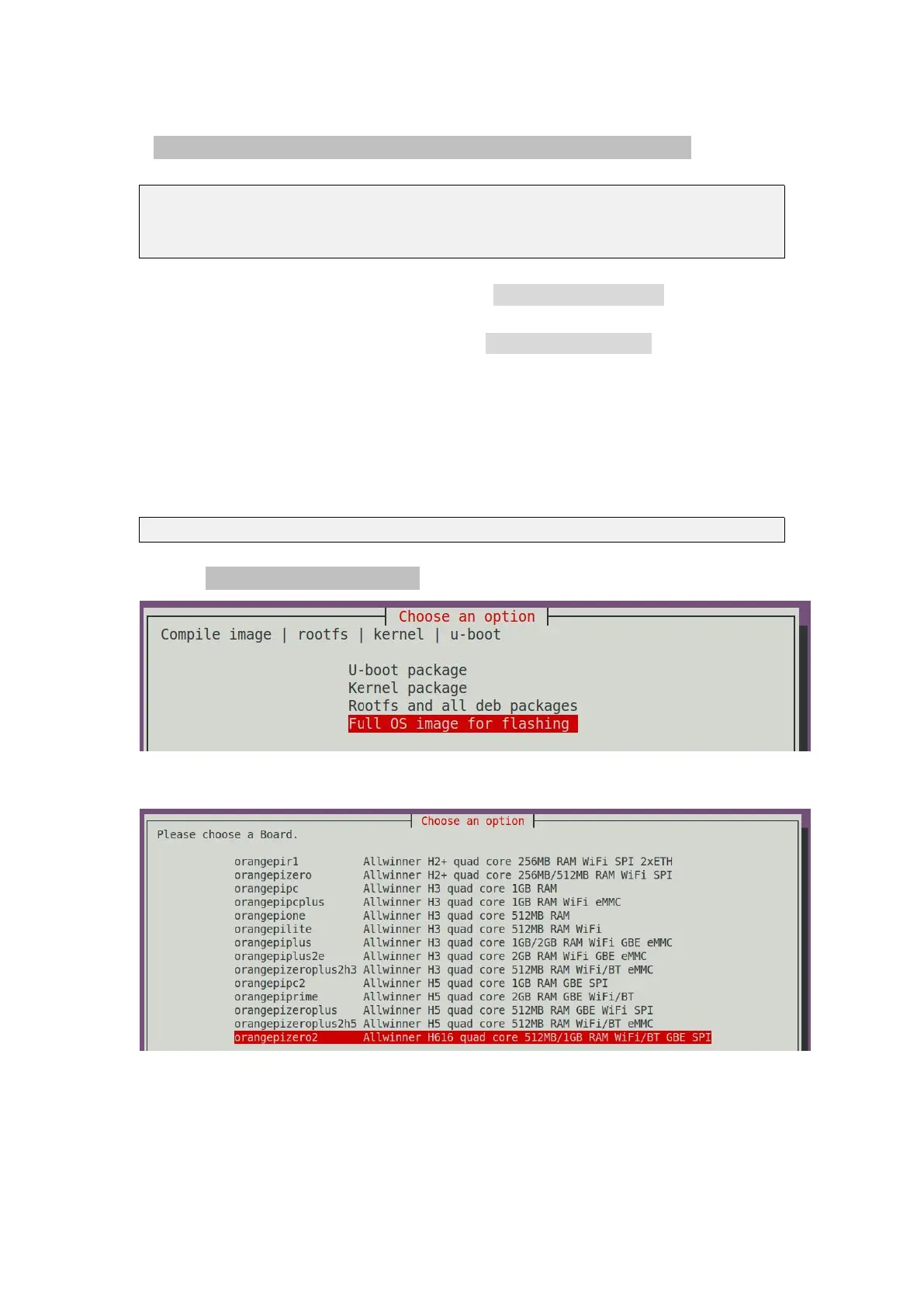
2) Select Full OS image for flashing, then press Enter
3) Then select the model of the development board
4) Then select the type of rootfs
a. buster means Debian 10
b. bionic means Ubuntu 18.04



 To Next Page