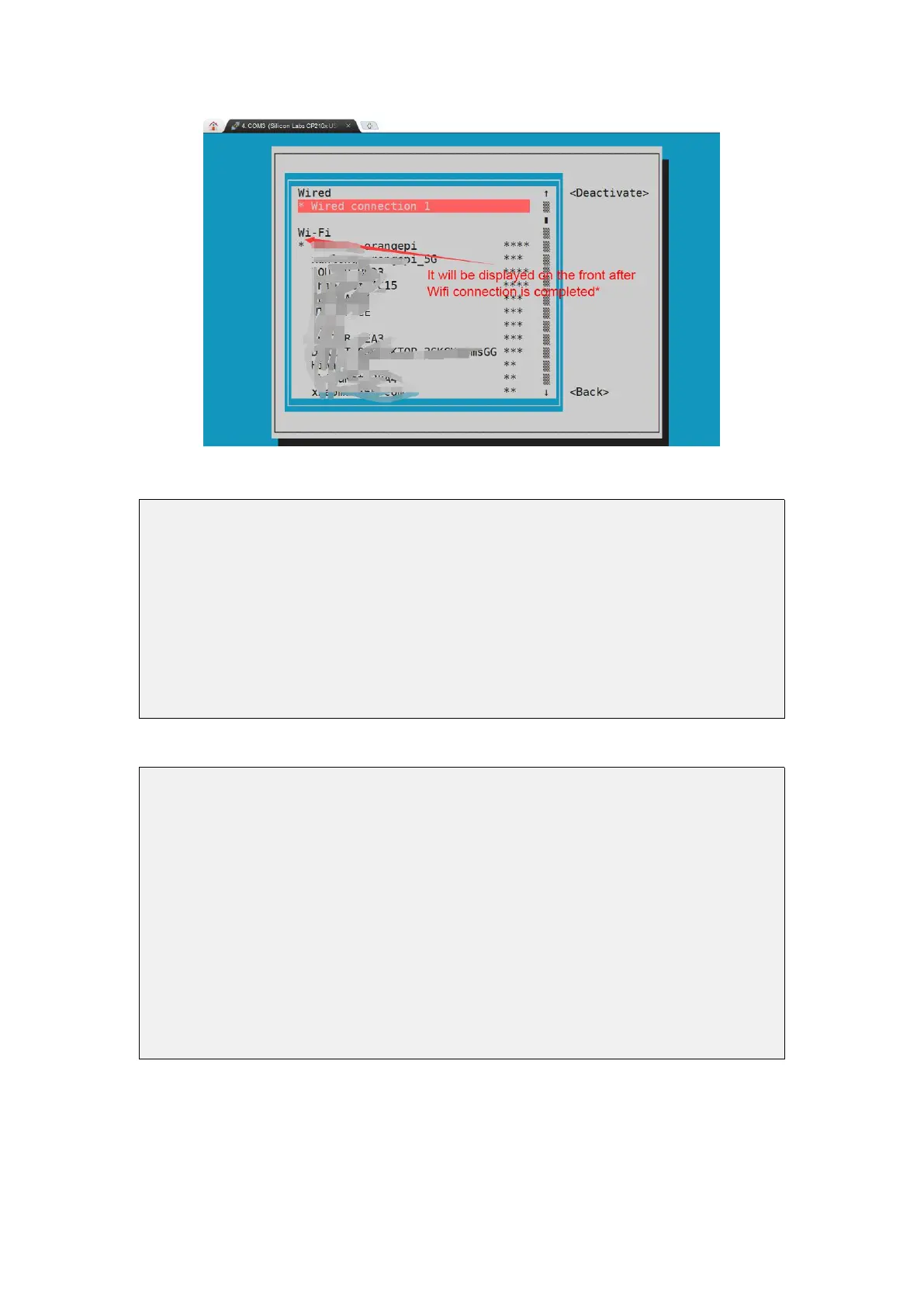
9)The wifi IP address can be viewed through the ifconfig command
root@orangepi:~# ifconfig wlan0
wlan0: flags=4163<UP,BROADCAST,RUNNING,MULTICAST> mtu 1500
inet 192.168.1.49 netmask 255.255.255.0 broadcast 192.168.1.255
inet6 fe80::76bb:f67d:ef98:2f9a prefixlen 64 scopeid 0x20<link>
ether 12:81:3e:a8:58:d8 txqueuelen 1000 (Ethernet)
RX packets 185 bytes 109447 (109.4 KB)
RX errors 0 dropped 61 overruns 0 frame 0
TX packets 27 bytes 14783 (14.7 KB)
TX errors 0 dropped 0 overruns 0 carrier 0 collisions 0
10)Use the ping command to test the connectivity of the wifi network
root@orangepipcplus:~# ping www.orangepi.org -I wlan0
PING www.orangepi.org (182.92.236.130) from 192.168.1.49 wlan0: 56(84) bytes of
data.
64 bytes from 182.92.236.130 (182.92.236.130): icmp_seq=1 ttl=52 time=43.5 ms
64 bytes from 182.92.236.130 (182.92.236.130): icmp_seq=2 ttl=52 time=41.3 ms
64 bytes from 182.92.236.130 (182.92.236.130): icmp_seq=3 ttl=52 time=44.9 ms
64 bytes from 182.92.236.130 (182.92.236.130): icmp_seq=4 ttl=52 time=45.6 ms
64 bytes from 182.92.236.130 (182.92.236.130): icmp_seq=5 ttl=52 time=48.8 ms
^C
--- www.orangepi.org ping statistics ---
5 packets transmitted, 5 received, 0% packet loss, time 4006ms
rtt min/avg/max/mdev = 41.321/44.864/48.834/2.484 ms
3.13.2. Test method of Linux desktop version image
1) Click the network configuration icon in the upper right corner of the desktop
(please do not connect the network cable when testing WIFI)



 To Next Page