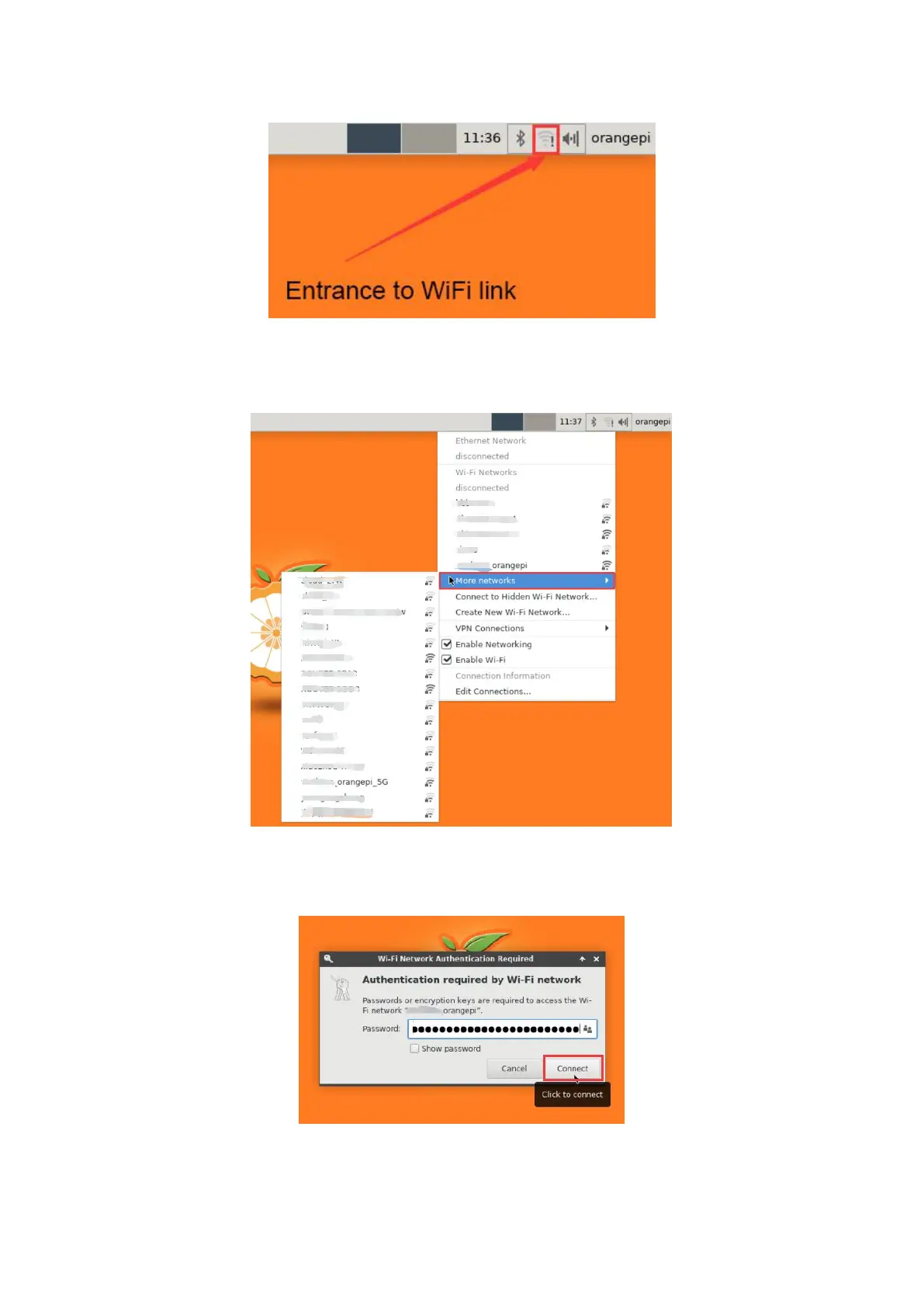
2) Click More networks in the pop-up drop-down box to see all scanned WIFI
hotspots, and then select the WIFI hotspot you want to connect to
3) Then enter the password of the WIFI hotspot, and then click Connect to start
connecting to WIFI
4) After connecting to the WIFI, you can open the browser to check whether you can



 To Next Page